Assignment 1: Rendering Basics with PyTorch3D
16-825: Learning for 3D Vision · Name: Zixin Guo · Andrew ID: zixinguo
Everything below was rendered on CPU at 256×256, 24 frames per turntable. All of it
comes out of main.py (python main.py --question all).
1. Practicing with Cameras
1.1 360-degree Renders
look_at_view_transform with a fixed distance and elevation and azimuth stepping
through 360°. I attach the point light to the camera center so the cow stays lit as
the camera goes around; with a fixed world-space light half the loop is in shadow.

1.2 Re-creating the Dolly Zoom
The frustum is 2 * distance * tan(fov / 2) wide where the cow is, so if I keep that
width fixed the cow keeps the same size on screen no matter what the fov is. Here the
width is 5 units, i.e. distance = 2.5 / tan(fov / 2), which runs the camera from
about 57 units away at fov 5° down to 1.4 units at fov 120°. The cow stays put and the
plane behind it stretches, which is the whole unsettling effect.

2. Practicing with Meshes
2.1 Constructing a Tetrahedron
4 vertices and 4 triangular faces. Three vertices form the base and one sits above it; every face is already a triangle, so there is nothing to split.

2.2 Constructing a Cube
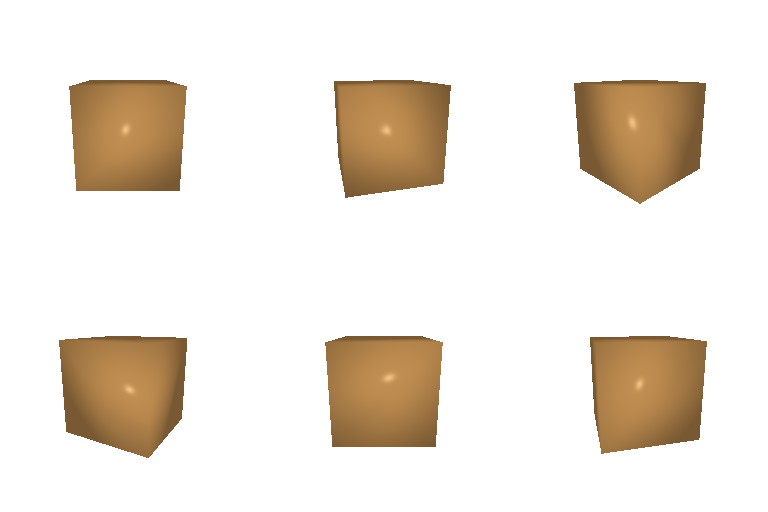
8 vertices and 12 triangular faces. To build the cube, we need to create the 8 corners, and each of the 6 square sides cut into 2 triangles along a diagonal.
3. Re-texturing a mesh
I used color1 = (0.0, 0.35, 1.0) for the front of the cow (z_min) and
color2 = (1.0, 0.55, 0.0) for the back (z_max), so the cow fades from blue at the
nose to orange at the tail. Each vertex color is alpha * color2 + (1 - alpha) * color1
with alpha = (z - z_min) / (z_max - z_min).

4. Camera Transformations
R_relative is written in the camera’s own axes: it says how to re-orient the camera,
and T_relative then says where to slide it. All four are in TRANSFORMS in
starter/camera_transforms.py.
Roll. R_relative is a 90° rotation about the camera’s viewing axis and
T_relative = (0, 0, 0), so nothing moves — the image just comes out rotated 90°
clockwise.

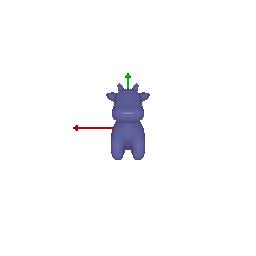
Back off. No rotation, and T_relative = (0, 0, 2) pushes the camera 2 units
further along its viewing direction, from 3 units away to 5. The cow shrinks and stays
centered.
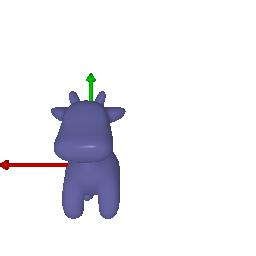
Slide. Again no rotation; T_relative = (0.5, -0.5, 0) slides the camera right and
up, so the cow drifts down and to the left in the frame without changing size.
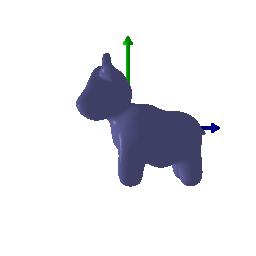
Quarter orbit. R_relative turns the camera 90° about the world’s up axis so it
looks along +x, and T_relative = (-3, 0, 3) cancels the translation that rotation
would otherwise introduce. The net camera pose is 3 units away at (-3, 0, 0), looking
at the cow’s side.
5. Rendering Generic 3D Representations
5.1 Rendering Point Clouds from RGB-D Images
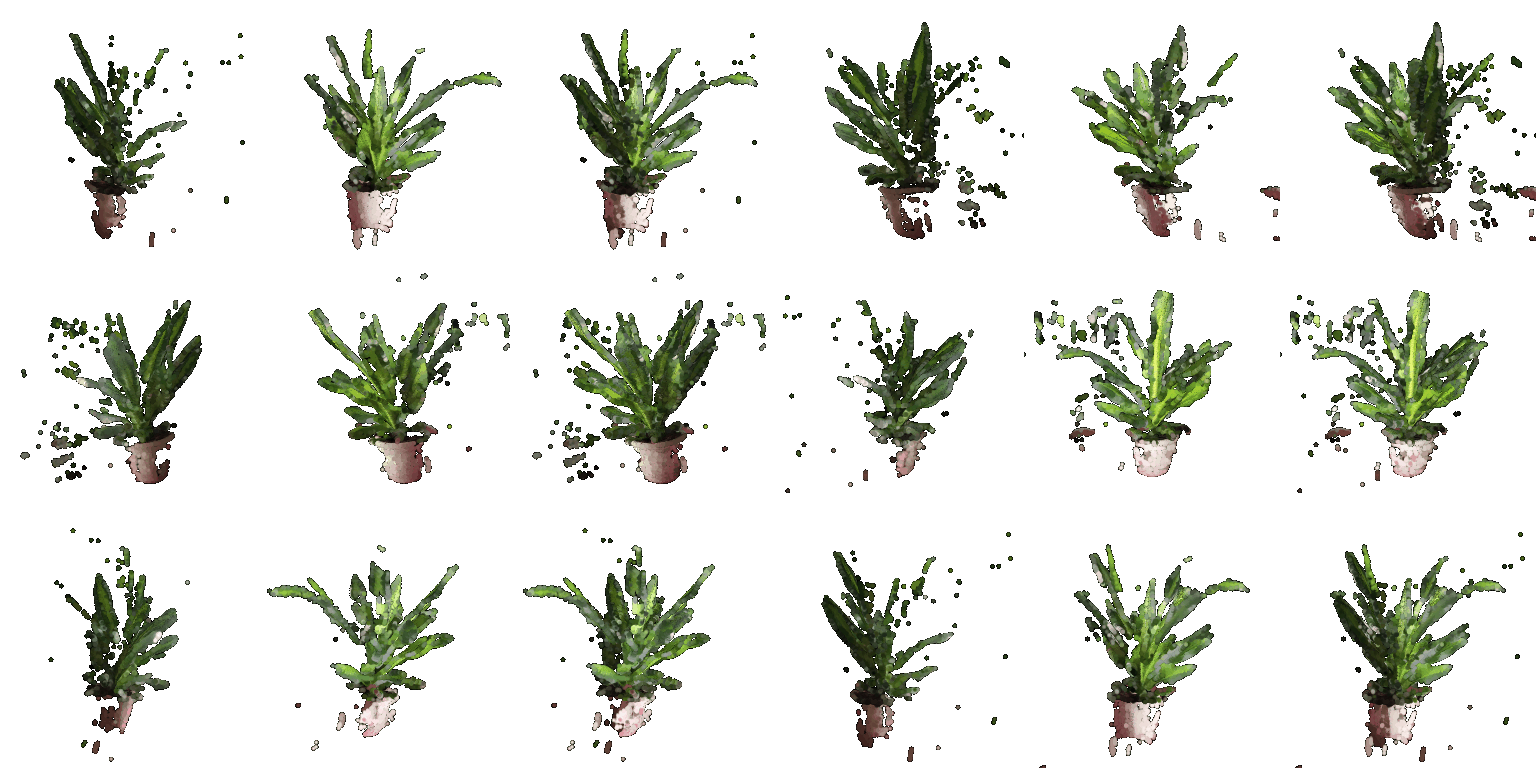
unproject_depth_image casts a ray through every masked pixel and puts a colored point
at its depth. Each view alone is a shell of points with a hollow back and a shadow of
missing points where the plant occluded itself; the union fills in most of those gaps,
and you can see the two views are registered because the pot lines up.
5.2 Parametric Functions
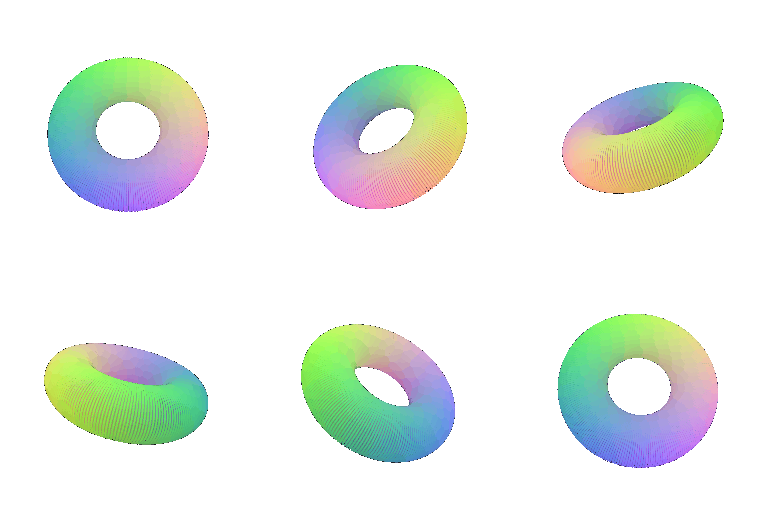
The torus sweeps a small circle of radius 0.4 around a big circle of radius 1, sampled on
a 220x220 grid of (u, v). For the second shape I took a trefoil knot curve and swept a
circle of radius 0.14 around it, using the curve’s analytic tangent to build the frame, and
so the same two-parameter trick gives a knotted tube.

5.3 Implicit Surfaces
Same torus, this time as the zero level set of
(sqrt(x² + y²) - R)² + z² - r² sampled on a 64³ grid and meshed with marching cubes
(9,792 vertices / 19,584 faces). The second shape is a tanglecube,
x⁴ - 5x² + y⁴ - 5y² + z⁴ - 5z² + 11.8, which gives a much less obvious surface for
nearly the same three lines of code (14,712 vertices / 29,440 faces).


Mesh vs point cloud. First, the mesh wins on quality: it has a real surface, so it shades,
has clean silhouettes, and never lets you see through it. The point clouds only look
solid because I sampled densely and tuned the splat radius. So if the number of points sampled gets too small
and the surface then becomes porous, or too large and thin features fatten up, and neither setting is right at
every viewing distance. Second, speed turned out to depend on primitive count rather than on the
representation: on CPU both rasterizers loop over primitives per pixel, so the 48k-point
parametric clouds were my quickest renders, the two marching-cubes meshes (20k–29k faces)
sat in the middle, and the 250k-point plant clouds from 5.1 were by far the slowest. Third, on memory, points are just an N × 3 array plus colors, whereas
the mesh needs vertices and a face list, and getting it required a dense 64³ voxel grid
(262k values) that is thrown away right after. Ease of use depends on where the geometry
comes from: sampling a parametric function into points is a couple of lines with no
topology to maintain, but pulling a surface out of an implicit function meant choosing a
grid resolution and an isovalue and then mapping voxel indices back into world
coordinates. Therefore, point clouds are for raw sensor data and quick looks, meshes when anything
downstream needs a surface.
6. (Extra Credit) Do Something Fun
The cow melts into a torus and back. I sample 30k points on the cow’s surface with the Q7 sampler, sample a matching torus, and pair the two sets up by their angle around the vertical axis so the points swirl into place instead of scrambling. Positions and colors are linearly interpolated with a cosine ping-pong so the loop closes seamlessly, and the camera orbits the whole time.

7. (Extra Credit) Sampling Points on Meshes
sample_mesh_points picks faces with probability proportional to their area
(torch.multinomial on the triangle areas), then draws a uniform barycentric coordinate
by sampling the unit square and reflecting the u + v > 1 half back into the triangle.
Because faces are area-weighted, the samples do not clump on the cow’s small faces the way
raw vertices would.
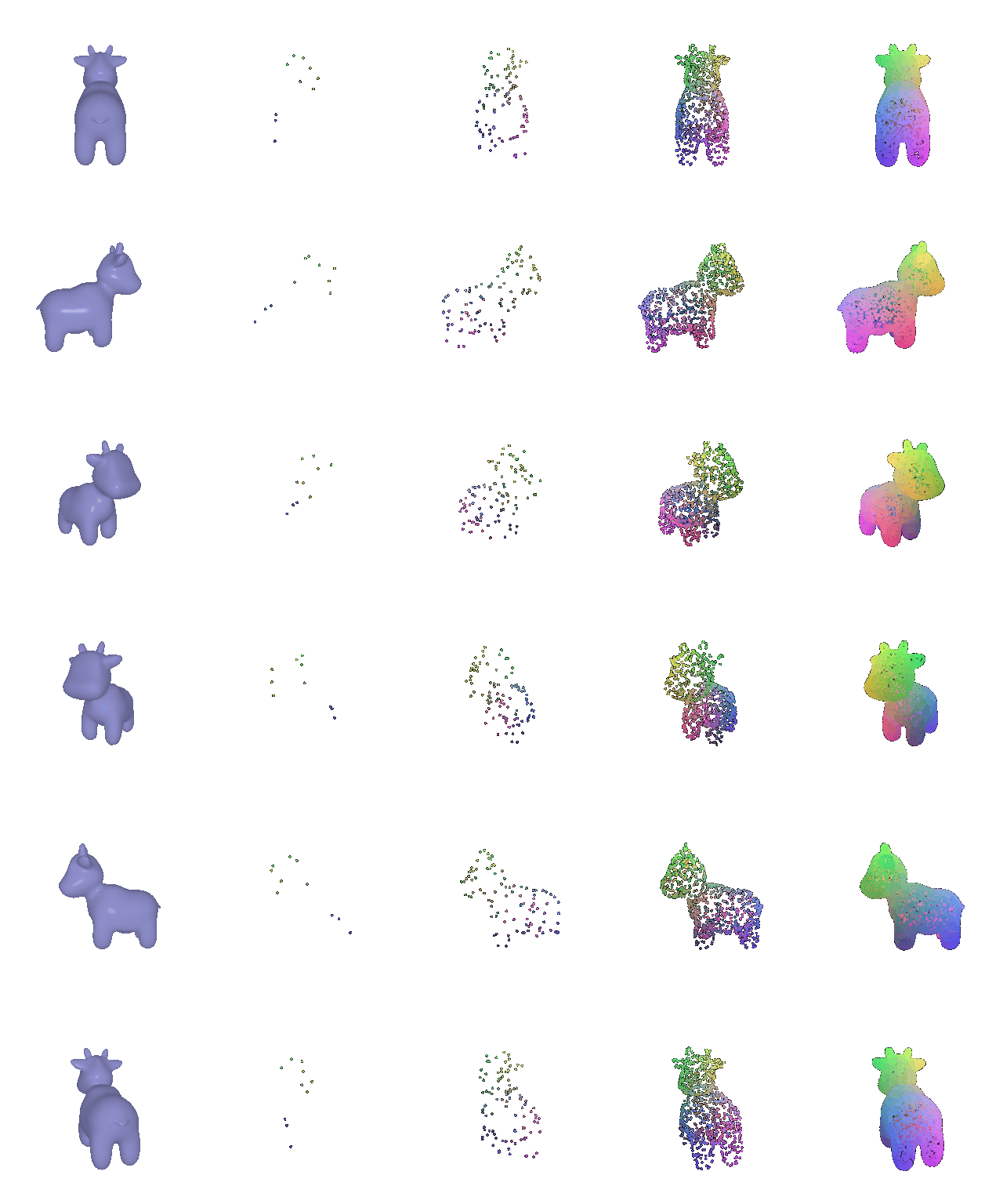
As one can observe, the more points you sample, the more the object is reconstructed. At 10 points you cannot tell what the object is, 100 gives you a vague silhouette, 1,000 reads clearly as a cow, and 10,000 is indistinguishable from the mesh at this resolution apart from a slightly grainy surface.