Assignment 1: Rendering Basics with PyTorch3D

16-825 Learning for 3D Vision · Andrew ID: soumojib

1.1

360-degree renders

5 pts
The cow mesh rotating through 360 degrees
1.2

Dolly zoom

10 pts
Dolly zoom: the cow stays the same size while the background warps
2.1

Tetrahedron

5 pts
Vertices4
Triangle faces4
Tetrahedron rotating 360 degrees
2.2

Cube

5 pts
Vertices8
Triangle faces12

Each of the 6 square sides is split into 2 triangles, so 6 × 2 = 12 faces.

Cube rotating 360 degrees
3

Re-texturing a mesh

10 pts

color1 = [0, 0, 1] (blue) on the front of the cow, the vertex with the smallest z. color2 = [1, 0, 0] (red) on the back, the largest z. Each vertex colour is alpha * color2 + (1 - alpha) * color1 with alpha = (z - z_min) / (z_max - z_min).

Cow with a blue-to-red gradient from front to back
4

Camera transformations

10 pts
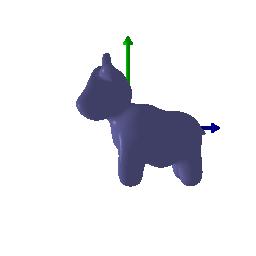
Render matching transform1
R_relative = [[ 0, 1, 0], [-1, 0, 0], [ 0, 0, 1]] T_relative = [0, 0, 0]

Rotates the camera 90° about its own optical axis (a roll), which spins the image in-plane. The camera does not move: this is a rotation about z, so it leaves T_0 = [0, 0, 3] unchanged and T_relative is zero.
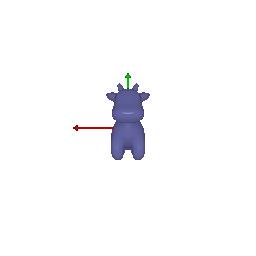
Render matching transform2
R_relative = [[ 0, 0, 1], [ 0, 1, 0], [-1, 0, 0]] T_relative = [-3, 0, 3]

Orbits the camera 90° in azimuth to the −X side of the cow, still looking at the origin from the same distance, so we see it side-on. T_relative is non-zero because R_relative @ T_0 gives [3, 0, 0], which would move the camera off the viewing sphere; [-3, 0, 3] cancels that back to T = [0, 0, 3].
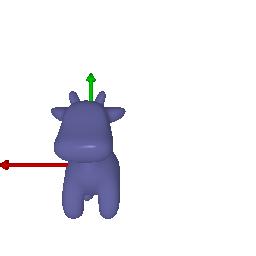
Render matching transform3
R_relative = identity T_relative = [0, 0, 2]

Moves the camera 2 units straight back along the optical axis, from z = -3 to z = -5. The orientation is unchanged, so the cow keeps its pose and simply gets smaller.
Render matching transform4
R_relative = identity T_relative = [0.5, -0.5, 0]

Translates the camera within the image plane by half a unit in camera +x and -y. No rotation and no change in depth, so the cow slides across the frame at the same size and orientation.

5.1

Point clouds from RGB-D images

10 pts
Three point clouds side by side: view 1, view 2, and their union
Left to right: the point cloud from the first image, from the second image, and the union of the two.
5.2

Parametric functions

10 + 5 pts
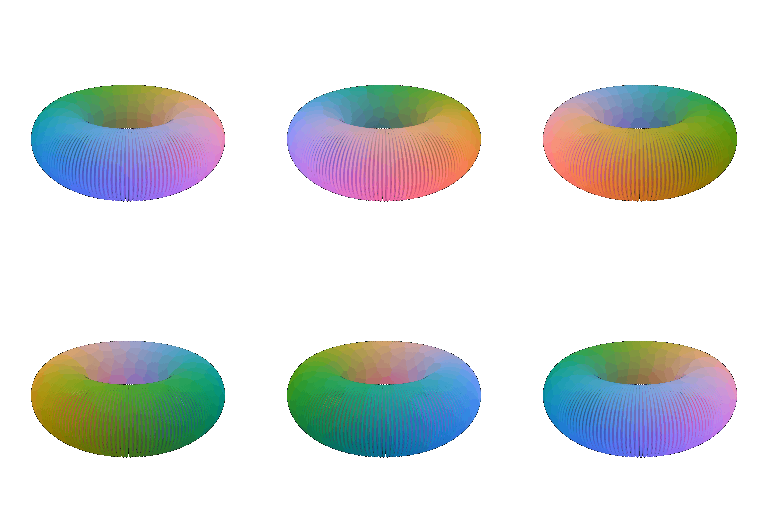
Torus point cloud rotating, hole visible
Torus point cloud.
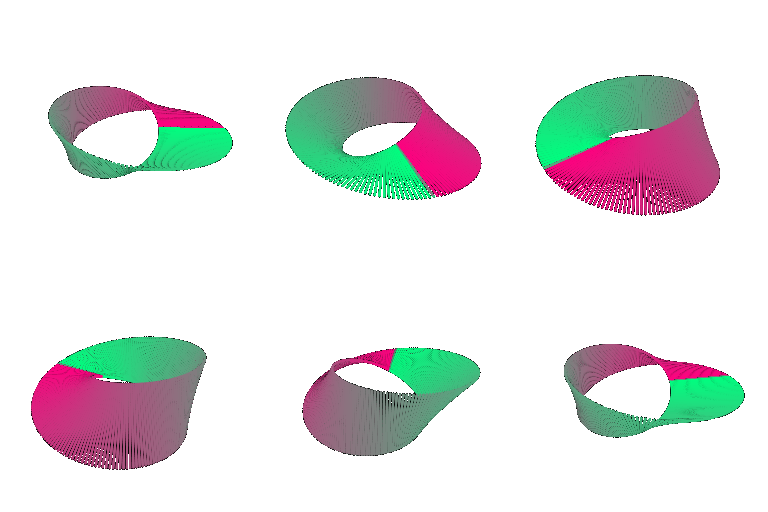
Mobius strip point cloud rotating
New object: a Möbius strip.
5.3

Implicit surfaces

10 + 5 + 5 pts
Torus mesh from marching cubes, hole visible
Torus mesh, marching cubes on a 96³ grid.
Gyroid implicit surface rotating
New object: a gyroid.

Mesh vs point cloud tradeoffs

Measured on the same torus at comparable detail (python main.py -q 5.3-timing):

RepresentationVerts / pointsFaces BuildRenderMemory
Mesh (marching cubes, 96³)20,07240,144 2.19 s3.25 s/frame1,411 KB
Point cloud (200×200)40,000— <0.01 s2.76 s/frame938 KB
Rendering speed
Close, with the point cloud slightly ahead here. The mesh rasterizer does real work per triangle and then shades with normals and lighting; the point rasterizer just splats and composites discs. But point cost scales with the point count and gets no benefit from a surface being smooth, so meshes win at high detail.
Rendering quality
The mesh is clearly better, and it is why the build cost is worth paying. It is a real surface: it occludes correctly, takes lighting, and has a true silhouette edge. A point cloud has no interior, so too small a radius lets you see through the object to points on the far side and too large a radius melts it into a blob. Every point cloud here needed its radius hand-tuned, which is a parameter the mesh does not have.
Memory usage
Comparable at this size but they scale differently. Points cost 3 floats each; a mesh costs 3 floats per vertex plus 3 indices per face, and with roughly twice as many faces as vertices the connectivity is the larger half. The bigger cost is upstream: the 96³ voxel grid is 884,736 floats (~3.4 MB), several times the mesh it yields.
Ease of use
Depends on what you start from. Given an equation the implicit route is a one-line change and marching cubes does the rest — the gyroid has no obvious parameterisation I could have sampled instead. Given sensor data, as in 5.1, points are simply what you have and meshing them is a separate problem. Points are also more forgiving: they have no topology to get wrong.
6

Something fun

+10 EC

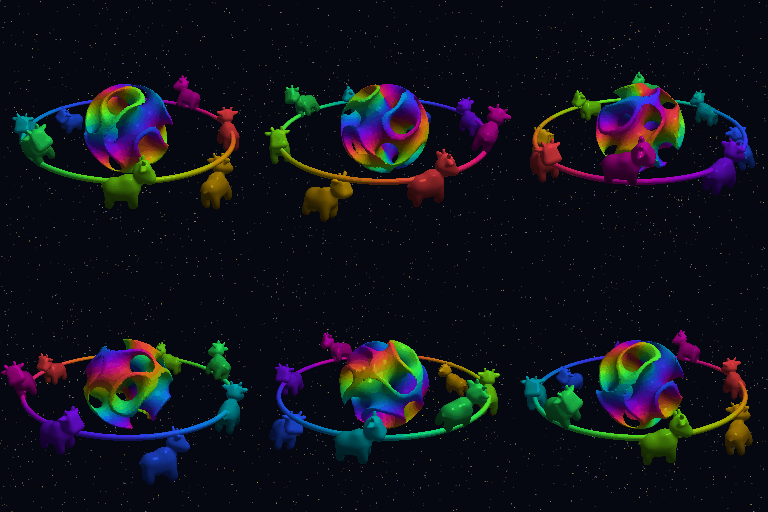
A "cow orrery": a gyroid intersected with a ball via marching cubes, orbited by eight transformed copies of the cow on a hand-meshed torus track, over a point-cloud starfield composited with the mesh render.

A gyroid sphere orbited by eight coloured cows on a torus track, against a starfield
7

Sampling points on meshes

+10 EC
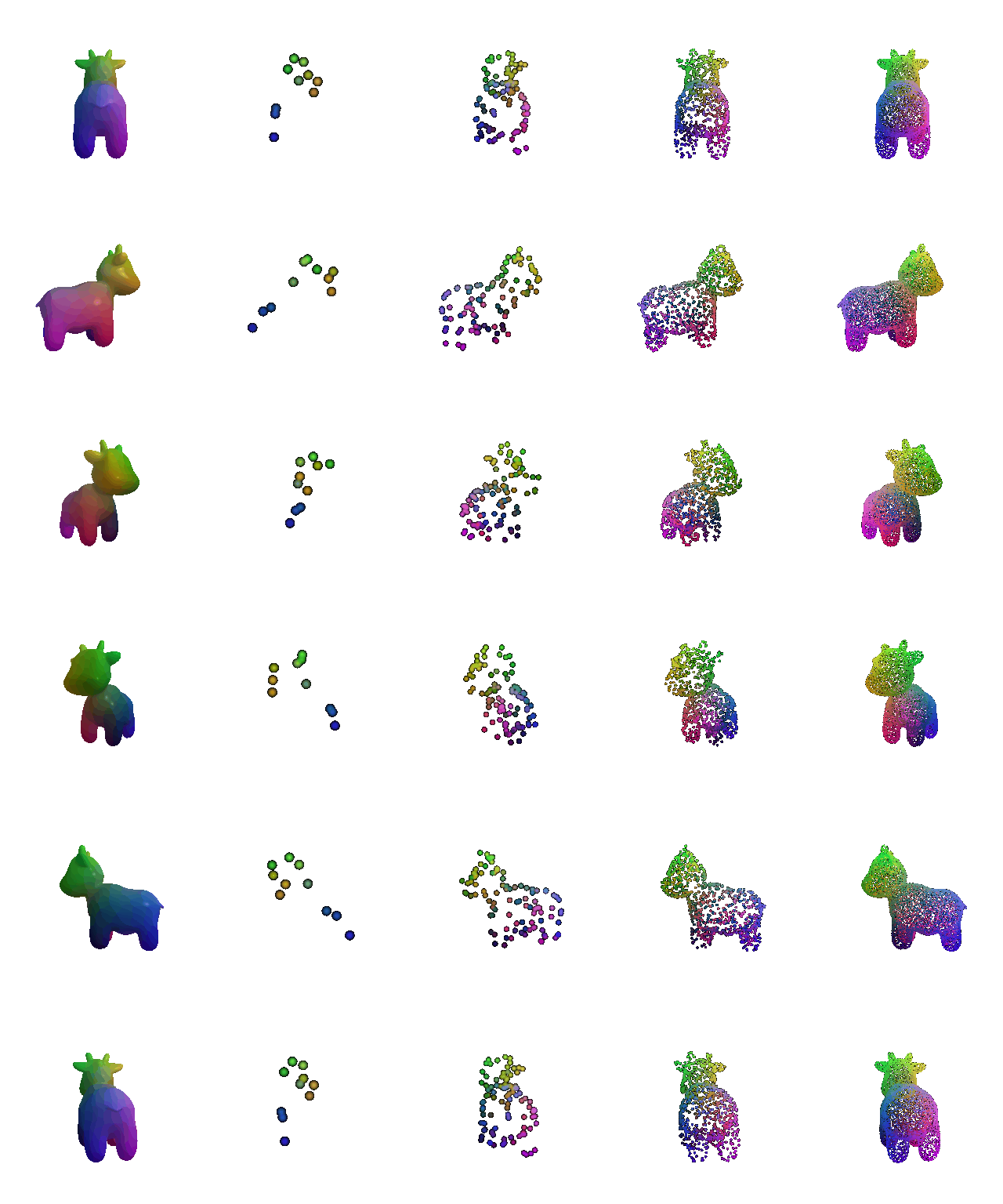
The cow mesh beside point clouds of 10, 100, 1000 and 10000 sampled points
Left to right: the original cow mesh, then 10, 100, 1,000 and 10,000 uniformly sampled surface points.