16-825: Learning for 3D Vision · Kashu Yamazaki
A turntable sweeps the azimuth through a full turn with
look_at_view_transform, building one camera per frame and rasterizing them a
batch at a time. Every other turntable on this page reuses the same helper.
The frustum is 2 · distance · tan(fov / 2) wide at the subject, so keeping the subject the same size while the field of view opens up means holding that width fixed: distance = width / (2 tan(fov / 2)). The sweep runs from 5° to 120°.
The scene itself is only 3×3 with its near edge at z = −1.5, so the constant cannot simply be the width of the plane — anything under about 5 walks the camera inside the geometry at the wide end of the sweep. I used 5.

An equilateral base of radius 1 with the apex over its centre. Putting the base plane at −h/4 and the apex at 3h/4 with h = √2 makes the tetrahedron regular and centres it on the origin. Each face is listed counter-clockwise as seen from outside, so the normals point outward — the signed volume comes out positive, which is the cheap way to check the winding.

I listed the six square faces as quads wound counter-clockwise from outside, then split each one as (a, b, c) and (a, c, d). Doing it that way means the two triangles inherit the quad's winding, so the outward normals come for free rather than having to be checked face by face.

color1 = [0, 0, 1] (blue) at the nose, the vertex with the smallest z, blending linearly to color2 = [1, 0, 0] (red) at the tail, the largest z. Blue to red reads clearly against the light background and the direction of the gradient stays obvious from any viewpoint, which a pair of neighbouring hues would not manage.

PyTorch3D maps the world into the camera as x_cam = x_world @ R + T, and the camera looks down +z with +x to the left and +y up. Two consequences drive every answer below: R_relative is the transpose of the rotation the picture appears to undergo, and T_relative is added directly in camera coordinates, so a positive x offset pushes the cow left rather than right.


The two rotations are the interesting ones. transform1 only rolls the camera about the direction it is already looking, so nothing moves in depth and T_relative stays zero; the red world-x axis goes from pointing left to pointing up, which is the whole change. transform2 swings the camera round to the cow's side, but R_relative alone would rotate the old translation with it and leave the camera at [−3, 0, 0] looking past the origin — so T_relative = [−3, 0, 3] is what re-seats it 3 units from the cow.
Each view is unprojected with unproject_depth_image and the union is just the two
clouds concatenated — they already share a world frame, so no registration is needed.
Two things had to be handled. A large fraction of the masked pixels carry a depth of exactly
0, and unprojecting those divides by zero and sprays
inf and nan through the cloud, so the mask
has to be intersected with depth > 0 (that alone drops view 1 from
125k points to 63k valid ones). And the capture's world frame is upside down relative to
look_at_view_transform, so x and y
get flipped to stand the plant back up.

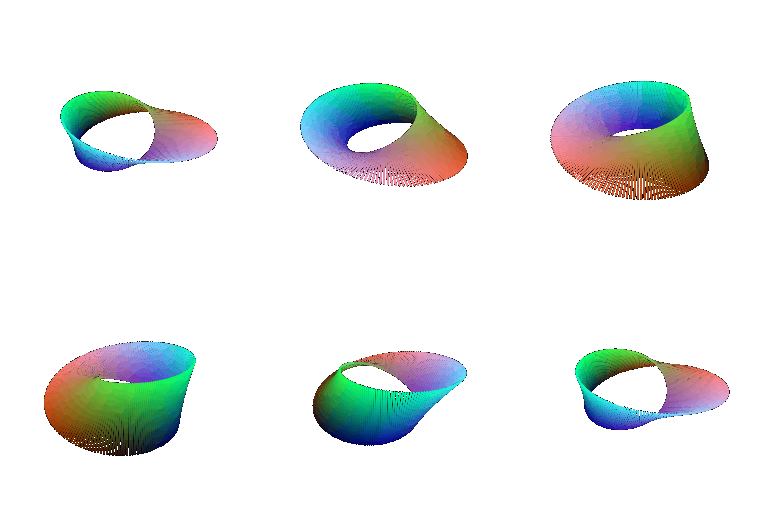
The torus is a tube of radius r swept around a circle of radius R in the xz plane, so the hole faces up the y axis and an elevated camera looks straight through it. For a second object I kept the same sweep but turned the cross-section half a turn over the loop, which gives a Möbius strip — the surface has one side, and you can follow the twist round in the animation.

The same torus as the zero level set of (√(x² + z²) − R)² + y² − r², sampled onto a voxel grid and run through marching cubes. For the second object I used a gyroid: g = sin x cos y + sin y cos z + sin z cos x is a minimal surface dividing space into two interlocking labyrinths. |g| < t gives that sheet a wall thickness, and taking the max with a cube field trims it to a block, since a max of two implicit functions is the intersection of the two solids. It is a one-liner implicitly and a nightmare to model by hand, which is rather the point.


The mesh wins on quality. It is a real surface, so it occludes properly, shades with normals, and holds up under a close camera. A point cloud at the same budget shows gaps at the silhouettes and has to be tuned by eye through the splat radius — too small and the surface leaks, too large and fine detail turns to blobs.
The mesh is also far more compact. 9.8k vertices for the torus mesh against 40k points for a comparable point cloud, and the gap grows with area: points have to cover a surface densely, whereas triangles only have to span it. A flat region costs one quad and an unbounded number of points.
The point cloud wins on everything upstream of rendering. It comes straight out of a sensor or a parametric formula, it has no topology to get wrong, it rasterizes as independent splats so it stays fast under heavy subsampling, and it represents open, noisy, partial geometry — the plant in 5.1 — that a mesh could not express at all. The implicit route also costs a voxel grid on top: 128³ samples and a marching-cubes pass to recover a torus that the parametric form produces directly.
A carousel of eight cows, one hue each, riding around a ring and bobbing on their own phase. The camera never moves — instead every frame of the animation is its own mesh in a single batch, which is both the point of the effect and the cheapest way to render the whole loop.

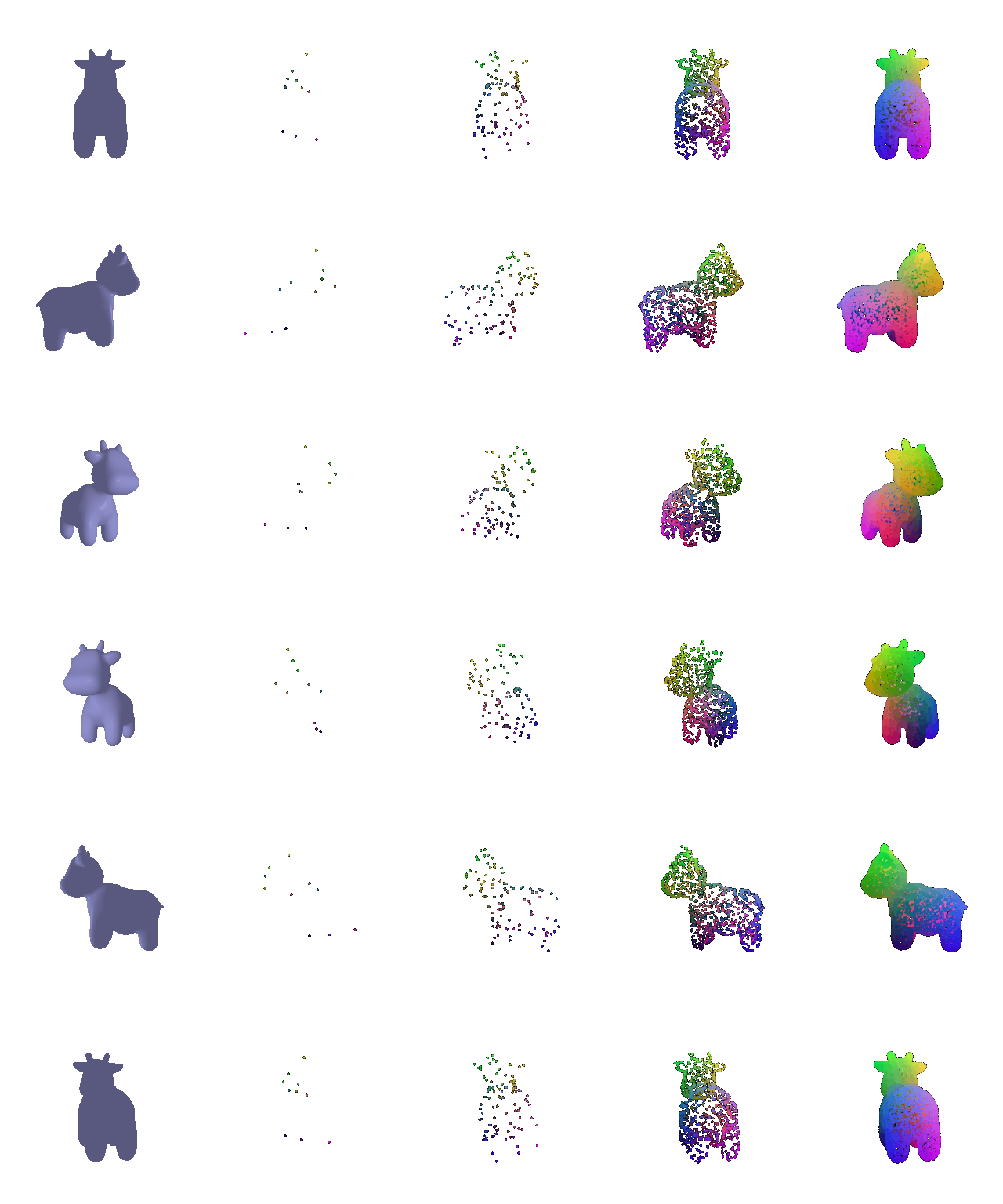
Face areas come from half the norm of the cross product, torch.multinomial picks
faces in proportion to those areas, and each sample gets a uniform barycentric point inside its
face: draw (u, v) from the unit square and fold the
u + v > 1 half back onto the other one, which is a uniform draw over
the triangle.
At 10 points the cow is unrecognisable, at 100 you can just about place the legs, at 1000 the silhouette is there, and at 10000 it is hard to tell from the mesh at this resolution.