Assignment 1
Rendering Basics with PyTorch3D
Contents
Results
1.1. 360-degree Renders
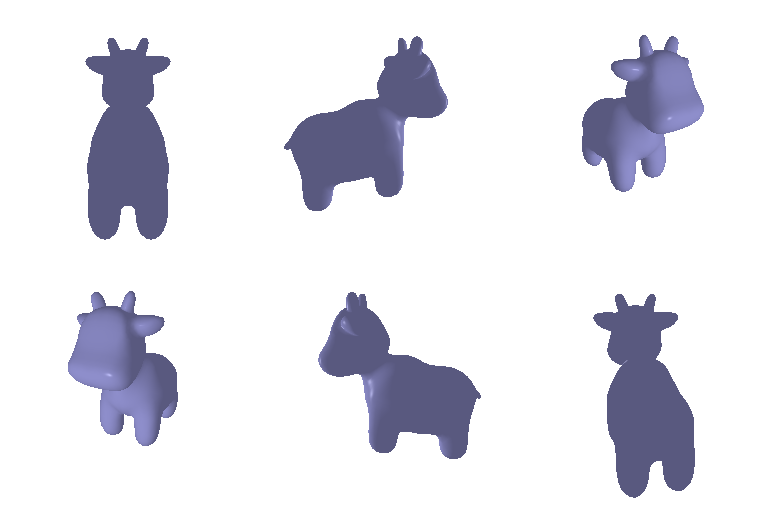
5 pointsA turntable of the cow mesh, rendered from 36 equally spaced azimuths at a distance of 2.5 and an elevation of 20°.
1.2. Re-creating the Dolly Zoom
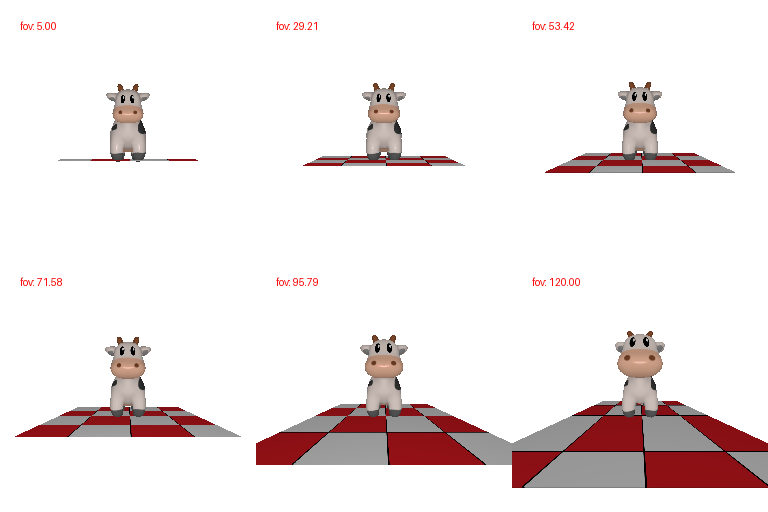
10 pointsThe field of view increases while the camera moves closer to the cow. Keeping distance × tan(fov / 2) constant approximately preserves the subject’s size while changing the perspective of the ground plane.
2.1. Constructing a Tetrahedron
5 pointsThe tetrahedron has 4 vertices and 4 triangular faces. Its vertices and face indices are defined manually.

2.2. Constructing a Cube
5 pointsThe cube has 8 vertices and 12 triangular faces. Each of the six square sides is split into two triangles.

3. Re-texturing a Mesh
10 pointsI chose red, color1 = [1, 0, 0], at the front (minimum z), and blue, color2 = [0, 0, 1], at the back (maximum z). Linear interpolation produces a smooth transition through purple.
alpha = (z - z_min) / (z_max - z_min)
color = (1 - alpha) * color1 + alpha * color2

4. Camera Transformations
10 pointsThe base extrinsics are R_0 = I and T_0 = [0, 0, 3]. Each result uses the composition below.
R = R_relative @ R_0
T = R_relative @ T_0 + T_relative
Transform 1
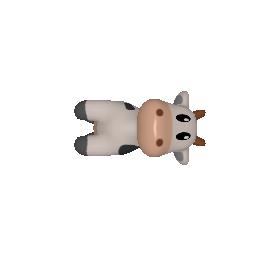
Rotate the projected cow by 90° counterclockwise in the image plane. The z-axis depth is unchanged, so no translation is needed.
R_relative = [[0, 1, 0], [-1, 0, 0], [0, 0, 1]]
T_relative = [0, 0, 0]
Transform 3
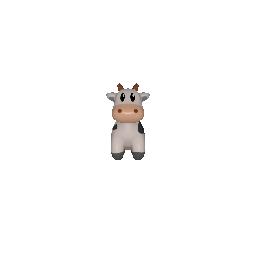
Keep the orientation fixed and increase the view-space depth from 3 to 5. The cow appears smaller and stays centered.
R_relative = [[1, 0, 0], [0, 1, 0], [0, 0, 1]]
T_relative = [0, 0, 2]
Transform 2
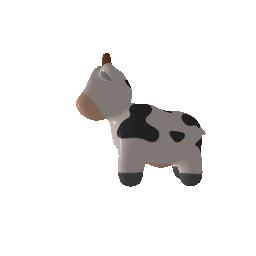
Rotate about the y-axis to show another side of the cow. The translation compensates for the rotated initial translation: R_relative @ T_0 = [3, 0, 0], giving a final T = [0, 0, 3].
R_relative = [[0, 0, 1], [0, 1, 0], [-1, 0, 0]]
T_relative = [-3, 0, 3]
Transform 4
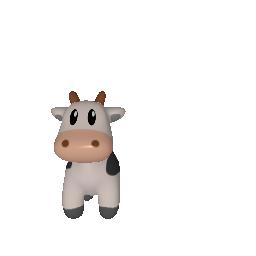
Keep the orientation and depth fixed. Positive view-space x moves the cow left in the image, and negative y moves it down.
R_relative = [[1, 0, 0], [0, 1, 0], [0, 0, 1]]
T_relative = [0.5, -0.5, 0]
5.1. Rendering Point Clouds from RGB-D Images
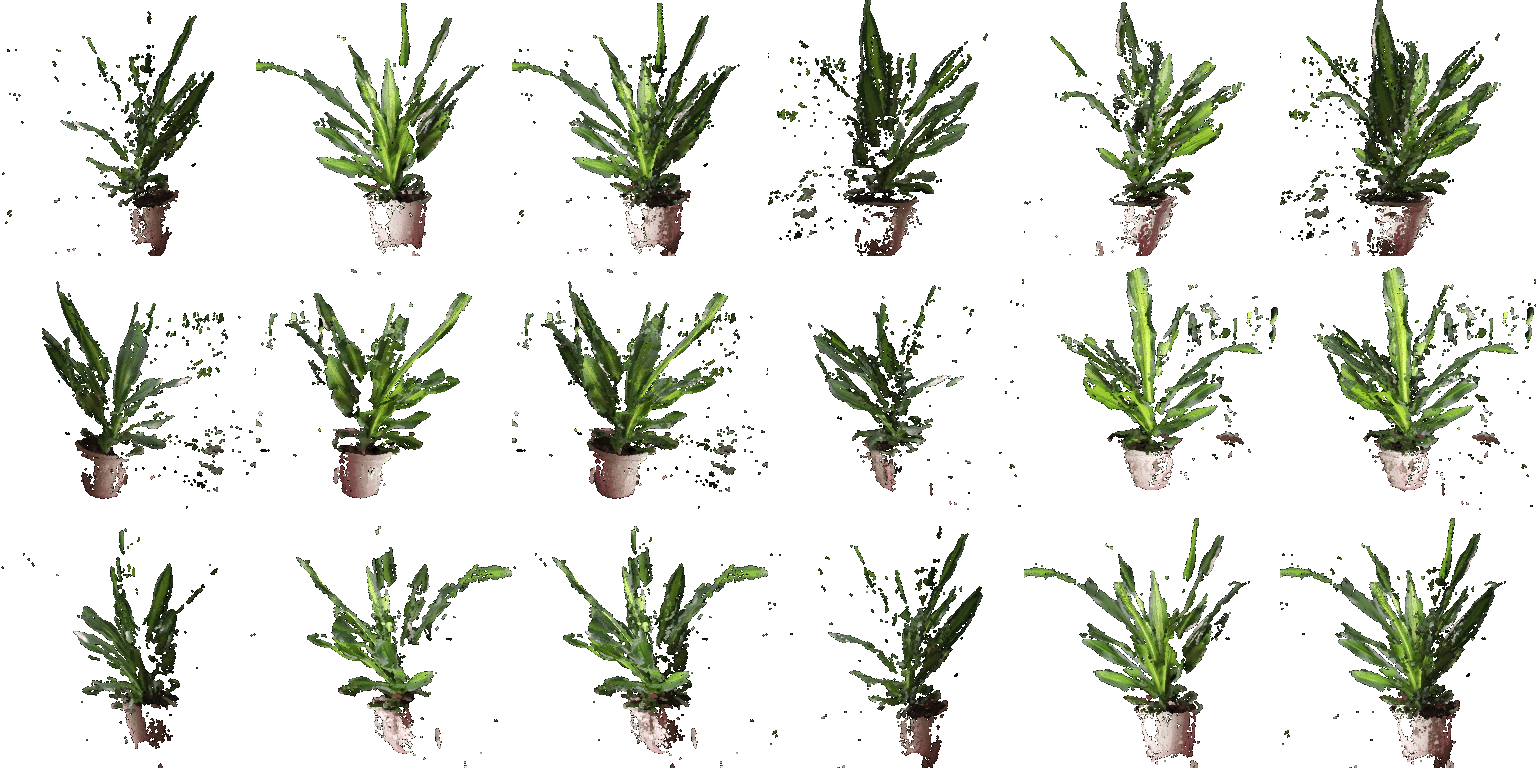
10 pointsEach masked RGB-D image is unprojected into world-space points with its camera parameters. The third cloud concatenates both sets of points and colors. All three are rendered from the same rotating camera, making the complementary visible surfaces easy to compare.
5.2. Parametric Functions
10 + 5 pointsTorus point cloud
A torus sampled with major radius R = 3 and minor radius r = 1. The rotating views reveal its central hole.

x = (R + r cos θ) cos φ
y = (R + r cos θ) sin φ
z = r sin θ
θ, φ ∈ [0, 2π]
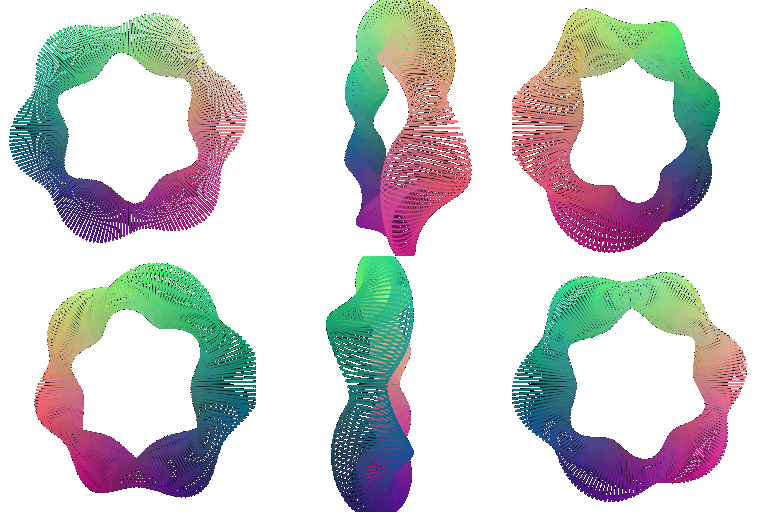
Additional object: twisted torus
An elliptical cross-section with semi-axes 0.6 and 0.25 twists three times around a ring of radius 2. Colors are derived from normalized point coordinates.
5.3. Implicit Surfaces
15 + 5 pointsImplicit torus mesh
I evaluate the torus field on a 64³ voxel grid, smooth it, and extract the zero level set with marching cubes. R = 3 and r = 1.
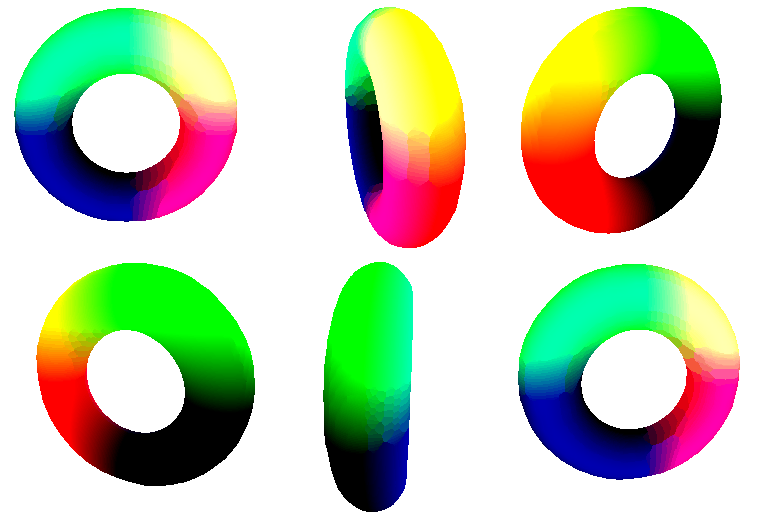
F = (x² + y² + z² + R² - r²)²
    - 4R²(x² + y²) = 0
Additional object: heart
A heart-shaped implicit surface is converted into a triangle mesh using the same extraction procedure.
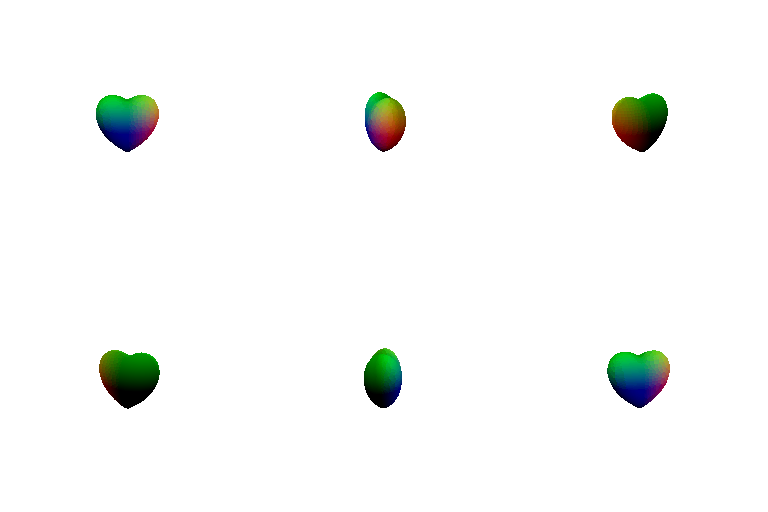
F = (x² + 9z²/4 + y² - 1)³
    - x²y³ - 9z²y³/80 = 0
Mesh vs. point cloud
The measurements in tradeoffs.log compare 30 views at an image resolution of 256 × 256. The mesh uses a voxel grid resolution of 64³.
| Measured metric | Mesh | Point cloud |
|---|---|---|
| Render time (30 views) | 40.5208 s | 292.1637 s |
| Peak memory reported by tracemalloc | 0.05 MB | 0.03 MB |
In this run, the point cloud took approximately 7.21× as long to render as the mesh. This supports using a mesh for efficient rendering of this continuous surface, although the result depends on sampling density, rendering settings, and hardware. The recorded render time excludes implicit field evaluation and marching cubes mesh extraction.
The logged memory peak is slightly higher for the mesh. However, the code uses tracemalloc, which tracks Python allocations rather than total PyTorch tensor or GPU memory, and starts tracking after the geometry is constructed. These values therefore do not establish which representation uses less total memory.
Practical tradeoffs
| Aspect | Mesh | Point cloud |
|---|---|---|
| Rendering speed | Triangle rasterization efficiently covers continuous surfaces, but extracting an implicit mesh adds preprocessing. | Avoids mesh extraction. Dense clouds and overlapping point splats can make rendering expensive; speed depends on point count, radius, resolution, and hardware. |
| Rendering quality | Connected faces provide continuous coverage and surface normals for lighting. A coarse voxel grid can lose detail. | Sparse sampling can leave gaps. Larger splats fill holes but may blur silhouettes; denser sampling improves coverage. |
| Ease of use | Requires valid connectivity or a surface extraction step. Convenient for shading and continuous surface rendering. | Directly represents RGB-D measurements and parametric samples; combining clouds only requires concatenating points and features. |
| Memory | Stores vertices, face indices, and attributes. Implicit extraction also needs a temporary voxel grid whose size grows cubically with resolution. | Stores positions and features without face indices, but matching a smooth mesh’s coverage may require many more points. |
6. Do Something Fun
Extra credit · 10 pointsI animate a red intensity wave across the implicit heart while the camera orbits it. The geometry remains fixed, while vertex colors vary with height and time, producing a moving band of light and dark red.
phase = 2π * frame / num_frames
red = 0.5 + 0.5 * sin(3 * y + phase)
color = [red, 0, 0]

7. Sampling Points on Meshes
Extra credit · 10 pointsFaces are sampled with probability proportional to their area. Within each selected triangle, independent uniform samples u and v produce the barycentric weights below, yielding uniform sampling over the mesh surface.
w0 = 1 - sqrt(u)
w1 = sqrt(u) * (1 - v)
w2 = sqrt(u) * v
point = w0 * v0 + w1 * v1 + w2 * v2
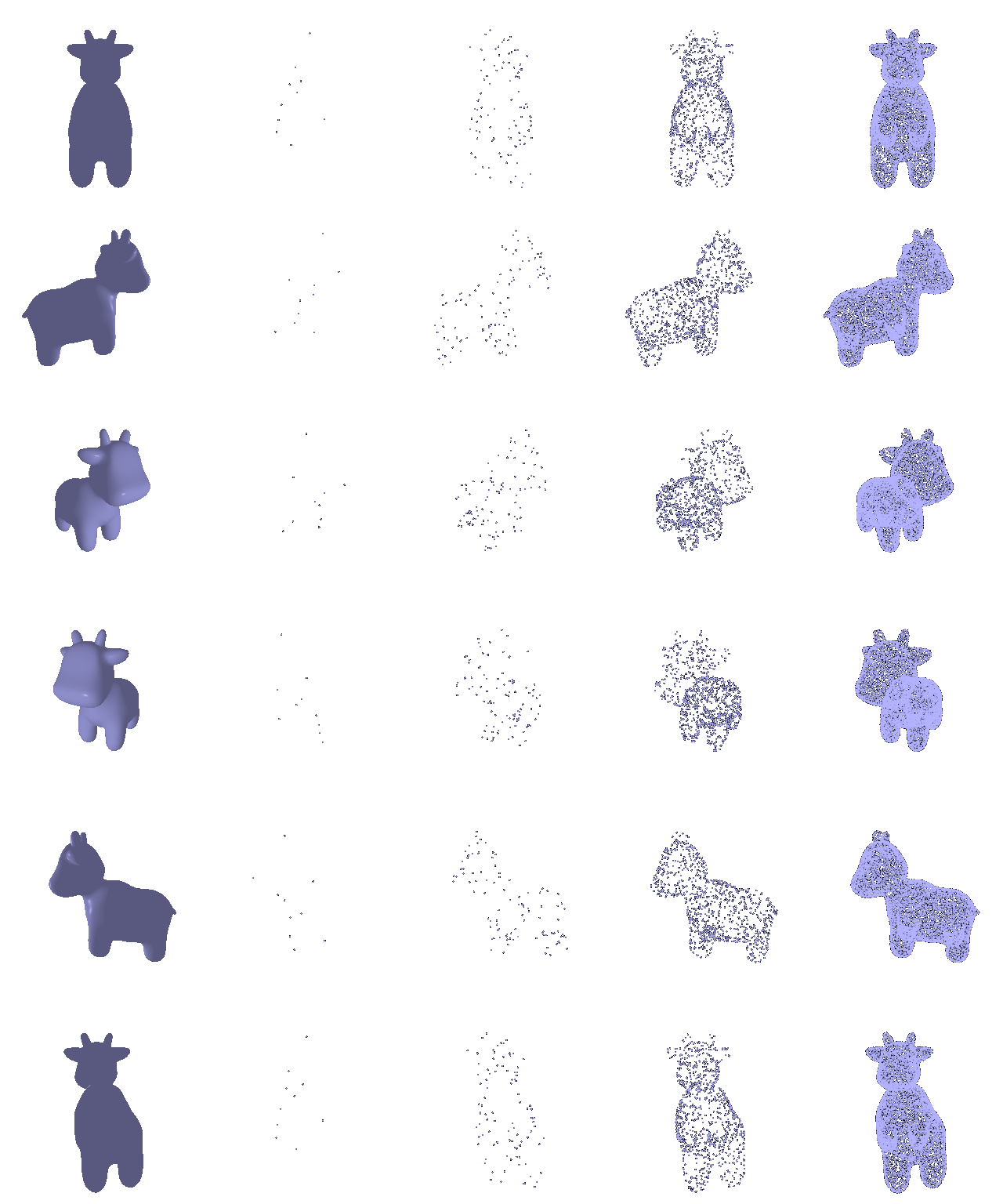
Increasing the sample count makes the cow’s silhouette and surface more complete. The original mesh and all four point clouds are rendered from matching viewpoints.