
Name: Junchi Fan
Course: 16-825 Learning for 3D Vision
I rendered the provided cow mesh from 60 viewpoints by varying the camera azimuth from \(0^\circ\) to \(360^\circ\). The camera distance was 3 units and the elevation was \(10^\circ\).
I recreated the dolly zoom effect by changing the camera field of view while adjusting the camera distance so that the cow remained approximately the same size.
The camera distance was calculated using:
\[ d(f)=d_0\frac{\tan(f_0/2)}{\tan(f/2)} \]
The reference field of view was \(f_0=60^\circ\), and the reference distance was \(d_0=3\).

I manually constructed a tetrahedron using four vertices and four triangular faces.

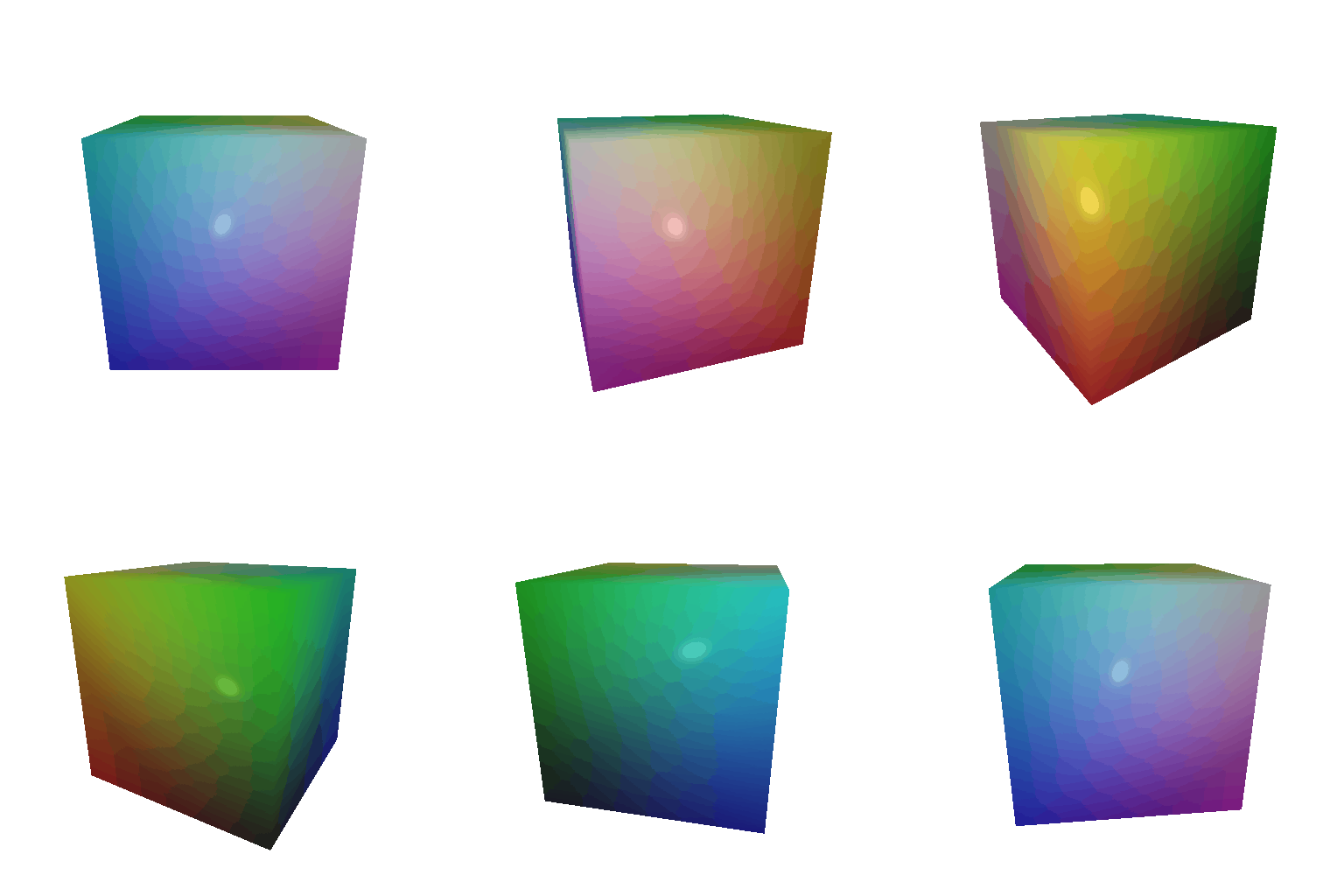
I constructed a cube using eight vertices. Because PyTorch3D represents meshes using triangles, each of the six square sides was divided into two triangles.
I applied a smooth color gradient to the cow based on each vertex’s z-coordinate.
The selected endpoint colors were:
color1 = [0, 0, 1]: blue, assigned to \(z_{\min}\)color2 = [1, 0, 0]: red, assigned to \(z_{\max}\)For each vertex, I calculated:
\[ \alpha=\frac{z-z_{\min}}{z_{\max}-z_{\min}} \]
The vertex color was then calculated using:
\[ \text{color}=(1-\alpha)\text{color1}+\alpha\text{color2} \]

The original camera extrinsics were:
\[ R_0=I,\qquad T_0=[0,0,3] \]
The transformed camera extrinsics were calculated using:
\[ R=R_{\text{relative}}R_0 \]
\[ T=R_{\text{relative}}T_0+T_{\text{relative}} \]

\[ R_{\text{relative}}= \begin{bmatrix} 0 & 1 & 0\\ -1 & 0 & 0\\ 0 & 0 & 1 \end{bmatrix} \]
\[ T_{\text{relative}}= \begin{bmatrix} 0 & 0 & 0 \end{bmatrix} \]
This transformation rotates the camera coordinate frame around its z-axis without changing its position.

\[ R_{\text{relative}}= \begin{bmatrix} 1 & 0 & 0\\ 0 & 1 & 0\\ 0 & 0 & 1 \end{bmatrix} \]
\[ T_{\text{relative}}= \begin{bmatrix} 0 & 0 & 2 \end{bmatrix} \]
The camera orientation remains unchanged, while the additional z-translation makes the cow appear smaller and farther away.

\[ R_{\text{relative}}= \begin{bmatrix} 1 & 0 & 0\\ 0 & 1 & 0\\ 0 & 0 & 1 \end{bmatrix} \]
\[ T_{\text{relative}}= \begin{bmatrix} 0.5 & -0.5 & 0 \end{bmatrix} \]
This transformation changes the camera position in the x and y directions without rotating it. The cow appears shifted toward the lower-left portion of the image.

\[ R_{\text{relative}}= \begin{bmatrix} 0 & 0 & 1\\ 0 & 1 & 0\\ -1 & 0 & 0 \end{bmatrix} \]
\[ T_{\text{relative}}= \begin{bmatrix} -3 & 0 & 3 \end{bmatrix} \]
The relative rotation turns the camera by \(90^\circ\) around the y-axis. The translation moves the cow back into the camera’s field of view.

I used unproject_depth_image to convert the two RGB-D
images into 3D points and corresponding colors.
points1, colors1 = unproject_depth_image(
    image1, mask1, depth1, camera1
)

points2, colors2 = unproject_depth_image(
    image2, mask2, depth2, camera2
)
The union was constructed by concatenating the two point clouds:
points_union = torch.cat([points1, points2], dim=0)
colors_union = torch.cat([colors1, colors2], dim=0)
The animation shows the first point cloud, second point cloud, and their union from left to right.

I generated a torus point cloud using:
\[ x=(R+r\cos\theta)\cos\phi \]
\[ y=r\sin\theta \]
\[ z=(R+r\cos\theta)\sin\phi \]
I used \(R=1.0\) and \(r=0.4\). The camera elevation was selected so that the central hole remained visible.

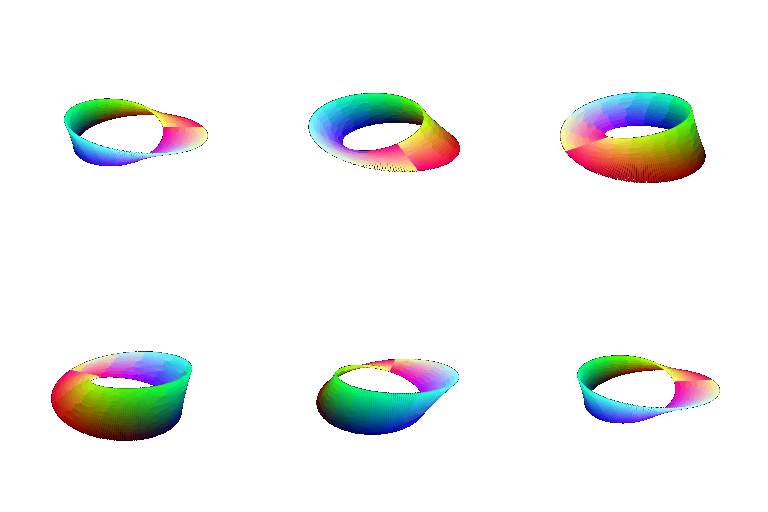
I generated a Möbius strip using:
\[ x=(1+v\cos(u/2))\cos u \]
\[ y=v\sin(u/2) \]
\[ z=(1+v\cos(u/2))\sin u \]
I represented the torus using the implicit function:
\[ F(x,y,z)= \left(\sqrt{x^2+z^2}-R\right)^2+y^2-r^2 \]
The surface was defined by \(F(x,y,z)=0\). I extracted its triangle mesh using Marching Cubes:
vertices, faces = mcubes.marching_cubes(field, 0.0)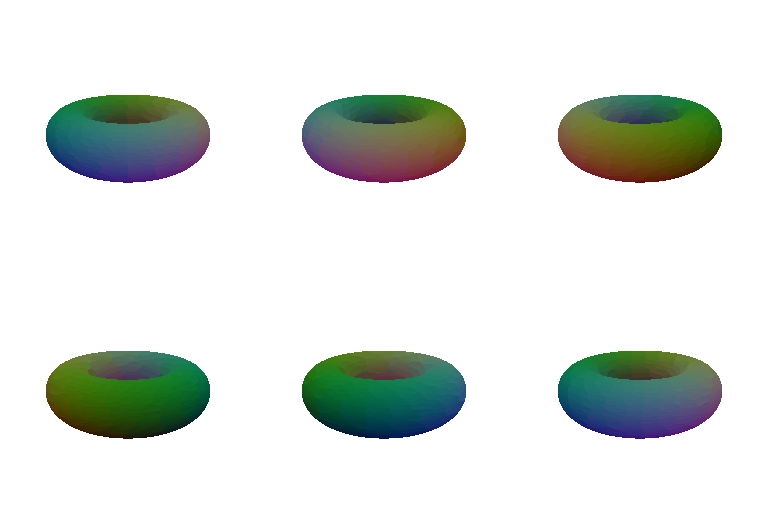
Meshes produce smoother and more continuous surfaces and support surface-based lighting. Point clouds are easier to construct, but they may contain visible gaps and require many samples. Meshes additionally require triangle connectivity and a surface-extraction step.
I created a heart-shaped implicit surface and extracted its triangle mesh using Marching Cubes.

I imported an external Mercedes-Benz GLS 580 OBJ model and normalized its vertices so that the model was centered and fitted inside the camera view.
center = (minimum + maximum) / 2
scale = (maximum - minimum).max() / 2
vertices = (vertices - center) / scale
I applied a procedural blue gradient based on vertex height and rendered the model from continuously changing camera viewpoints.
Model source: Mercedes-Benz GLS 580 2020

I sampled points uniformly from the cow mesh surface. Each triangle was selected with probability proportional to its area:
sampled_faces = torch.multinomial(
    areas / areas.sum(),
    num_samples,
    replacement=True,
)
I generated uniform barycentric coordinates inside each selected triangle:
weight0 = 1 - sqrt_u
weight1 = sqrt_u * (1 - v)
weight2 = sqrt_u * v
The animation compares the original cow mesh with point clouds containing 10, 100, 1,000, and 10,000 sampled points.
