Assignment 4
Jianing Zhang (jianing7)
1. Multi-View Data Preprocessing
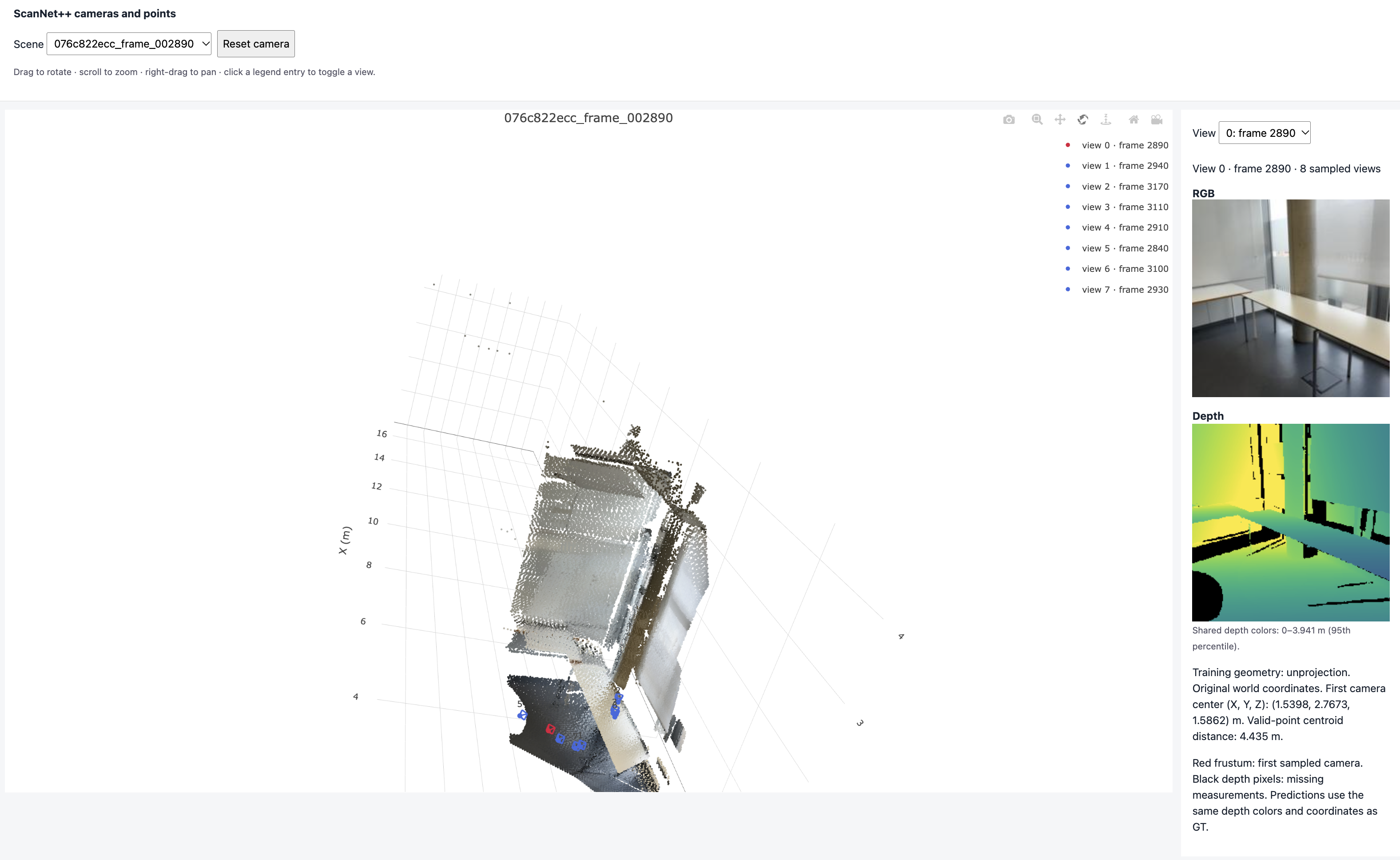
1.2 Depth unprojection
Points and cameras in the original world frame. The red frustum is the first camera.

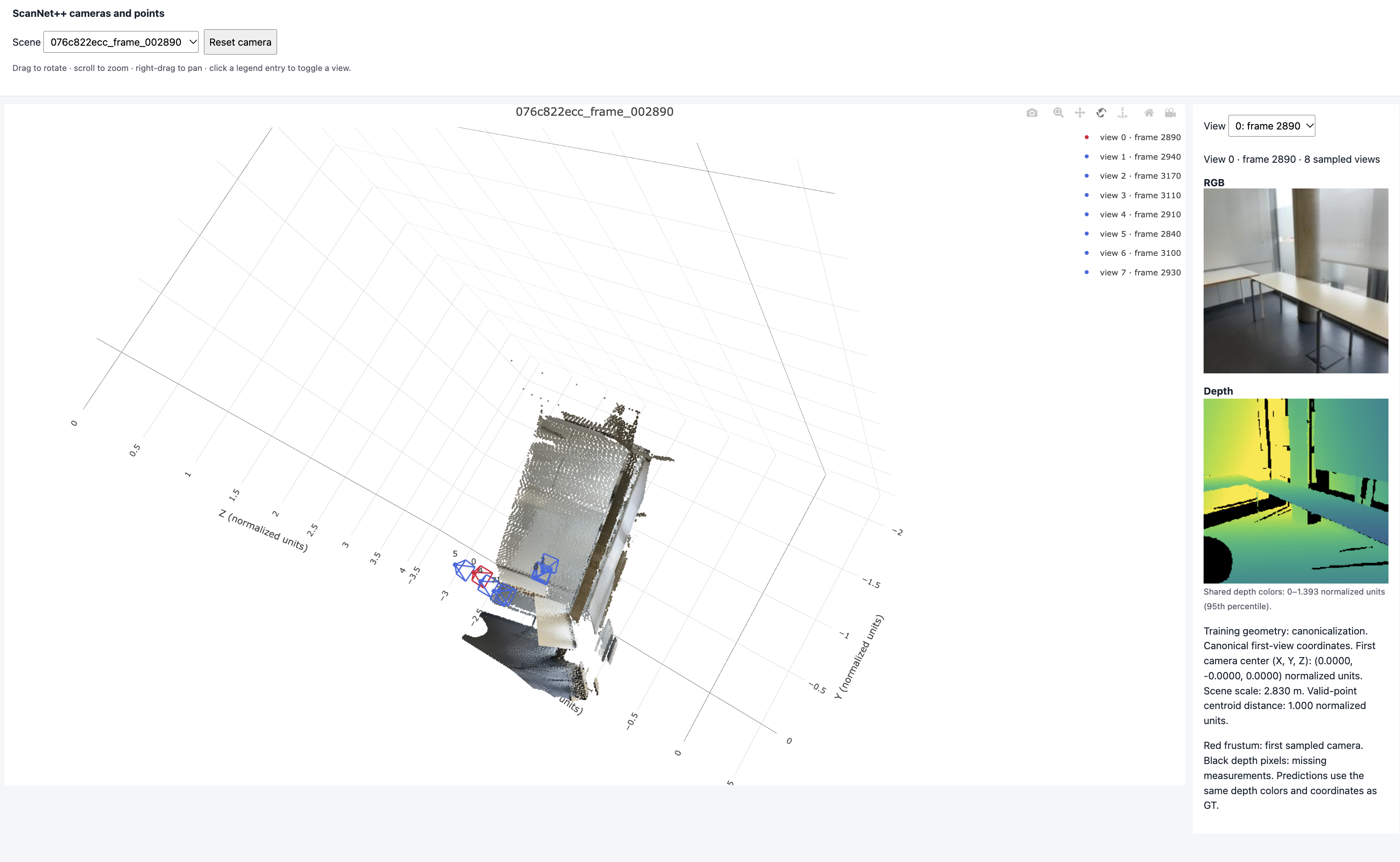
1.3 Camera and depth canonicalization
The same two scenes after canonicalization. The first camera is at the origin and the centroid distance is 1 (see the text at the bottom right).

1.7 Final check
{
  "split": "train",
  "dataset_samples": 224,
  "checked_samples": 4,
  "samples": [
    {
      "sequence_name": "e050c15a8d_frame_007080",
      "views": 8,
      "resolution": 224,
      "valid_depth_fraction": 0.9779127240180969,
      "max_reprojection_error_px": 0.00011279189493507147,
      "max_ray_reprojection_error_px": 0.00010904046939685941,
      "centroid_distance": 1.0
    },
    {
      "sequence_name": "5f99900f09_frame_002820",
      "views": 8,
      "resolution": 224,
      "valid_depth_fraction": 0.9903116226196289,
      "max_reprojection_error_px": 0.00012302029062993824,
      "max_ray_reprojection_error_px": 0.00011108566104667261,
      "centroid_distance": 0.9999999403953552
    },
    {
      "sequence_name": "47b37eb6f9_frame_002720",
      "views": 8,
      "resolution": 224,
      "valid_depth_fraction": 0.9609947800636292,
      "max_reprojection_error_px": 9.881925507215783e-05,
      "max_ray_reprojection_error_px": 8.897326188161969e-05,
      "centroid_distance": 1.0
    },
    {
      "sequence_name": "4c5c60fa76_frame_006690",
      "views": 8,
      "resolution": 224,
      "valid_depth_fraction": 0.7516716122627258,
      "max_reprojection_error_px": 0.0001155954014393501,
      "max_ray_reprojection_error_px": 0.000106735089502763,
      "centroid_distance": 1.0
    }
  ],
  "batch_shapes": {
    "rgb": [2, 8, 3, 224, 224],
    "depth": [2, 8, 1, 224, 224],
    "depth_valid": [2, 8, 1, 224, 224],
    "K": [2, 8, 3, 3],
    "frame_numbers": [2, 8],
    "T_world_from_camera": [2, 8, 4, 4],
    "original_world_from_reference": [2, 4, 4],
    "scene_scale": [2],
    "points_world": [2, 8, 3, 224, 224],
    "ray_origins": [2, 8, 3, 224, 224],
    "ray_directions": [2, 8, 3, 224, 224],
    "plucker": [2, 8, 6, 224, 224]
  }
}
All checks pass: the reprojection errors are tiny and the centroid distance is 1.
Explanations
Canonicalization. I move everything into the first camera's frame, so the first camera sits at the origin with no rotation. Then I scale the scene so the center of the valid points is 1 away from the first camera. This way every scene has the same reference frame and the same size, no matter where it was or how big the room is.
World-space ray directions. For each pixel, the inverse intrinsics give the ray direction in the camera frame. I rotate it into the world with the camera rotation (no translation, since it is a direction) and normalize it. All rays of a camera start at the camera center.
Plücker moment. The moment is the cross product of the ray origin and direction. Any point on the same line gives the same moment, so direction plus moment describes the ray itself. This gives every pixel a 6-D camera encoding, which is how LVSM gets the cameras.
2. Mini-LVSM
2.1 Overfitting one batch
Final overfit PSNR: 33.82 dB.

val_epoch000.png. Columns: source views, ground truth, prediction.2.2 Training and evaluation
Training settings. I used the default configs/lvsm.json (2 source views, 100 epochs) with one change: batch size 2 instead of 4. I train on my own GPU, which has limited memory, and batch size 4 runs out of memory, so I can only use batch size 2.


val_epoch095.png). Columns: source views, ground truth, prediction.Validation results (PSNR / SSIM):
| Source views | correct | shuffled | none |
|---|---|---|---|
| 1 | 15.13 / 0.558 | 11.82 / 0.490 | 12.46 / 0.532 |
| 2 | 16.04 / 0.559 | 11.50 / 0.475 | 12.42 / 0.530 |
| 4 | 16.72 / 0.575 | 11.67 / 0.480 | 12.48 / 0.541 |
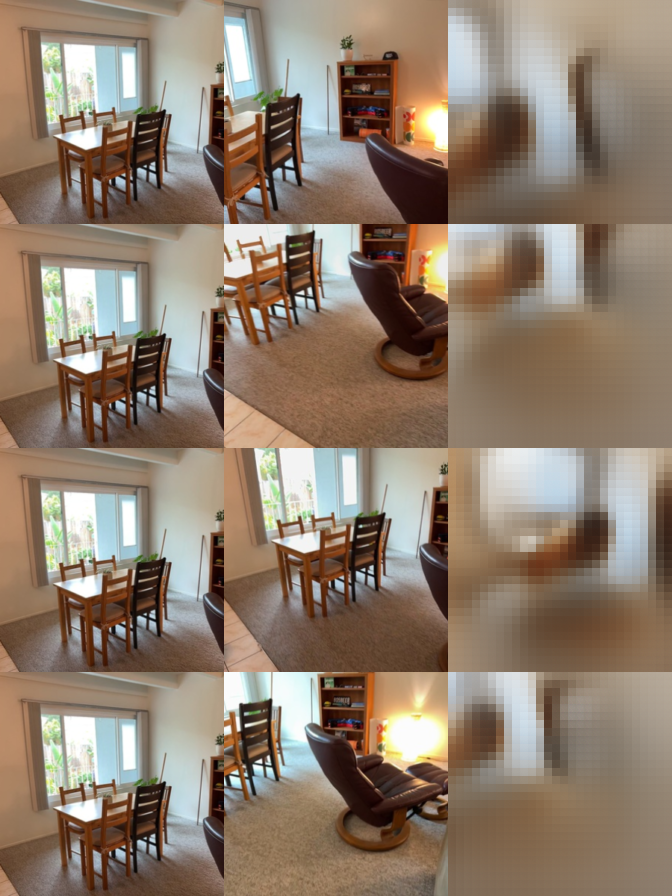
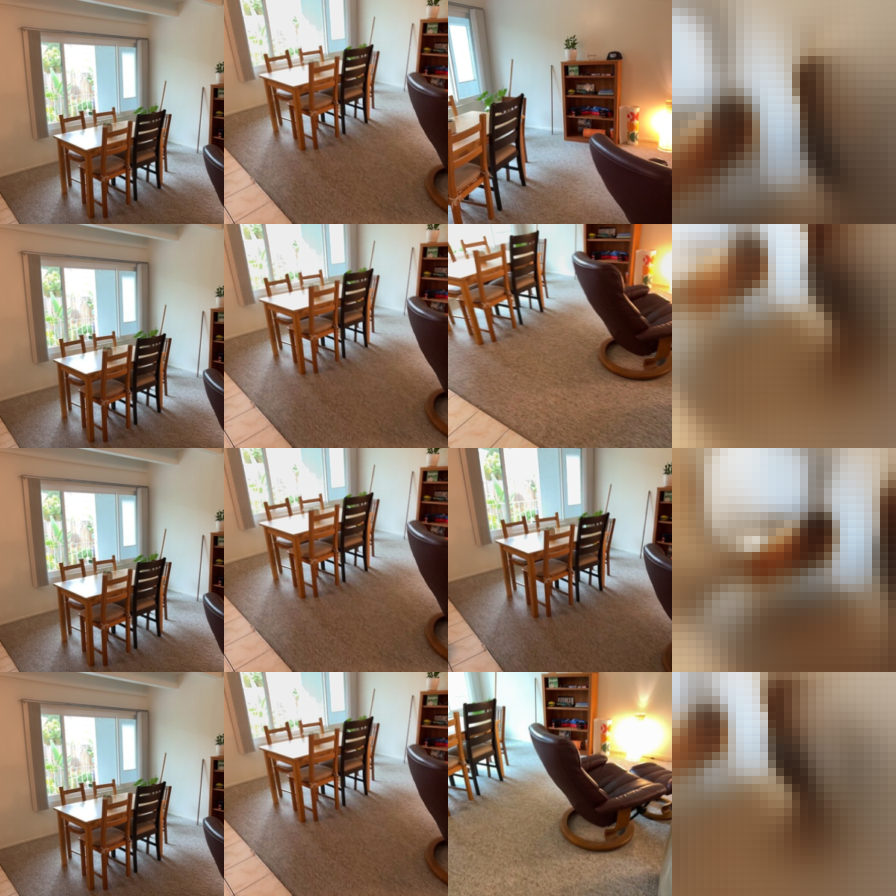
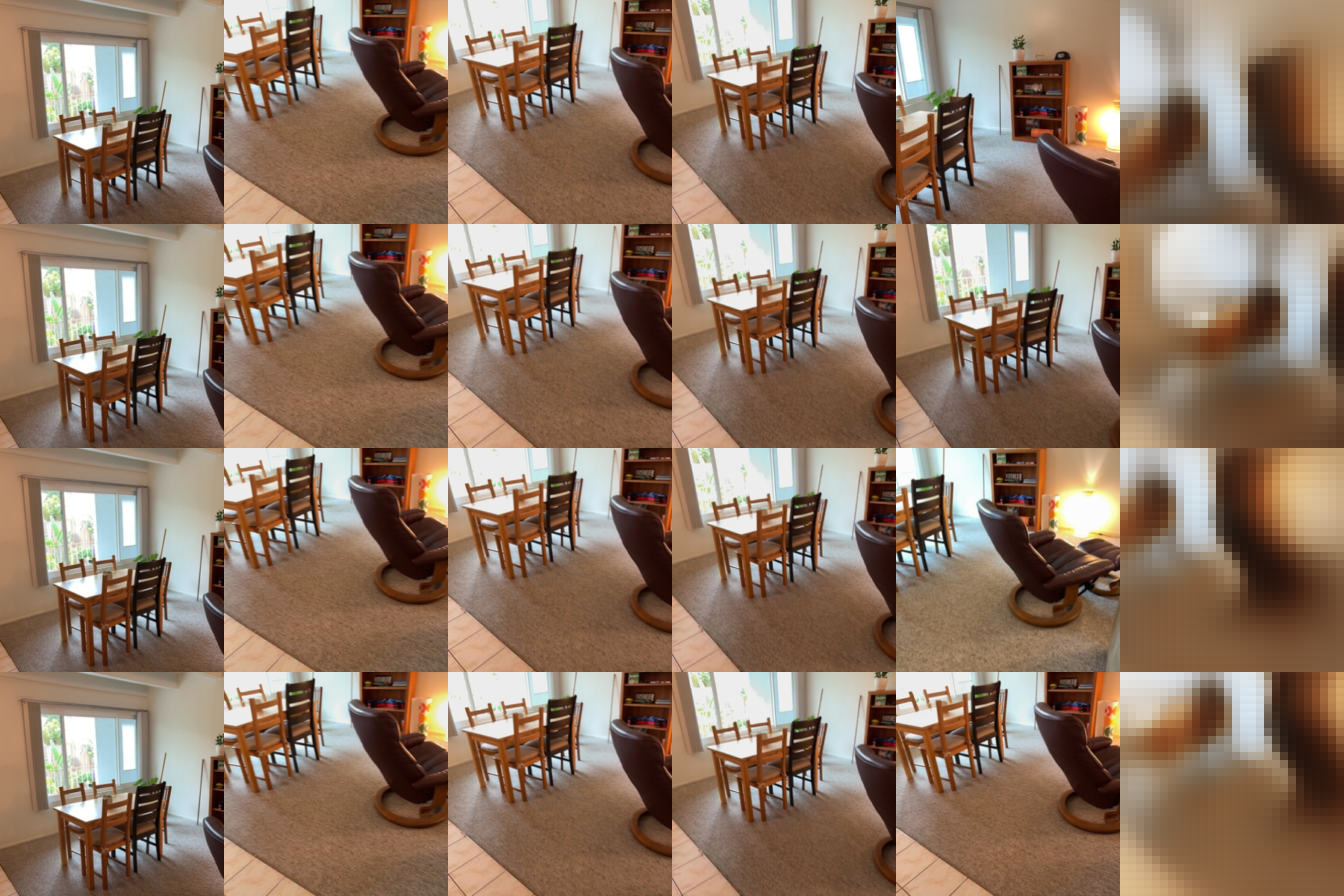
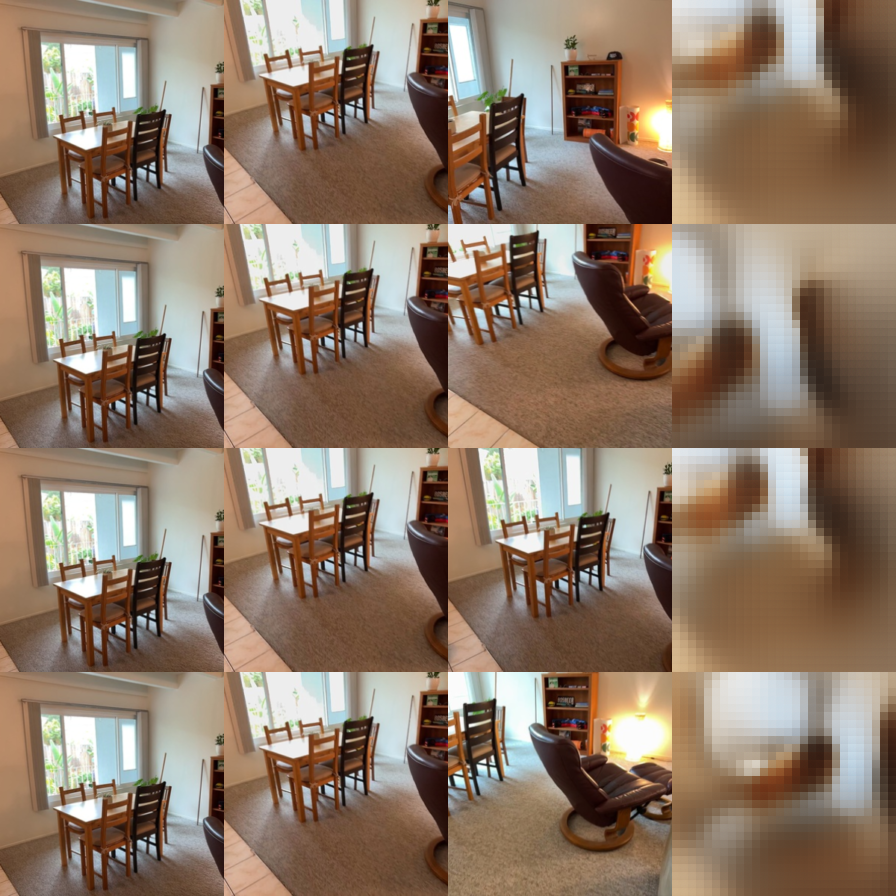
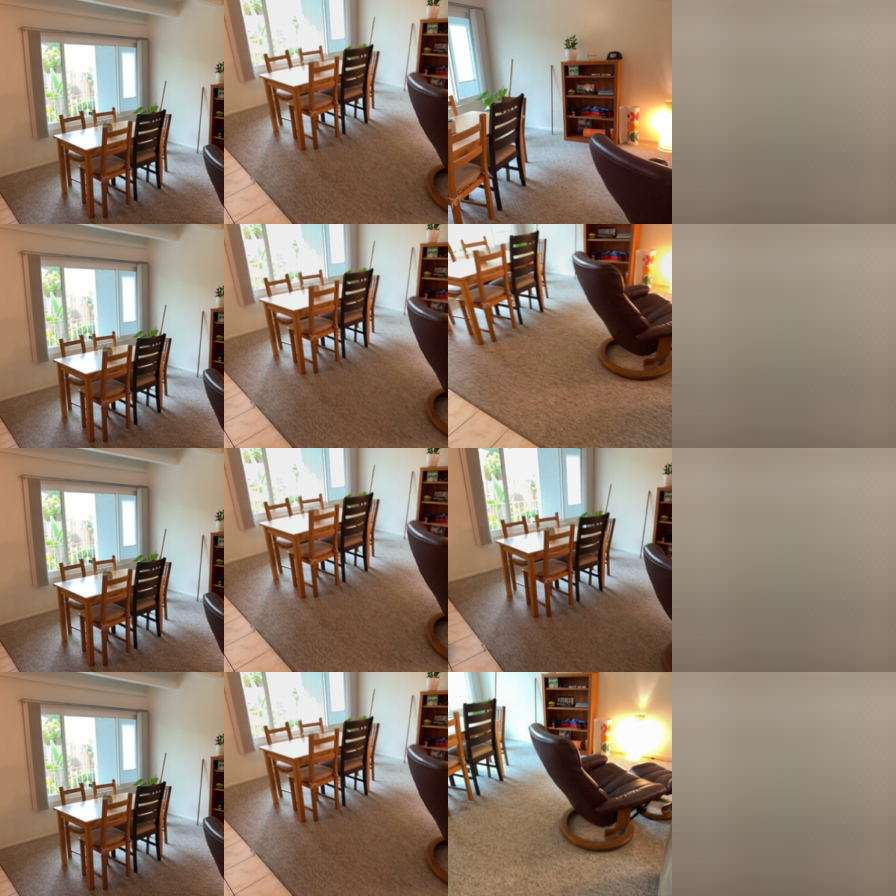
Evaluation visualizations. Columns: source views, ground truth, prediction.
Number of source views. More source views give better results, even though I trained with 2. More views show more of what the target camera sees, so the model has to guess less. The predictions get the layout and colors right but are still blurry and blocky, since the model is small and trained briefly.
Ray conditioning. The target rays matter a lot. With shuffled rays, the model draws blurry shapes in the wrong place. With no rays, it outputs an almost flat image in the scene's average color. Without the correct rays, adding source views does not help anymore, which shows the model uses the target rays to know where to look.
2.3 Bonus: adding an SSIM loss
Question. Does adding an SSIM term to the MSE loss make the novel views sharper?
Setup. I train with MSE + 0.1 · (1 − SSIM) and keep everything else the same as 2.2, so the loss is the only difference.

| Source views | MSE (2.2) | MSE + SSIM |
|---|---|---|
| 1 | 15.13 / 0.558 | 14.45 / 0.567 |
| 2 | 16.04 / 0.559 | 14.94 / 0.569 |
| 4 | 16.72 / 0.575 | 15.20 / 0.581 |
Validation results with correct rays (PSNR / SSIM).
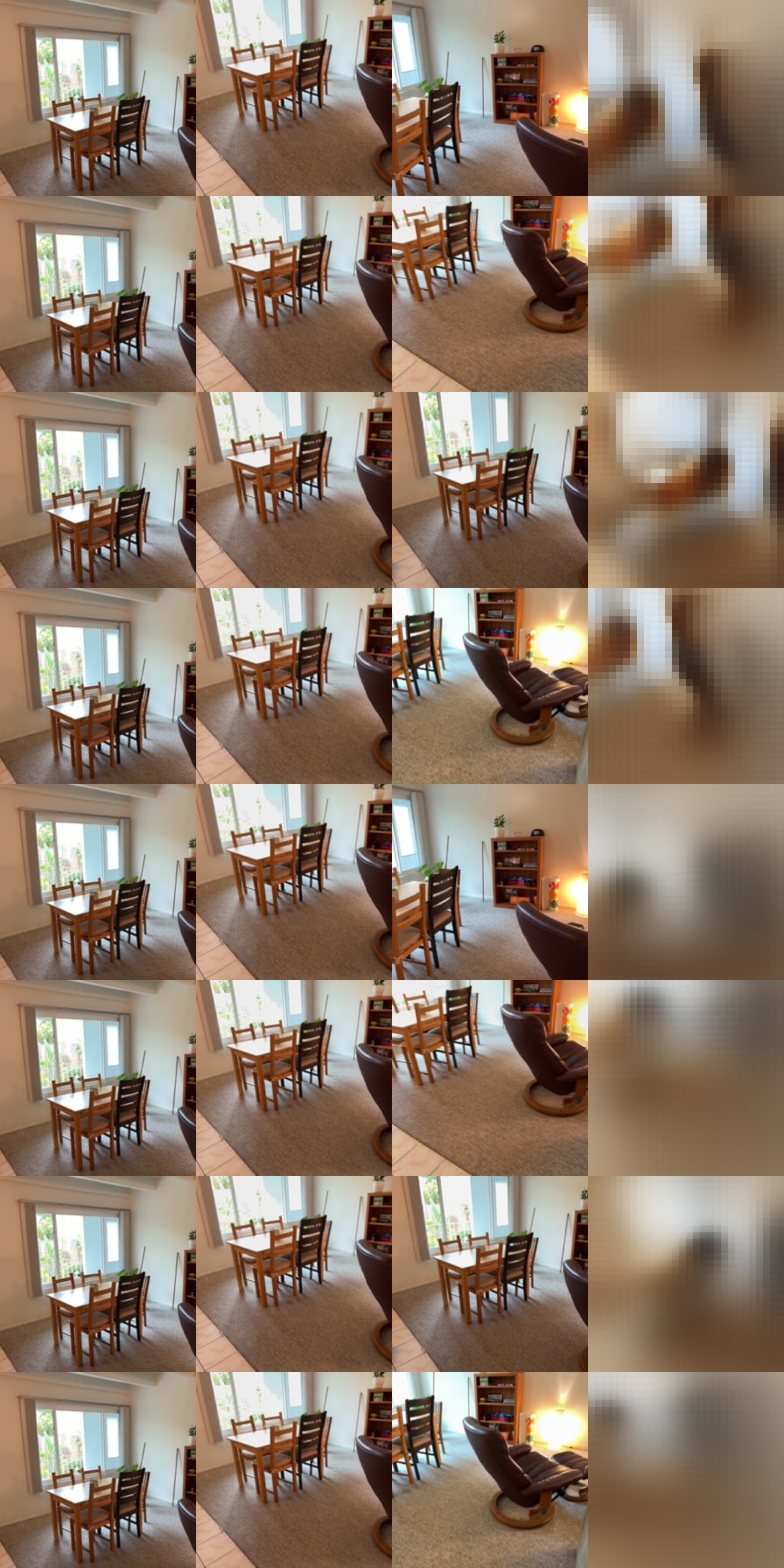
Results. Each model wins on what it was trained for: the SSIM loss gives slightly higher SSIM but lower PSNR. Visually it is not sharper. It is less blocky, but smoother and blurrier, with duller colors.
Why. SSIM cares about local structure and contrast, so it punishes the blocky patch edges. But it cares less about exact brightness and color, which is what MSE and PSNR measure. With a small model, the SSIM term trades color accuracy for smoothness.
Limitations. I only tried one weight, and both models are still far from converged. A smaller weight or a perceptual loss might reduce the blockiness without losing as much PSNR.
3. Mini-VGGT
3.1 Overfitting one clip


All losses go down quickly, and the total loss goes slightly below zero because of the confidence term. The predicted cameras and point cloud almost match the ground truth, so the model can fit a single clip.
3.2 Training and evaluation
Training settings. I used the default configs/vggt.json (8 views, 1000 epochs, frozen DINO encoder) with one change: batch size 6 instead of 16. I train on my own GPU, which has limited memory, and batch size 16 runs out of memory, so I used the largest batch that fits. I also used 4 data loader workers instead of 8, since that was faster on my machine.
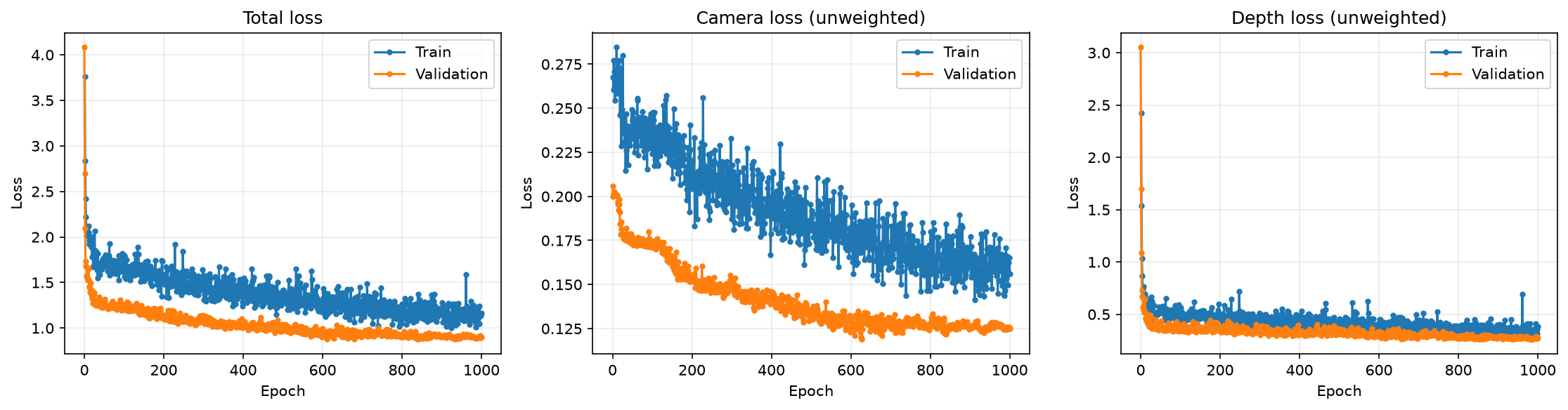
Results of best.pt:
| Split | AbsRel ↓ | δ1 ↑ | Rot. error (°) ↓ | Trans. error (°) ↓ | Rot. AUC@30 ↑ | Trans. AUC@30 ↑ | Pose AUC@30 ↑ |
|---|---|---|---|---|---|---|---|
| Val | 0.143 | 0.835 | 14.8 | 44.6 | 0.665 | 0.151 | 0.131 |
| Test | 0.164 | 0.798 | 10.3 | 43.2 | 0.706 | 0.142 | 0.127 |
Ground truth (left) and prediction (right) for four held-out scenes:

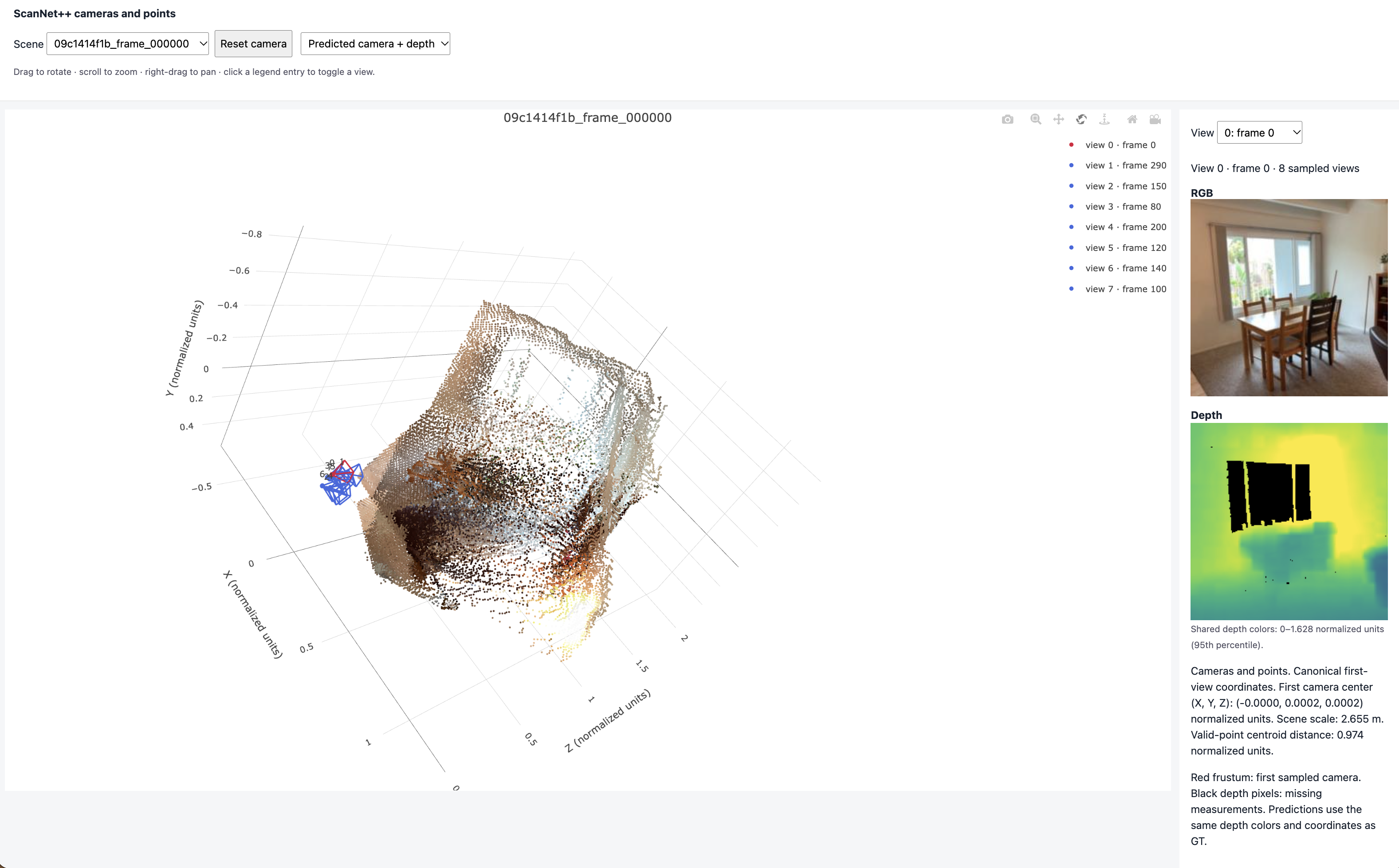


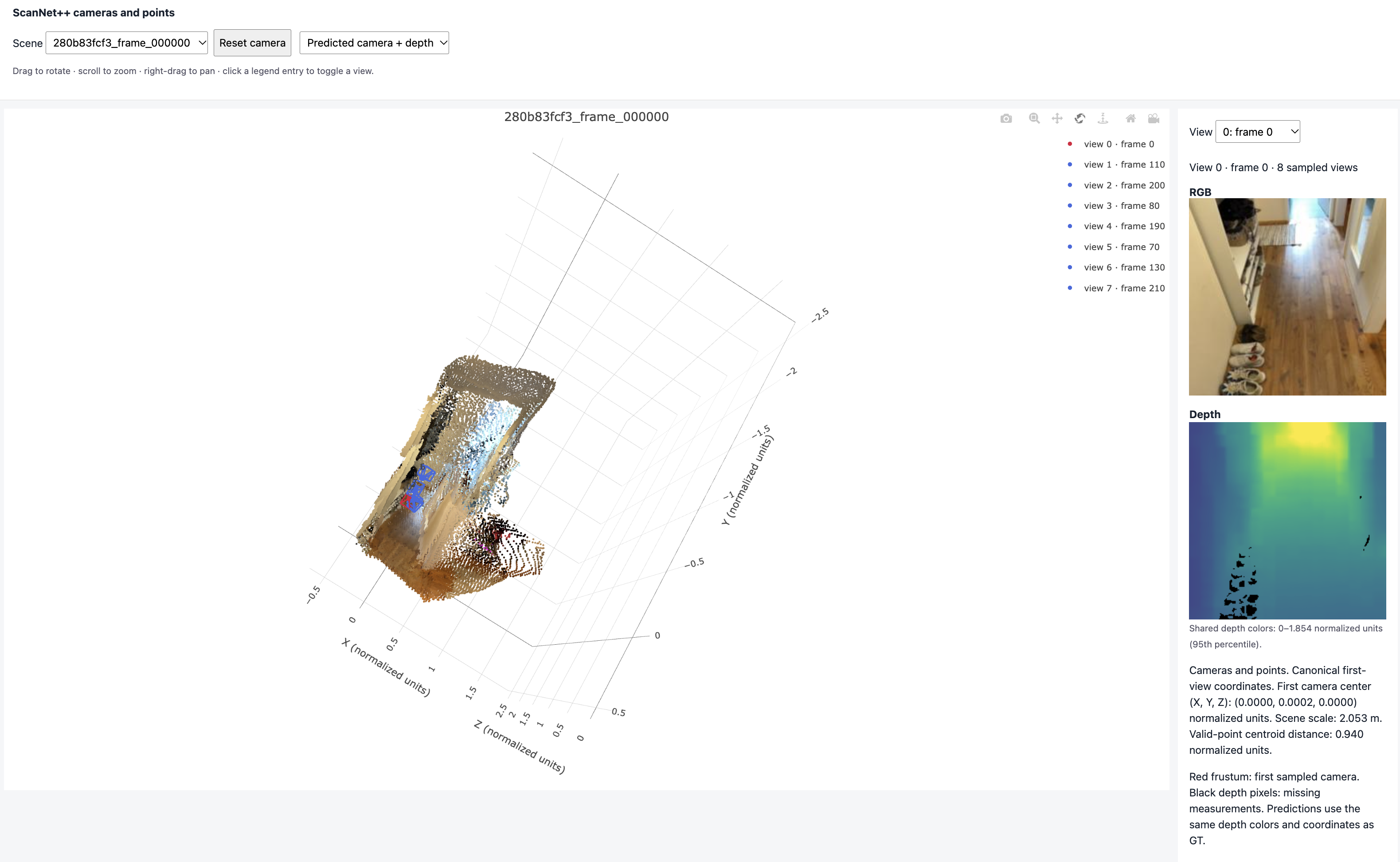
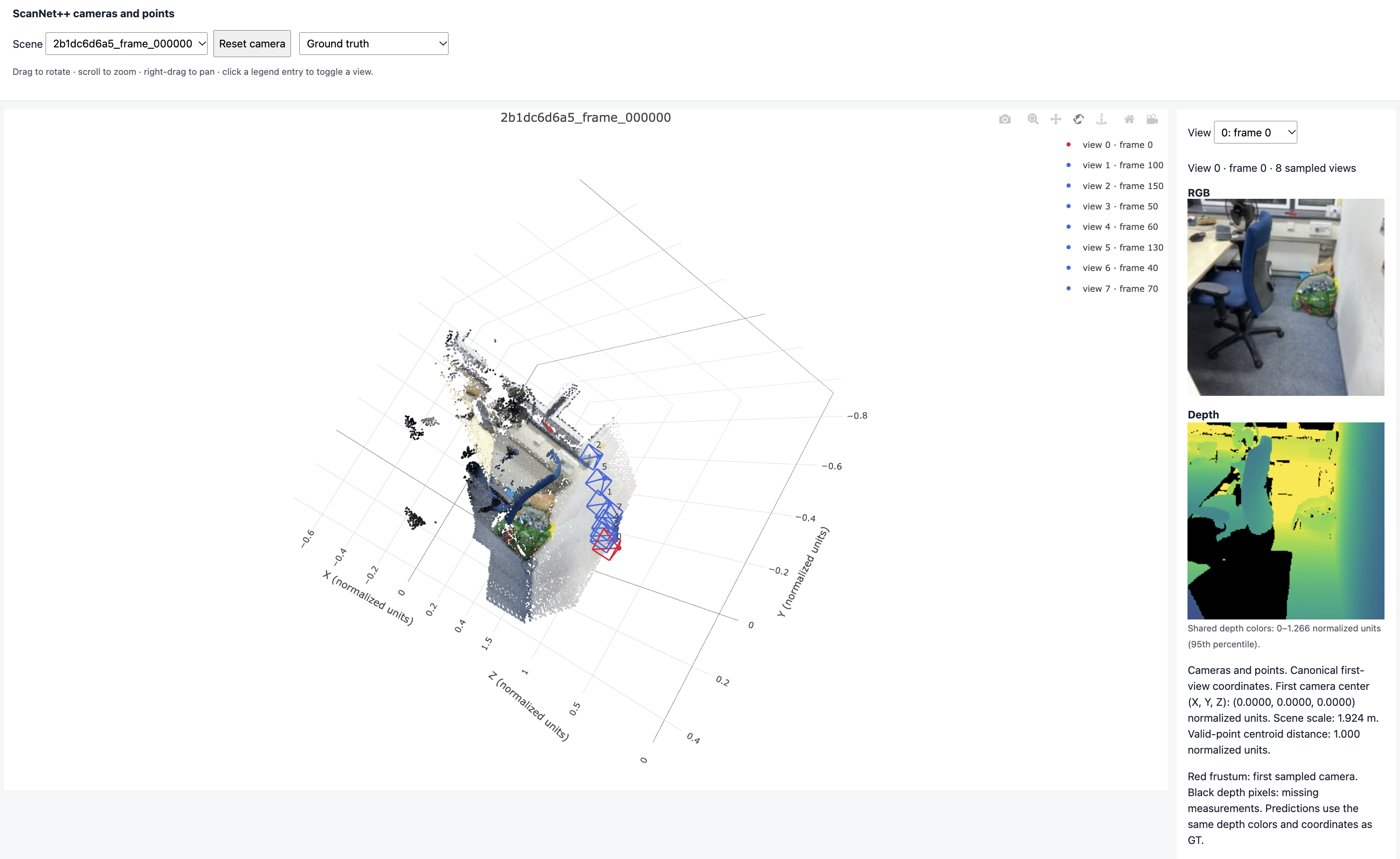
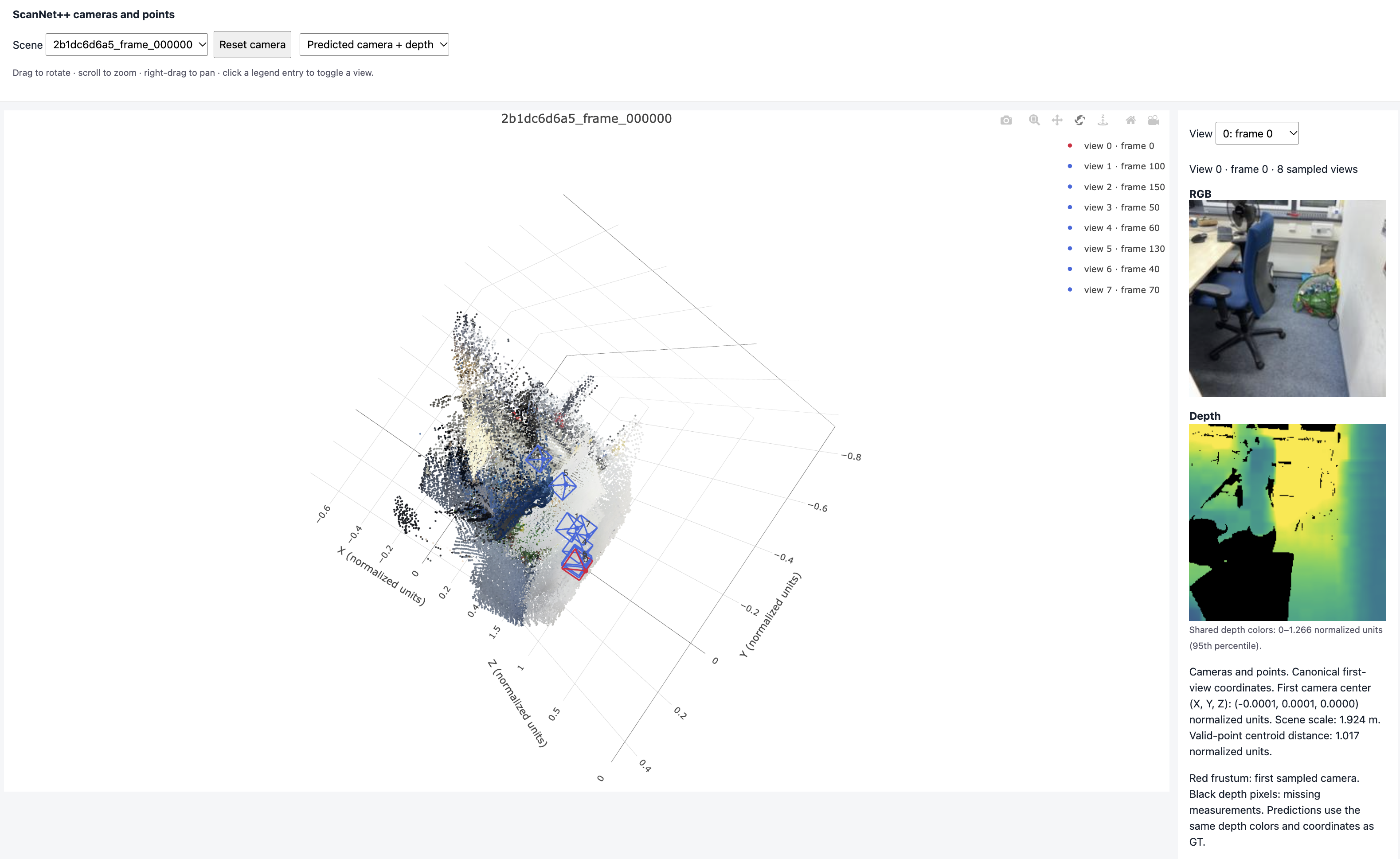
Errors on held-out scenes. Validation and test results are close, so the model generalizes to new scenes. The rough room shape and the camera layout are right, but the details are not. The predicted depth is smooth and blurry, so walls bend, corners are rounded and thin things like chair legs get smeared out. Rotation is learned fairly well, but the translation direction is the weakest part. The cameras in a clip are close together, so the direction they move in is hard to tell from the images, and a small mistake there gives a large angle error. The model is also small and only trained on small 224×224 images with a frozen encoder, so it cannot recover fine geometry.
3.3 Bonus: number of input views
Question. How does the number of input views at test time affect accuracy, runtime and memory?
Setup. I take the trained model from 3.2 (trained with 8 views) and evaluate it on the same val and test scenes with 2, 4, 8, 16 and 32 views, one sample at a time. I time the forward pass and record the peak GPU memory. No retraining.
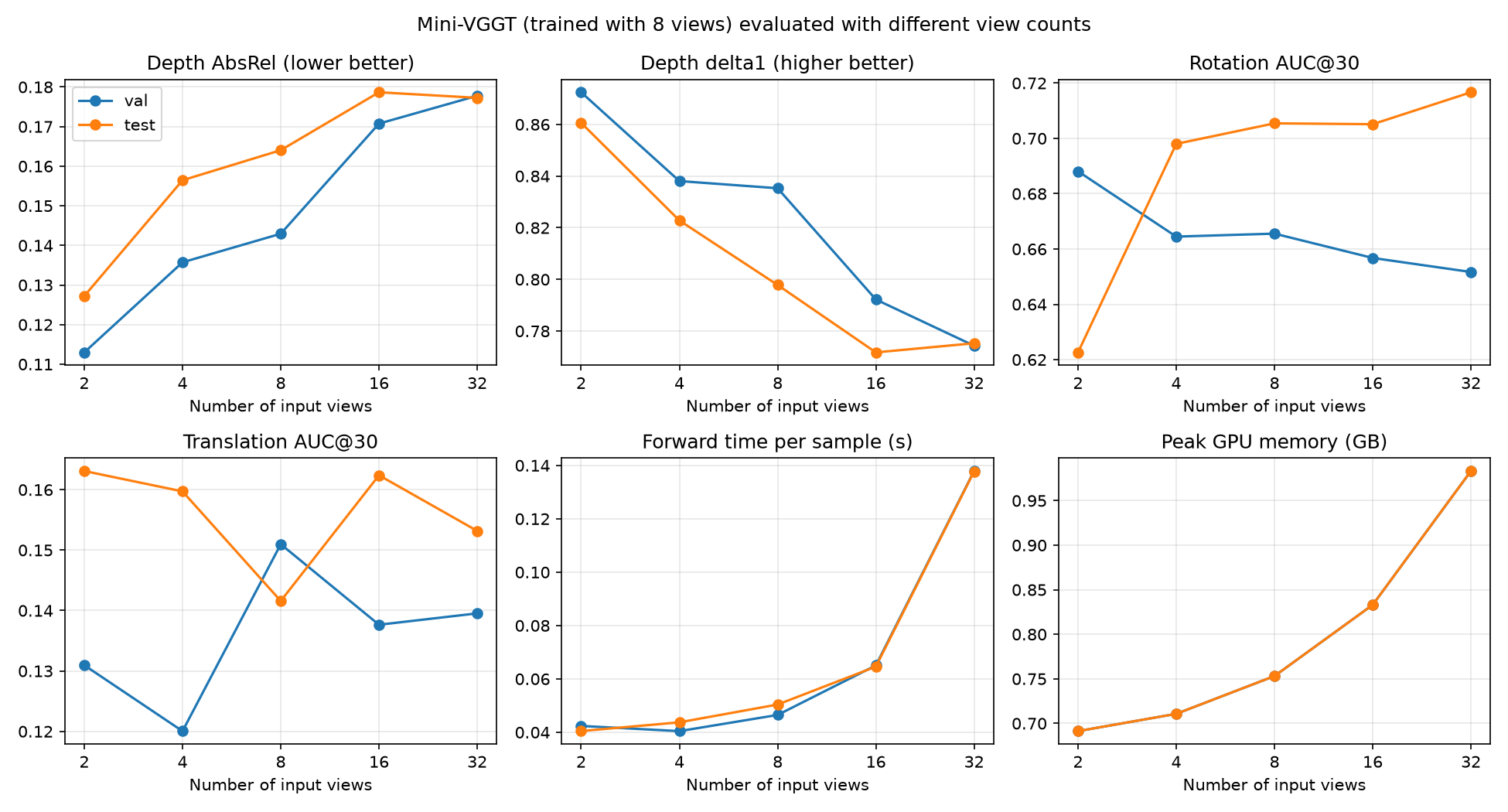
| Views | Val AbsRel ↓ | Val δ1 ↑ | Val rot. error (°) ↓ | Test rot. error (°) ↓ | Val pose AUC@30 ↑ | Time (ms) | Memory (GB) |
|---|---|---|---|---|---|---|---|
| 2 | 0.113 | 0.872 | 17.1 | 13.9 | 0.110 | 42 | 0.69 |
| 4 | 0.136 | 0.838 | 16.2 | 10.9 | 0.098 | 40 | 0.71 |
| 8 | 0.143 | 0.835 | 14.8 | 10.3 | 0.131 | 46 | 0.75 |
| 16 | 0.171 | 0.792 | 13.2 | 10.2 | 0.119 | 65 | 0.83 |
| 32 | 0.178 | 0.774 | 13.8 | 9.8 | 0.119 | 138 | 0.98 |
Results. More views make depth worse but rotation a bit better, and translation stays about the same. Runtime is flat up to 8 views and then grows quickly, while memory grows only a little.
Why. Views are picked from a fixed window, so with more views, more of them are far from the first camera, and their depth has to be placed in the first camera's frame, which is harder. Going past 8 views also means the model sees more views than it was trained on. Rotation gets better because more views give more overlap to match. Runtime grows fast because global attention looks at all tokens of all views together, so its cost grows with the square of the number of views.
Limitations. I only changed the number of views at test time. Training with more (or a random number of) views might change the picture. Each view count also uses a different random set of frames, which adds some noise.