Assignment 1: Rendering Basics with PyTorch3D
Harshit Jain — 16-825 Learning for 3D Vision
1. Practicing with Cameras
1.1 360-degree Renders
The cow mesh rendered from 60 azimuth values spaced evenly over a full turn, with the camera
3 units from the origin.

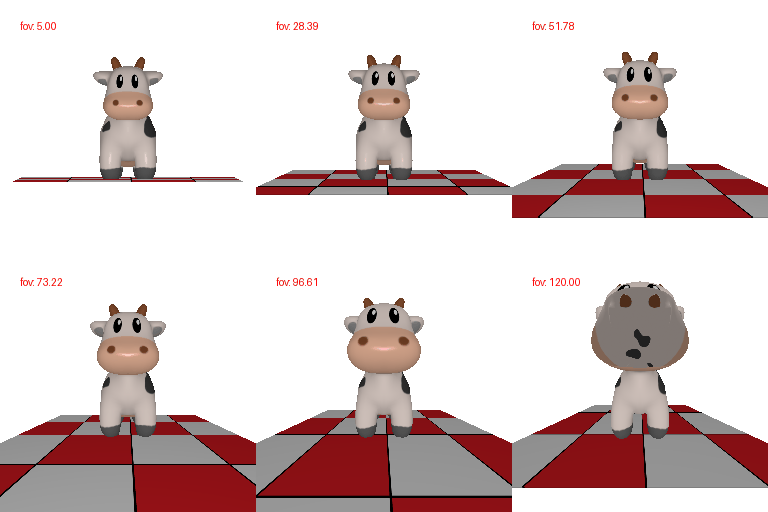
1.2 Re-creating the Dolly Zoom
To keep the cow at a constant size while the field of view changes, the camera distance has to
satisfy width/2 = distance * tan(fov/2). Fixing the width to the value that a 60°
field of view sees at a distance of 3 gives
distance = 3 * tan(30°) / tan(fov/2). The cow stays the same size while the
checkerboard plane behind it stretches away, which is the effect we want.
2. Practicing with Meshes
2.1 Constructing a Tetrahedron
The mesh has 4 vertices and 4 triangle faces — one
triangle per side, and every vertex is shared by three of them. I used the four alternating corners
of a cube, (1,1,1), (1,-1,-1), (-1,1,-1) and
(-1,-1,1), which gives a regular tetrahedron, and ordered each face
counter-clockwise so the normals point outwards.

2.2 Constructing a Cube
The mesh has 8 vertices and 12 triangle faces, since each of
the 6 square sides is split into two triangles.
For both shapes the renderer splits the shared vertices before shading, so that each triangle is
shaded with its own face normal. With shared vertices PyTorch3D averages the normals at each
corner, which smooths the shading across the edges and makes the solid hard to read.

3. Re-texturing a Mesh
I chose color1 = [0, 0.8, 1] (cyan) for the front of the cow and
color2 = [1, 0.2, 0.6] (pink) for the back. The two are far apart in hue, so the
interpolation across the body is easy to follow, and both stay bright enough that the Phong
shading still shows the shape. Each vertex colour is
alpha * color2 + (1 - alpha) * color1 with
alpha = (z - z_min) / (z_max - z_min).

4. Camera Transformations
Each render below uses R = R_relative @ R_0 and
T = R_relative @ T_0 + T_relative, starting from R_0 = I and
T_0 = [0, 0, 3].
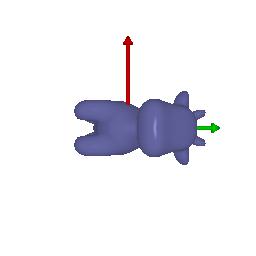
R_relative = R_z(-90°), T_relative = [0, 0, 0]
The camera rolls 90° about its own optical axis. Nothing moves, so the cow stays the same size
and distance — the whole image just turns in-plane and the cow ends up lying on its side.
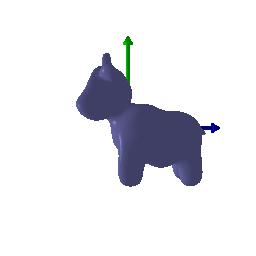
R_relative = R_y(90°), T_relative = [-3, 0, 3]
This one orbits the camera rather than spinning it in place. The rotation alone would swivel the
camera about its own centre and point it away from the cow, so the translation is what carries the
camera round to the cow's side while keeping it 3 units from the origin and the cow centred.
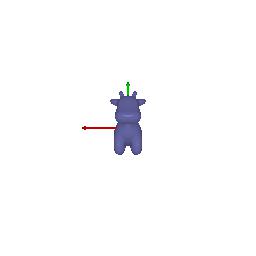
R_relative = I, T_relative = [0, 0, 3]
Pure translation backwards along the optical axis. The viewing distance goes from 3 to 6, so the
cow is seen from the same angle at roughly half the size.
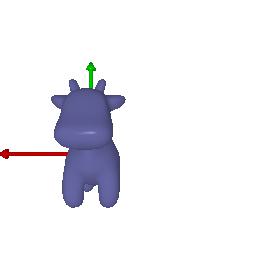
R_relative = I, T_relative = [0.5, -0.35, 0]
Pure translation in the image plane. The orientation and the distance are untouched, so the cow
keeps its size and pose and simply slides down and to the left in the frame.
5. Rendering Generic 3D Representations
5.1 Point Clouds from RGB-D Images
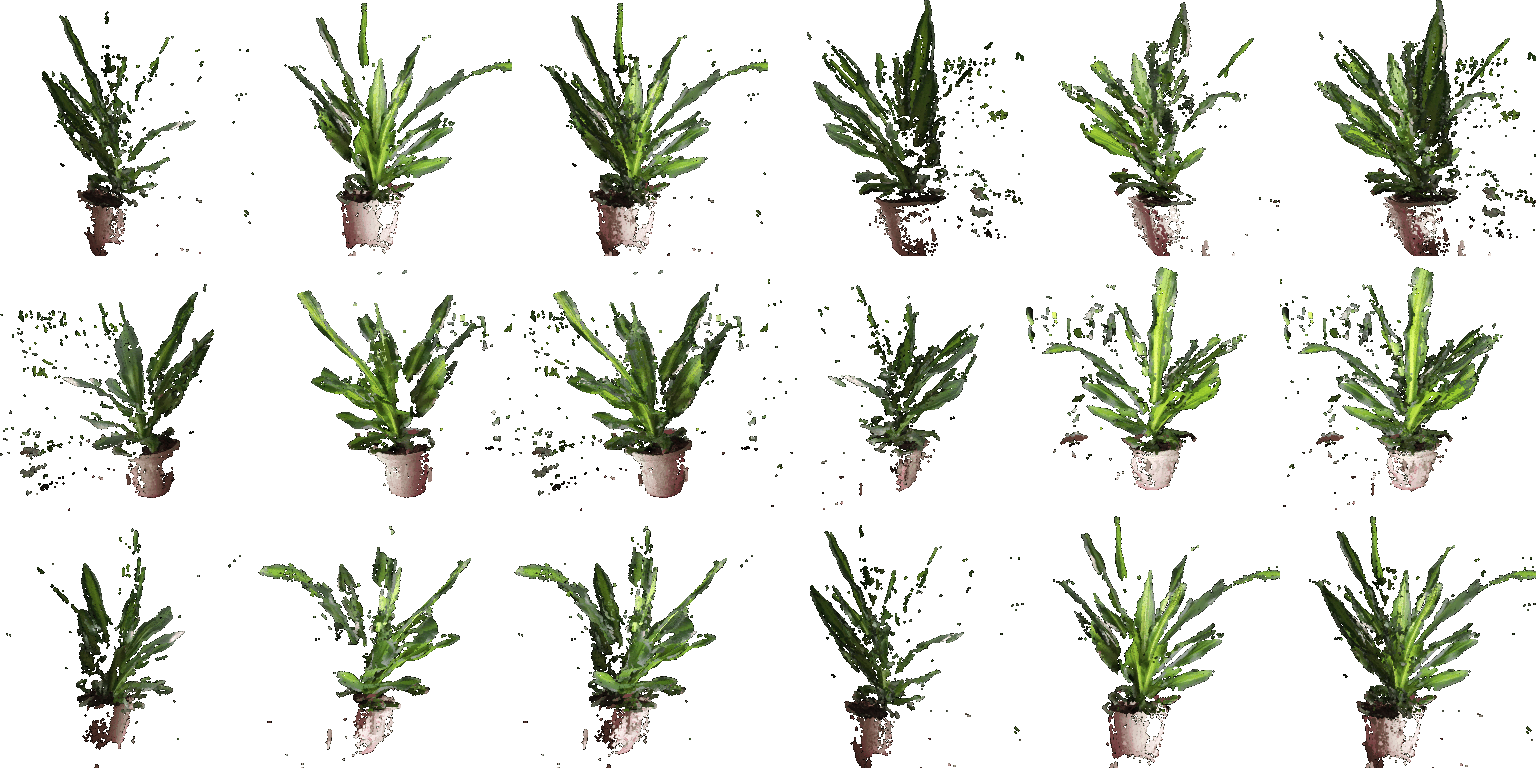
Left to right: the first image, the second image, and the union of the two. Each depth map is
unprojected with its own camera, so the two clouds already line up in world coordinates and the
union just concatenates the points and colours. The CO3D world frame has the plant upside down
relative to the PyTorch3D convention, so the turntable cameras are built with an up vector of
(0, -1, 0). The single-image clouds are hollow from the back, since a depth map only
sees the surface facing the camera — the union fills in a good part of what each view
misses.
5.2 Parametric Functions
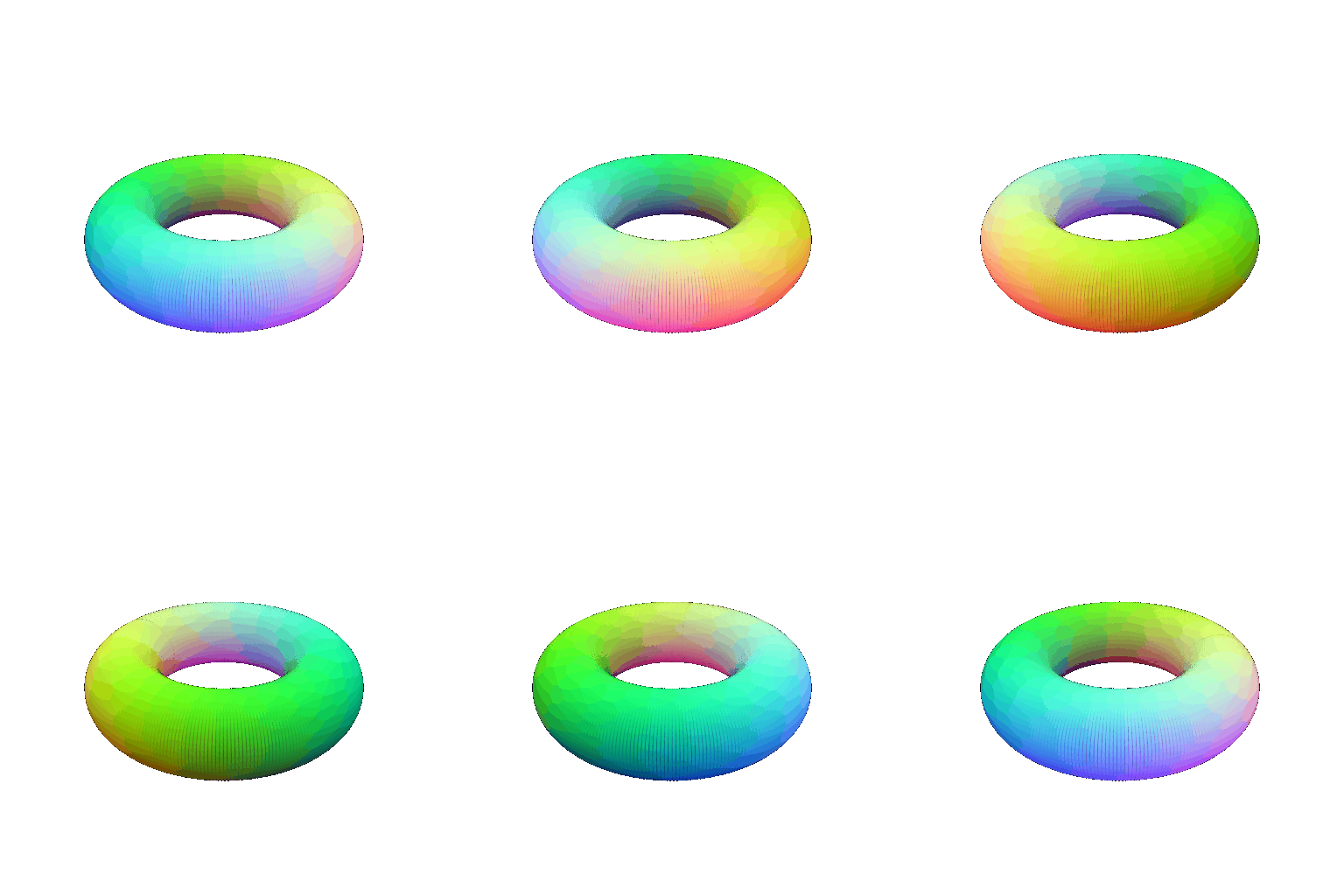
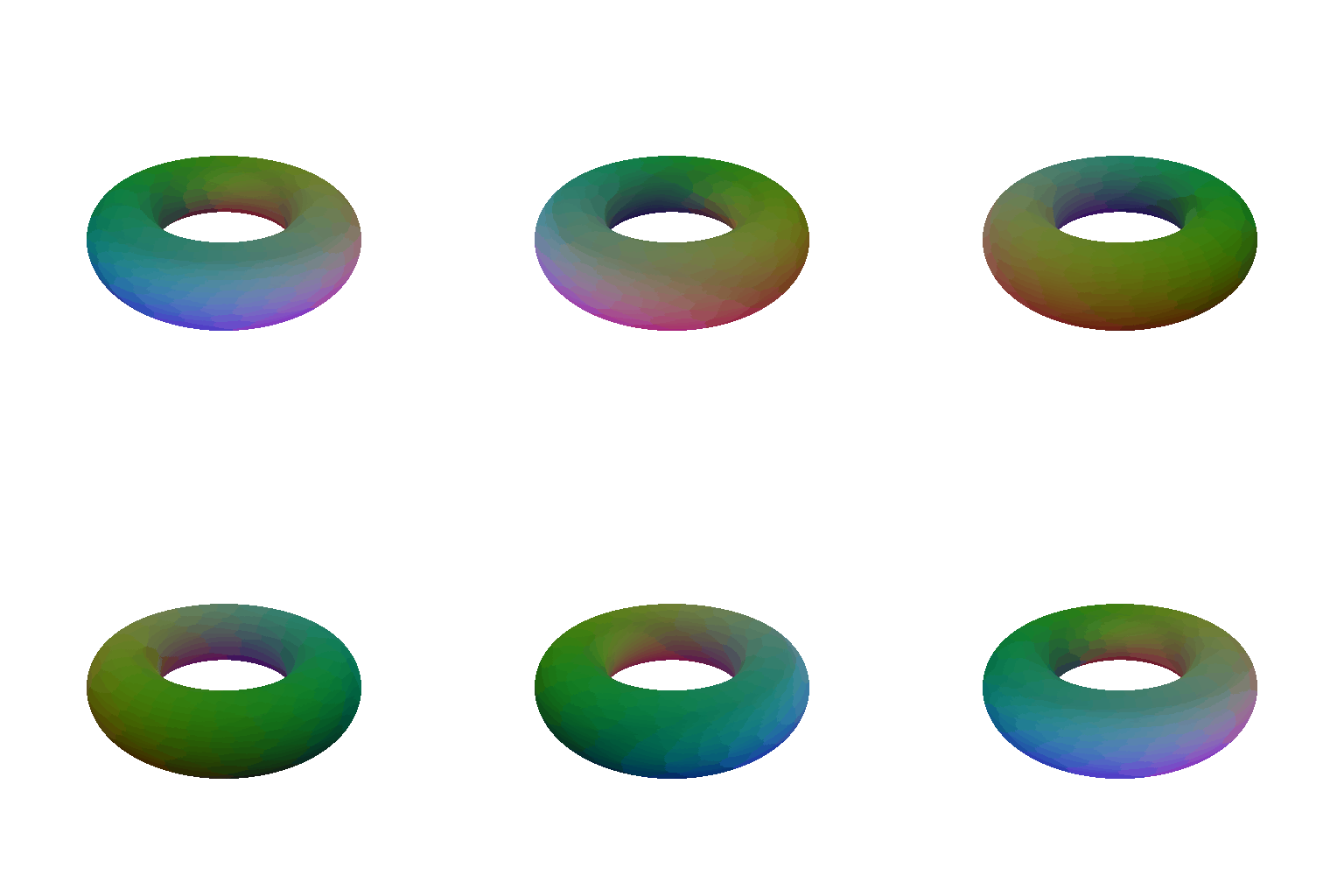
A torus sampled on a 300 × 300 grid of (theta, phi), using
x = (R + r cosθ) cosφ, z = (R + r cosθ) sinφ,
y = r sinθ with R = 2 and r = 0.7. The symmetry axis
is vertical and the camera sits 30° above the equator, so the hole stays visible all the way
round.
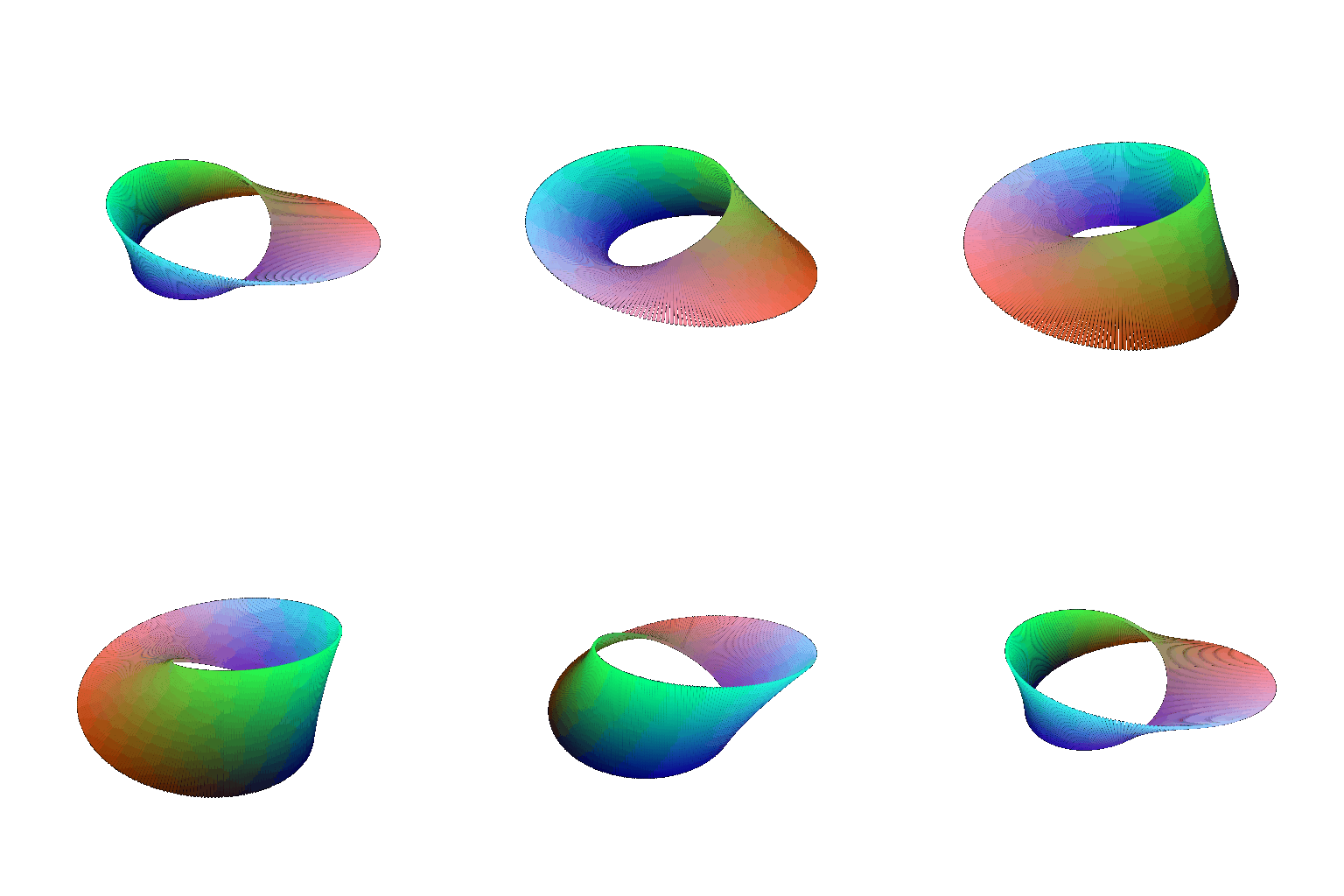
A Möbius strip as the second object — a band of half-width v that is
given a half twist as it goes round, x = (1 + v cos(u/2)) cos u,
z = (1 + v cos(u/2)) sin u, y = v sin(u/2). Following the surface round
once shows that it only has one side.
5.3 Implicit Surfaces
The same torus as the zero level set of
F(x,y,z) = (sqrt(x² + z²) - R)² + y² - r², evaluated on a
128³ voxel grid and turned into a mesh with marching cubes.
Mesh vs. point cloud. The mesh wins on rendering quality. It stores
connectivity, so the rasteriser can fill the surface between samples and shade it with real
normals — the result is a watertight object with no gaps, and it stays clean when you move
the camera closer. A point cloud has no surface between its samples, so the renderer has to fake
one with finite-radius splats: too small and the object turns into a sieve, too large and the
detail blurs. There is also no occlusion between the front and back of a point cloud in the way a
mesh gives you for free, so the far side tends to show through.
The point cloud wins on nearly everything else. It is far easier to produce — here the
torus was a couple of lines of trigonometry, whereas the mesh needed a voxel grid and a marching
cubes pass, and the grid resolution caps how fine the geometry can be. It is also what sensors
actually give you: a depth camera produces points directly, as in 5.1, while getting a mesh out of
one needs a reconstruction step. Memory is the interesting trade-off: per sample a point cloud is
cheaper, since it stores only a position and a colour with no face list, but the mesh describes
this torus far more efficiently overall, because a handful of large triangles cover a flat region
that would need thousands of points to look solid. Rendering speed follows the same pattern —
cost scales with the number of primitives, so whichever representation needs fewer of them for a
given quality wins, and for smooth shapes like this one that is the mesh. Point clouds are also
much easier to modify, since you can add, drop or transform individual points without worrying
about keeping a valid triangulation.
A heart as the second implicit object, the zero level set of the sextic
(x² + (9/4)z² + y² - 1)³ - x²y³ - (9/80)z²y³,
with the axes permuted so the point of the heart faces down.

6. Do Something Fun
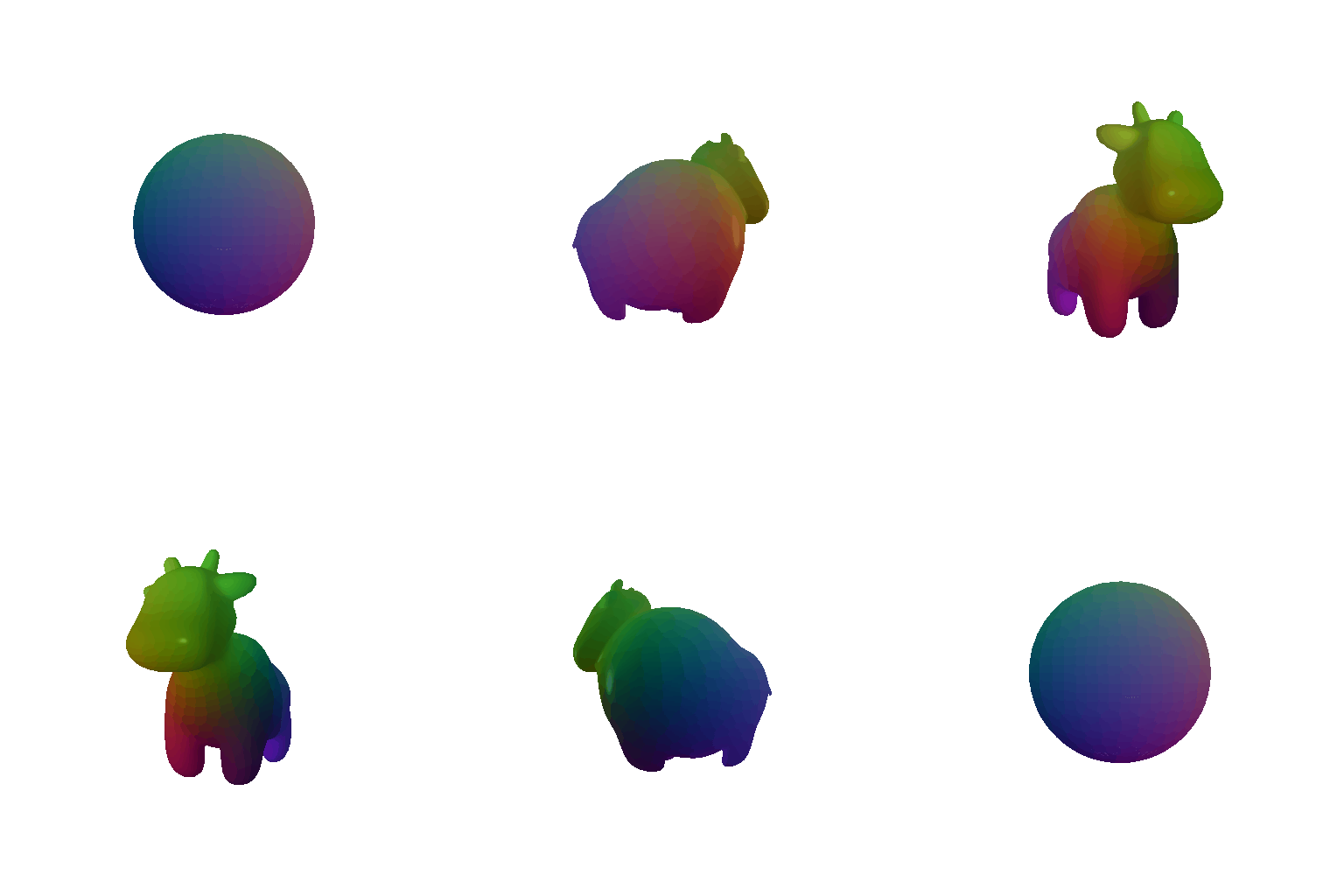
The cow morphing into a sphere and back while it turns. Every vertex is pushed along its own
direction from the centre towards the mean radius, v(t) = (1-t) v + t * r_mean * v/|v|,
so the face list never changes and the mesh stays valid the whole way through. The colours come
from the vertex directions on the original cow, which makes it easy to see where each part of the
body ends up on the sphere — the horns and legs are the last things to be swallowed.
7. Sampling Points on Meshes
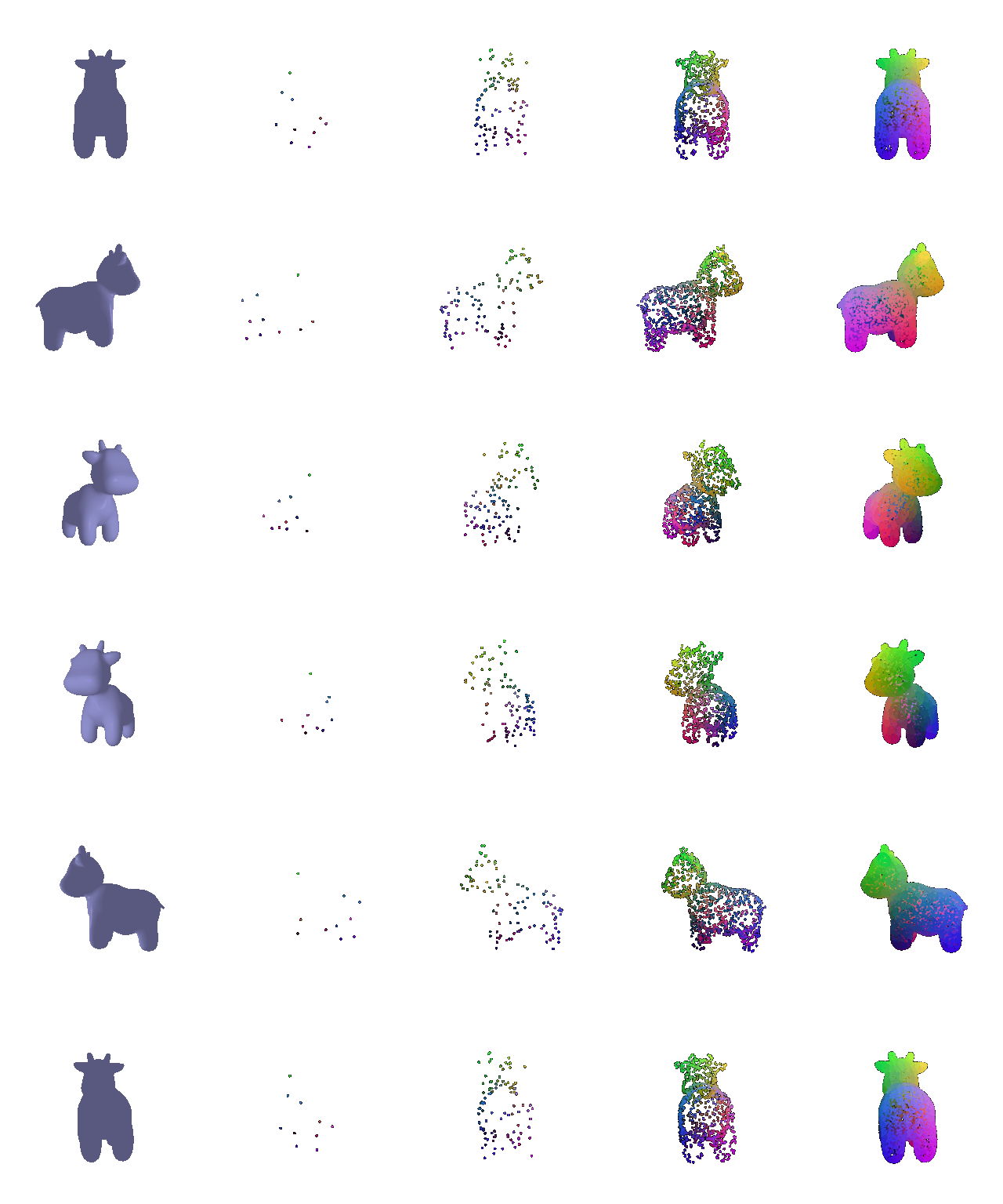
Left to right: the original mesh, then 10, 100, 1000 and 10000 sampled points. Faces are drawn
with probability proportional to their area, then a uniform barycentric coordinate is drawn on the
chosen face by sampling u, v in the unit square and reflecting the pairs with
u + v > 1 back into the triangle. Sampling by area matters here because the cow's
triangles are far from uniform — weighting them equally would crowd points into the head,
where the mesh is finest. By 1000 points the silhouette is already recognisable, and at 10000 the
point cloud is hard to tell from the shaded mesh except at the edges.