**Assignment #3 - Cats Generator Playground**
Student name: Daniel Zeng (dlzeng)
(##) Overview
The main goal for this assignment is to become familiar with implementing and training GANs. We will do this by implementing and training a DCGAN to generate cat images from random noise and by implementing and training a CycleGAN to convert between images of different types of objects (cats in this instance).
(##) DCGAN
The idea behind the DCGAN is to use a CNN for the discriminator and to use upsampling and another CNN for the generator.
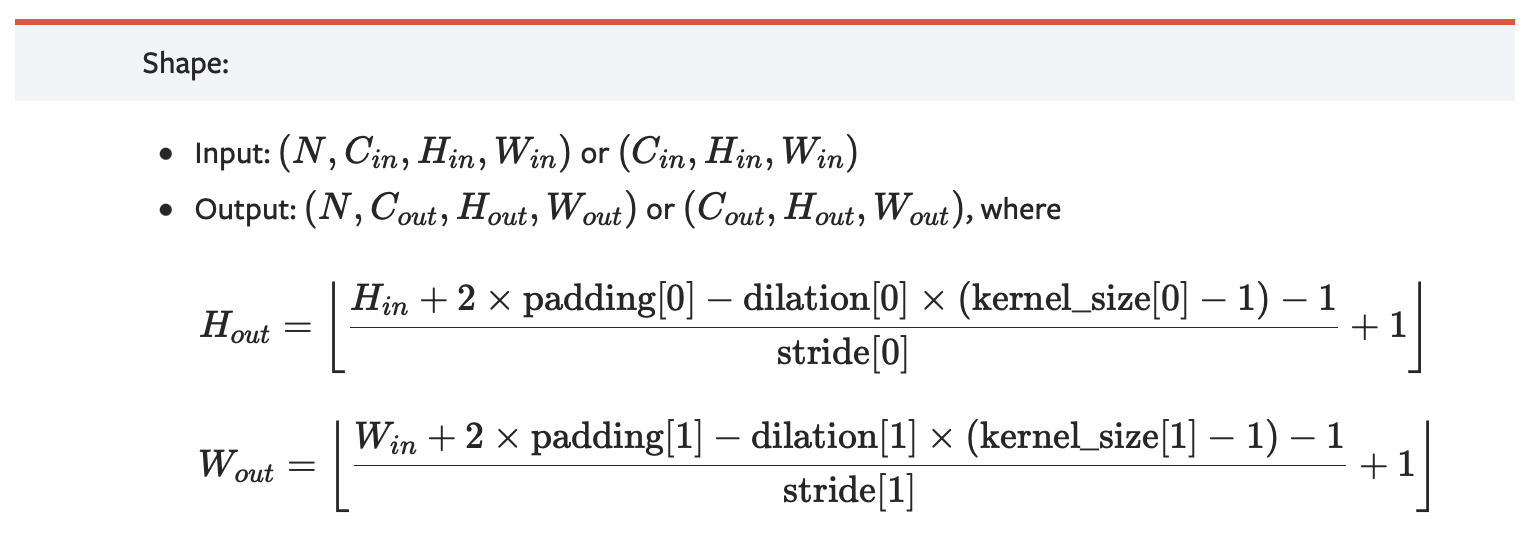
For the Discriminator CNN, we follow the steps outlined in the writeup. For padding, we use the following formula outlined by the `conv2d` webpage:
Since we are given that kernel size is 4 and stride is 2, we can substitute these values in to try to find the padding size. Our layers are decreasing the height and width by a factor of 2 at each step, so substituting this in, we have the following:
$$\frac{H}{2} = \frac{H + 2P - 1 \cdot (K - 1) - 1}{S} + 1$$
$$\implies \frac{H}{2} = \frac{H + 2P - 3 - 1}{2} + 1$$
$$\implies \frac{H}{2} = \frac{H}{2} + P - 1$$
$$\implies P = 1$$
The steps for the Generator and training loop were followed from the writeup. For the Generator, I used a convolutional layer for the first layer with kernel 4, stride 1 and padding 3. For the rest of the layers, I used `up_conv` layers with kernel 3, stride 1, padding 1 and scale factor 2.
(###) Loss curves
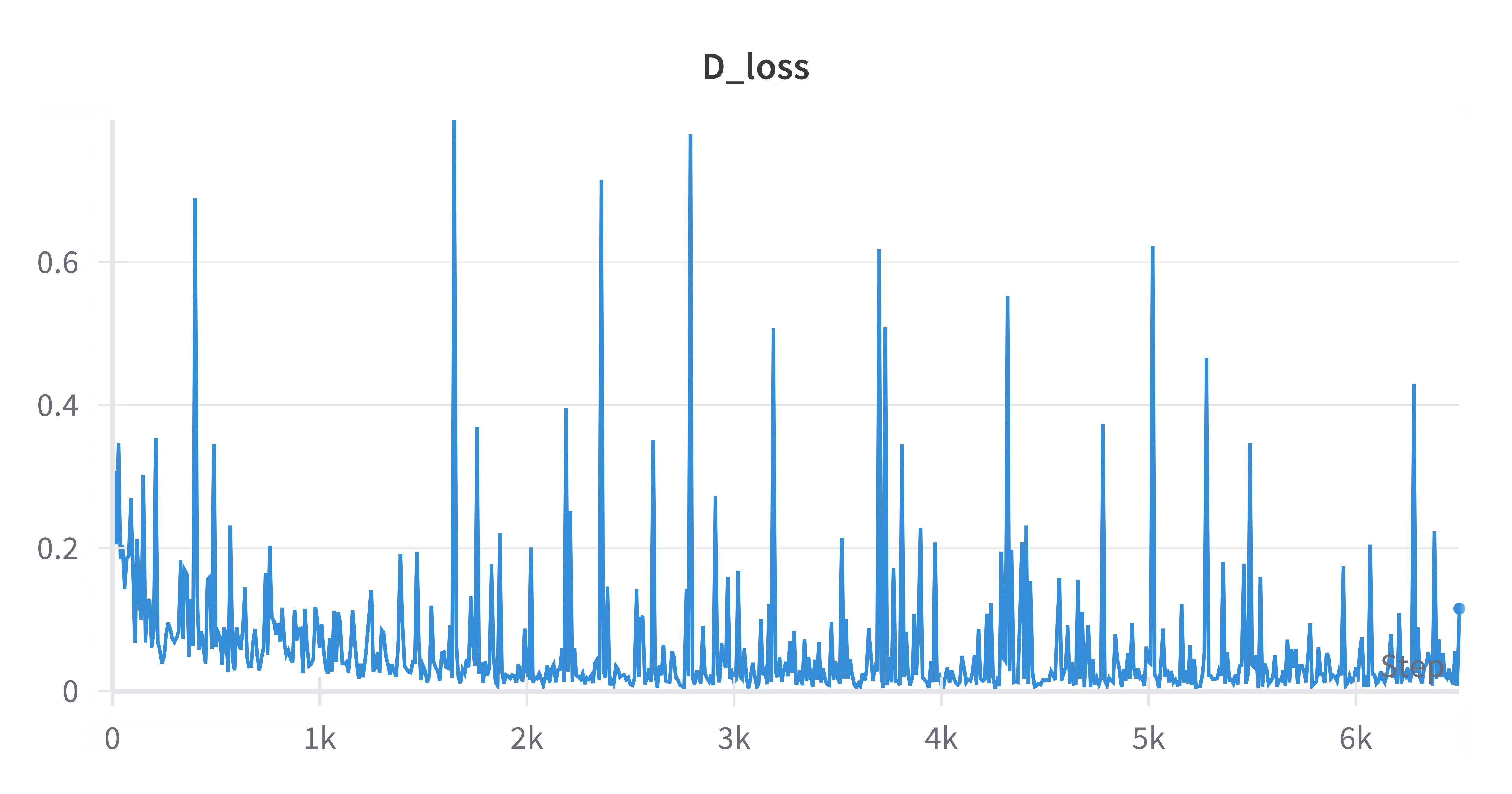
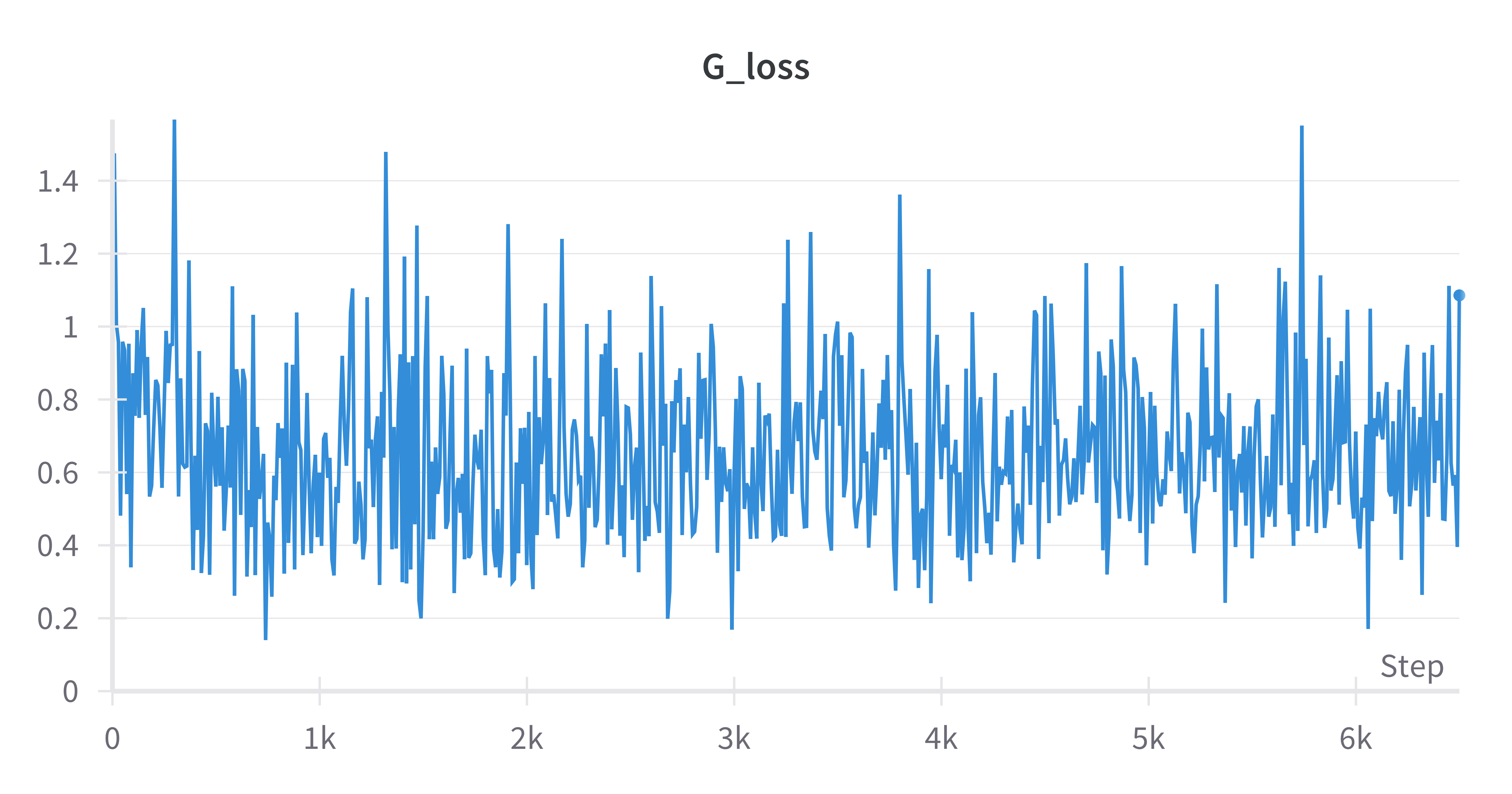
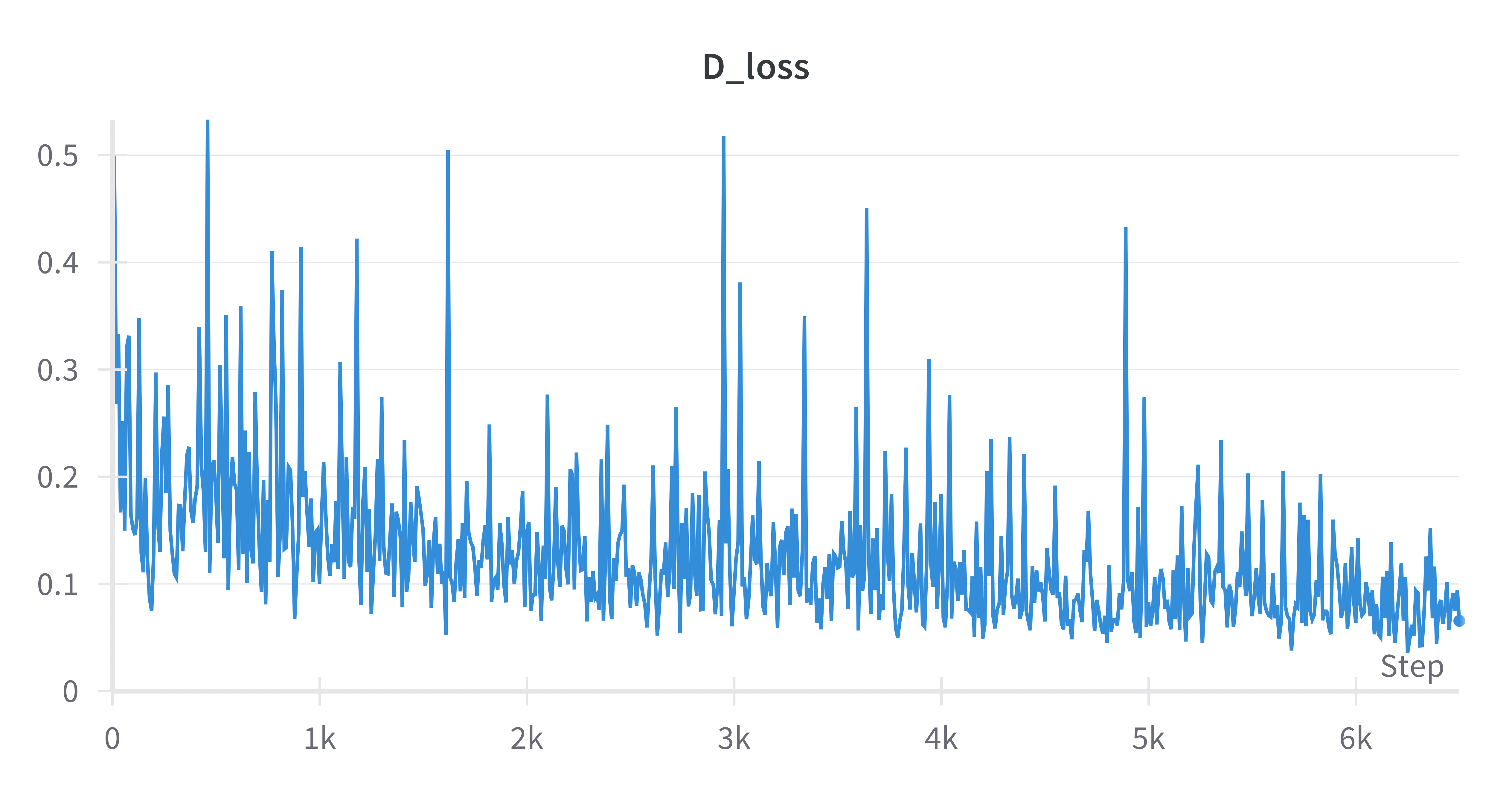
(####) Basic without Diffaug
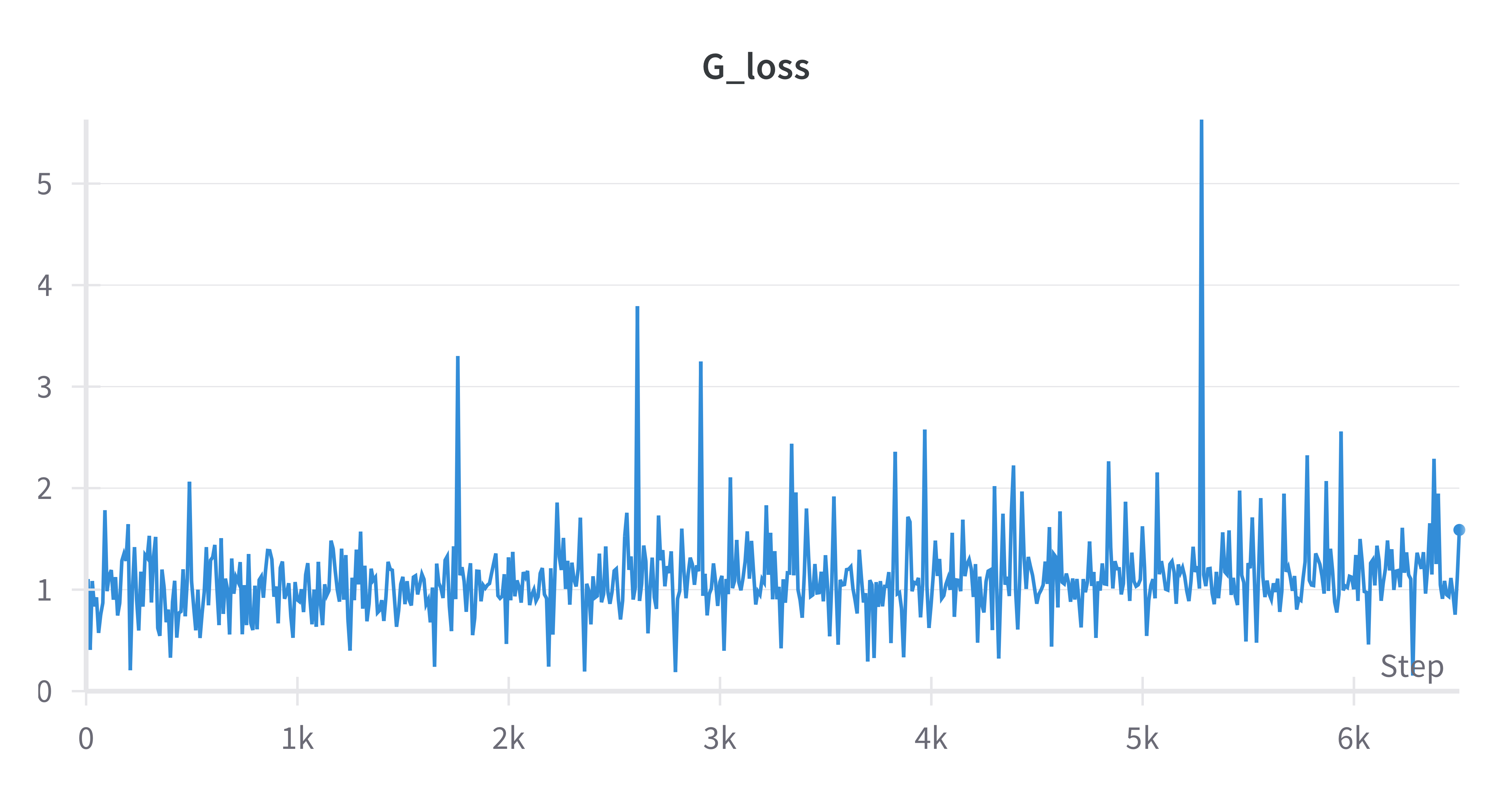
(####) Basic with Diffaug
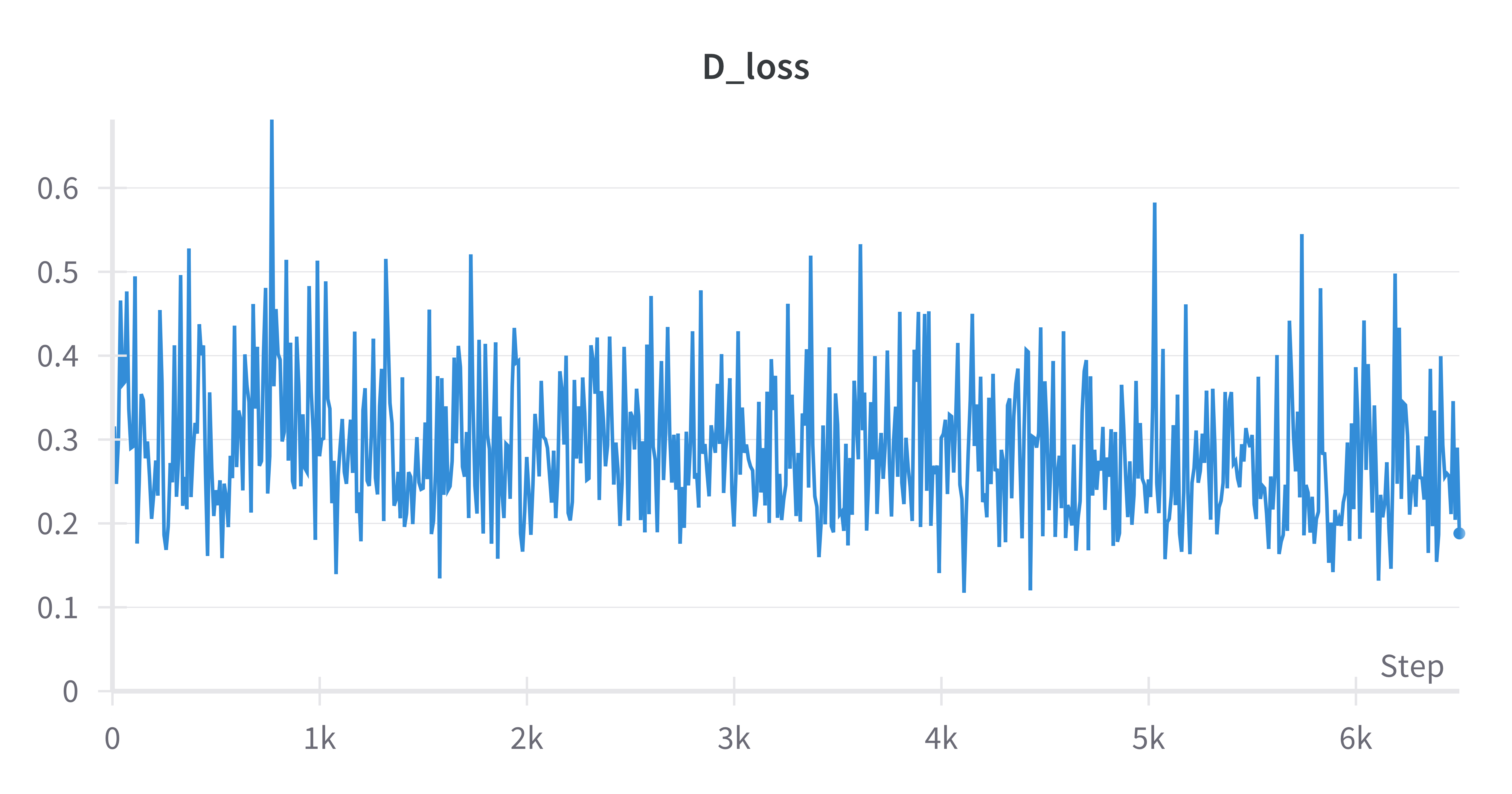
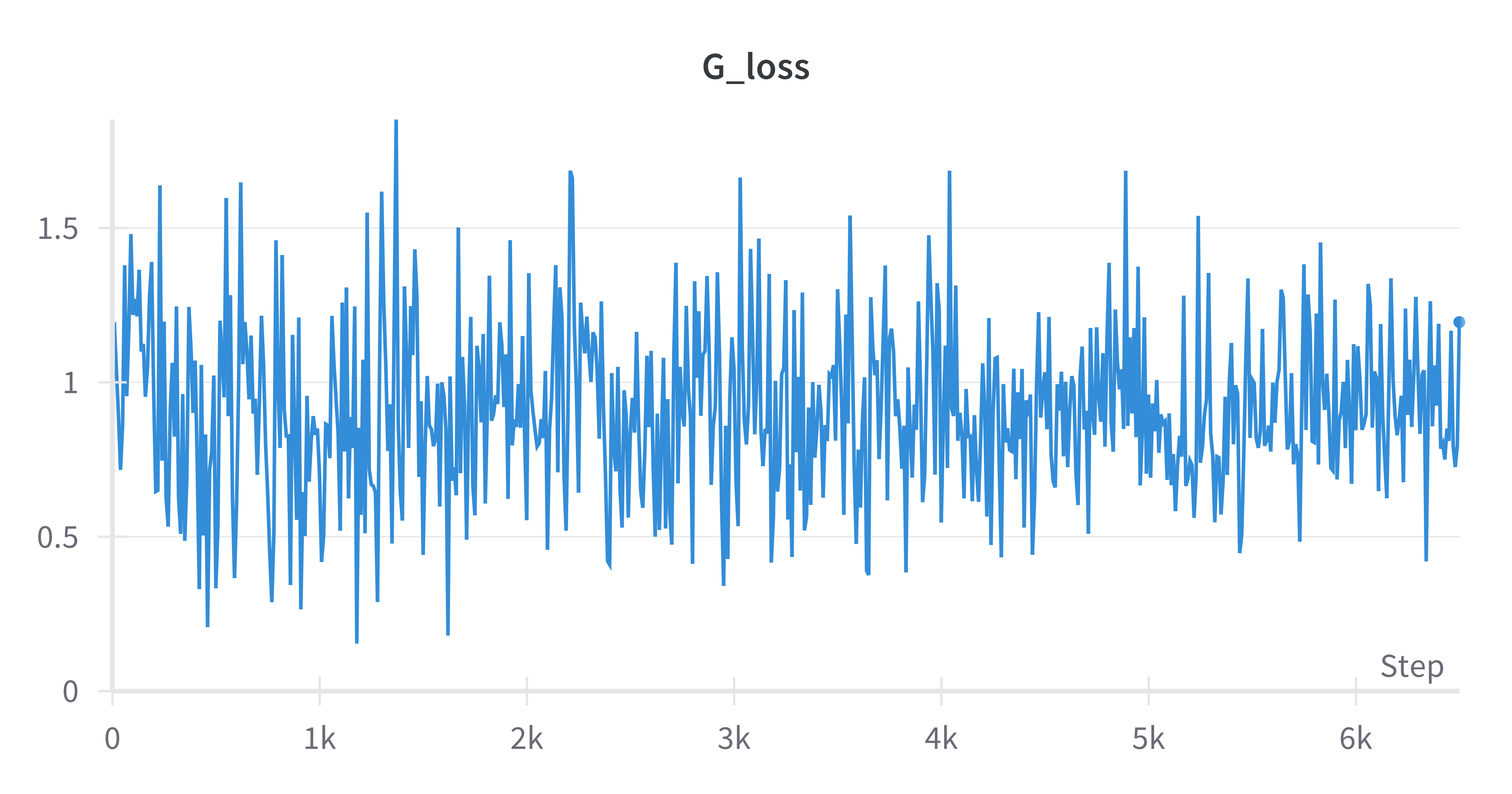
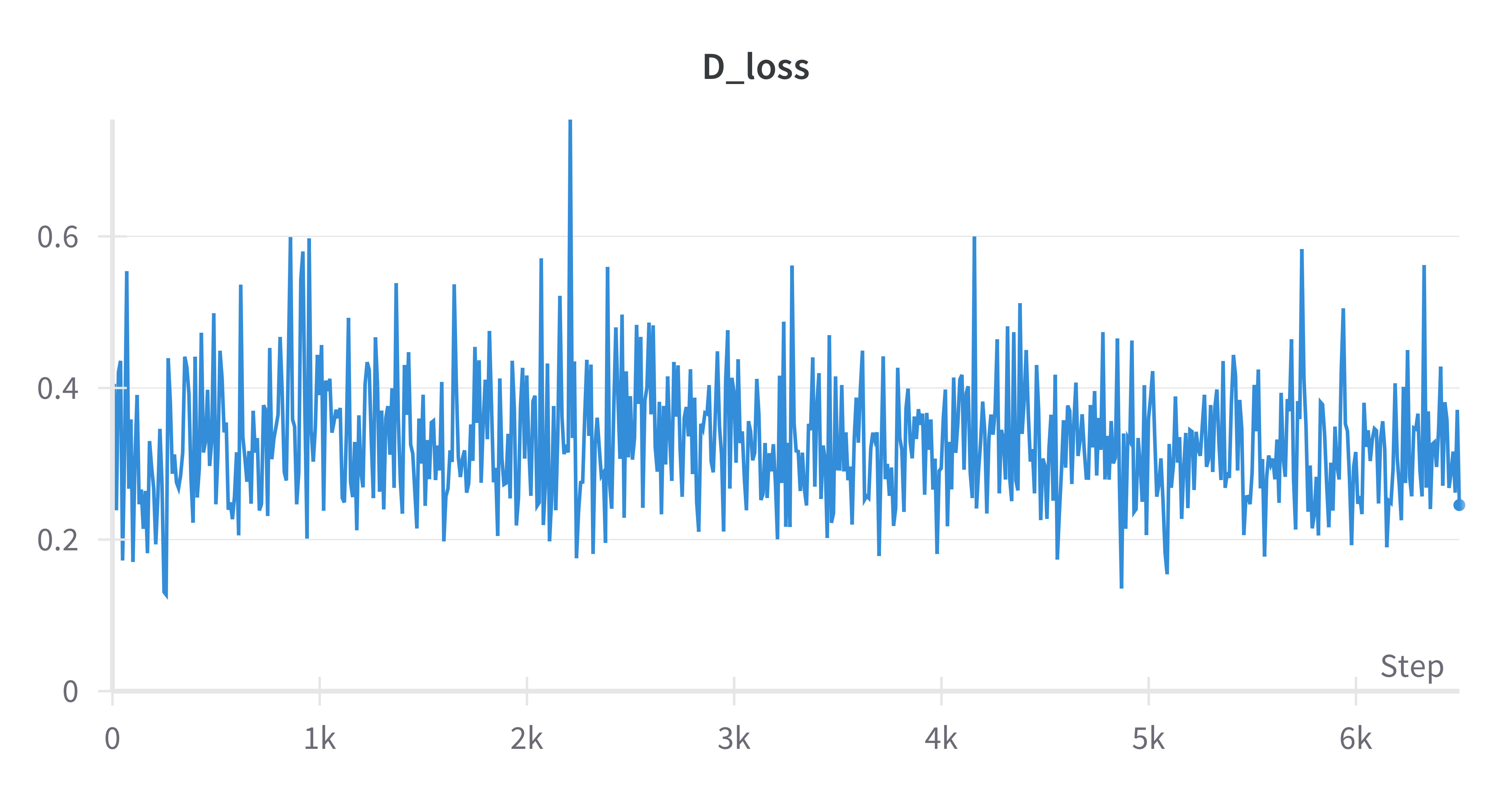
(####) Deluxe without Diffaug
(####) Deluxe with Diffaug
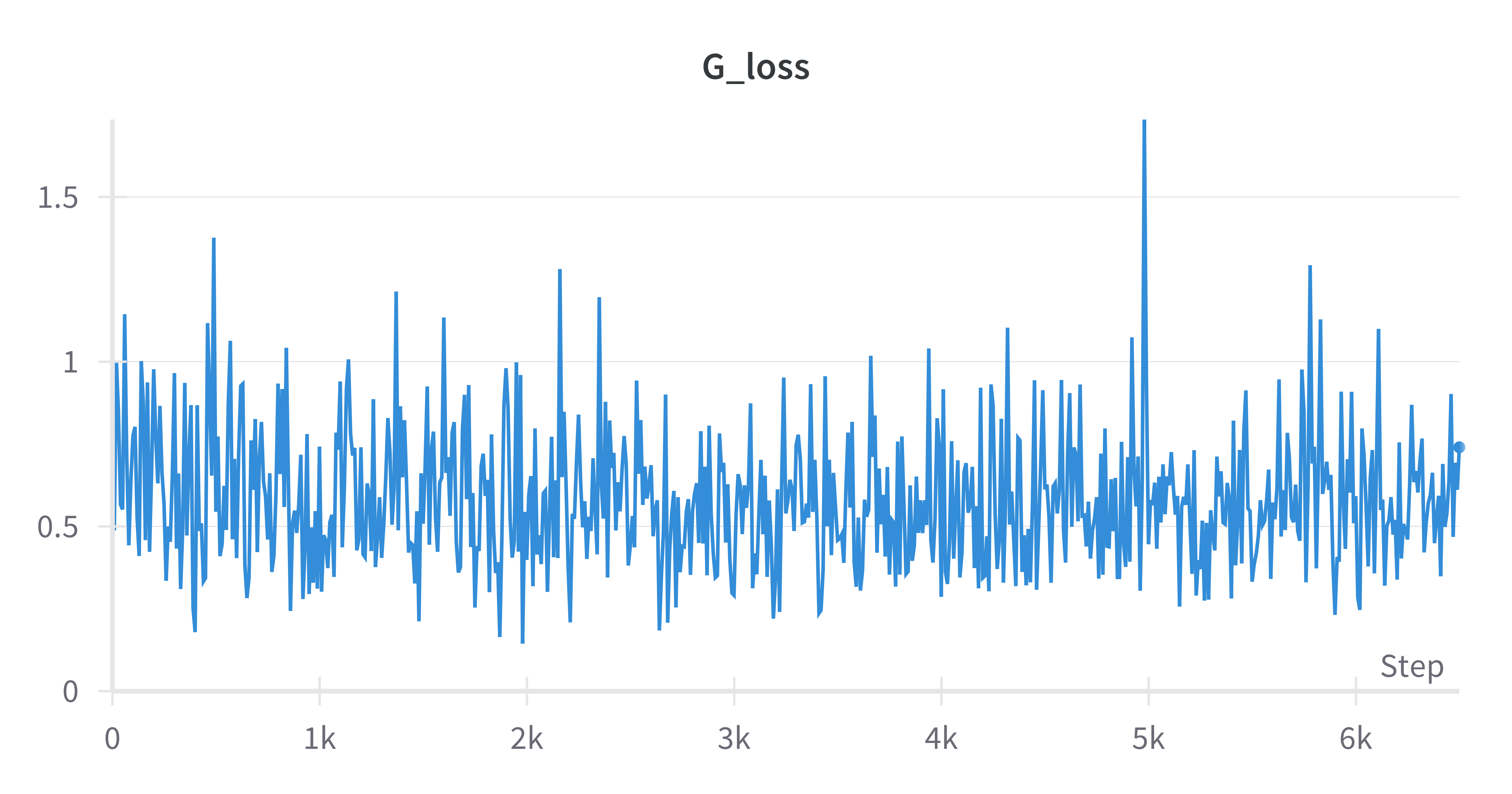
In the scenario the DCGAN manages to train, we would expect that the Discriminator loss and Generator loss should both slowly decrease and converge over time and not oscillate too much. We see that the Discriminator losses generally decrease over time, while the Generator losses oscillate without changing too much from it's average value.
(###) Results
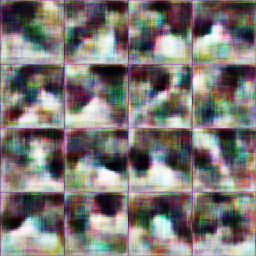
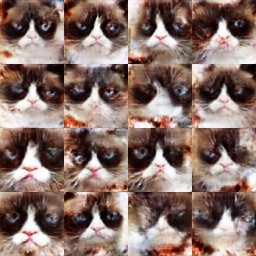
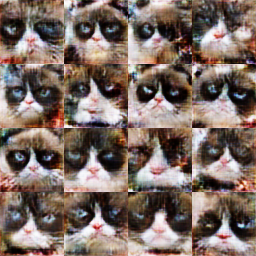
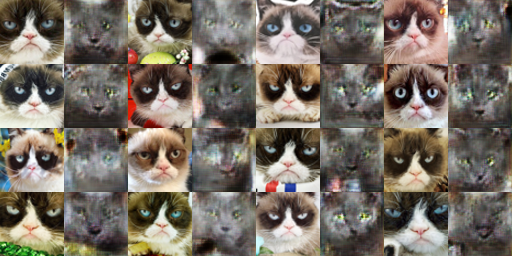
For the Deluxe with Diffaug, we have the following comparison (left is at 200 iterations, right is at 6400 iterations):
As we can see, the GAN starts off with very blurry results, capturing the general shape of the cat face and not much else. As it trains, we can start to see the eyes, whiskers and general face shape becoming more refined.
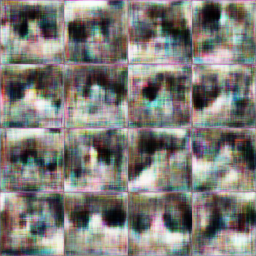
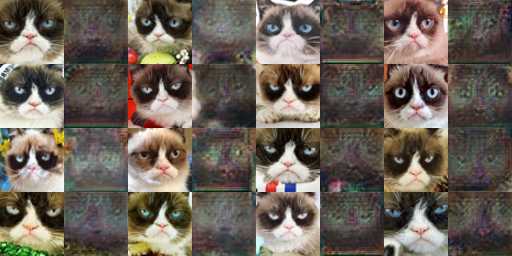
We also want to compare this with Deluxe without Diffaug (left is at 200 iterations, right is at 6400 iterations):
Comparing the results at the end of the training, it looks like the results without Diffaug have a couple more patches of noise compared to the results with Diffaug.
(##) CycleGAN
The architecture and implementation of the CycleGAN is covered in the writeup - we simply followed the steps outlined there.
(###) Cat Dataset
(####) Patch Discriminator without Cycle Consistency Loss
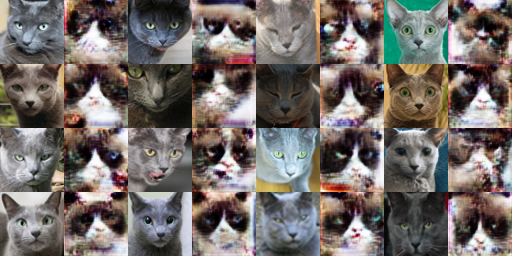
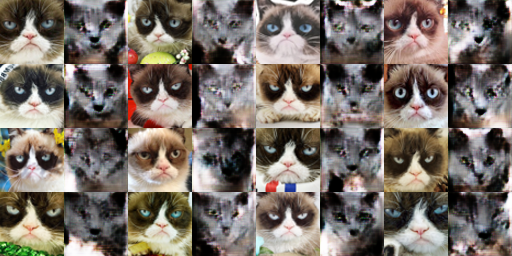
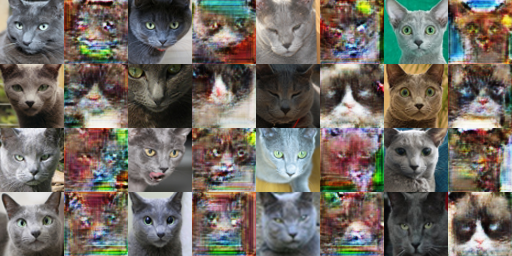
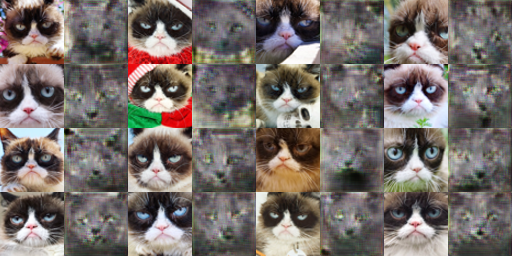
After 1000 iterations:
(####) Patch Discriminator with Cycle Consistency Loss
After 1000 iterations:
After 10000 iterations:
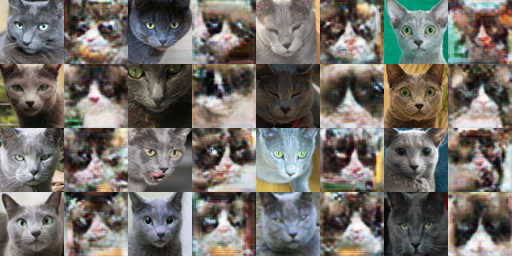
(####) DCDiscriminator with Cycle Consistency Loss
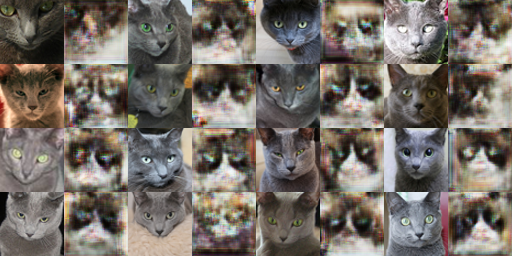
After 1000 iterations:
(###) Apples and Oranges Dataset
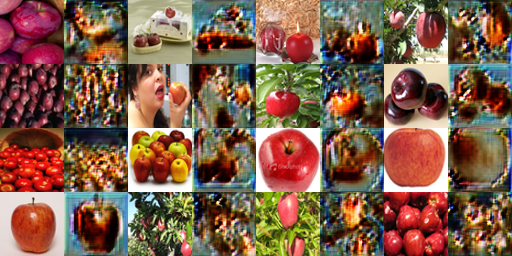
(####) Patch Discriminator without Cycle Consistency Loss
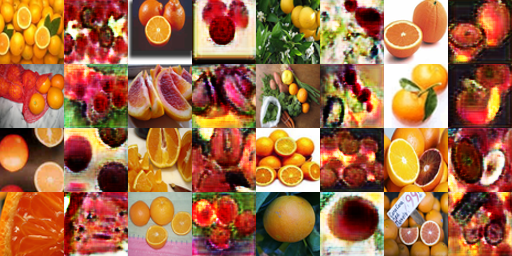
After 1000 iterations:
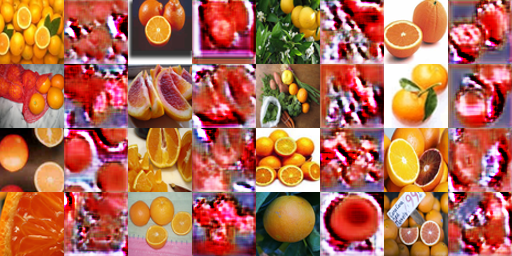
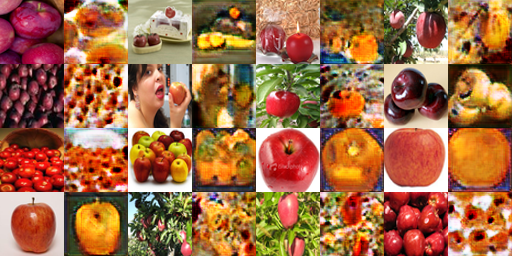
(####) Patch Discriminator with Cycle Consistency Loss
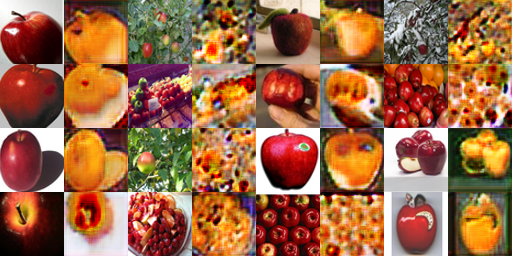
After 1000 iterations:
(####) DCDiscriminator with Cycle Consistency Loss
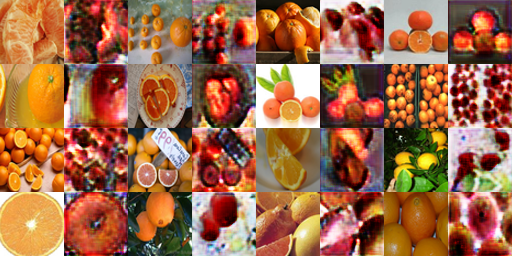
After 1000 iterations:
(###) With and Without Cycle loss
As seen in the apple and oranges dataset, there is definitely an improvement with using cycle loss over not using cycle loss. The images generated with cycle loss has more color and structure retained (colors in the first apples to orange are very dark compared to what should be expected).
(###) Patch Discriminator vs DCDiscriminator
There seems to be a difference when it comes to the background. If we take a look at the apple to oranges for DCDiscriminator, the images with background with leaves all end up getting colored orange. The patch discriminator takes a look at a patch of pixel compared to one pixel with the DCDiscriminator, so it gives more information about images around the pixel, which would help with the background colors.
(##) Bells and Whistles
I did not implement any of the Bells and Whistles.
(##) Credits
Credit to [15-468](http://graphics.cs.cmu.edu/courses/15-468/) for the HTML template.