**Assignment #1 - Colorizing the Prokudin-Gorskii Photo Collection**
Student name: Daniel Zeng (dlzeng)
(##) Overview
The main goal for this assignment is to apply image processing techniques to take digitized Prokudin-Gorskii glass plate images and produce a color image.
We will do this by splitting the image into thirds, and then aligning the red and green filtered images to the blue filtered image.
For alignment, we follow the two approaches outlined in the assignment description. For small images, we use a brute force approach that will look over an interval of $[-15, 15]$ displacements in both the $x$ and $y$ directions.
For each of these displacements, we used the sum of squared differences (SSD) and normalized cross-correlation (NCC) metrics to compute a score for the alignment. We then choose the displacement that has the best score (minimum for SSD, maximum for NCC).
There wasn't a big difference in the results between the two metrics, so I ended up going with NCC.
For larger images, we can't brute force the alignment, so we use a pyramid approach. We start by downsampling the images using `sk.transform.rescale` until the image is at most $400 \times 400$ pixels.
Starting from the smallest downscaled image, we use the brute force approach outlined above to get an initial guess for the displacements. We then move on to the next level of the pyramid, scale the displacements we got from the brute force approach by 2, and halve the interval size that we check over. We repeat this until we get to the original image, to which we then have a good approximation for the displacement to use to align the red and green filter to the blue filter.
I've additionally added some preprocessing and postprocessing to crop the images. I've tested the preprocessing with two different approaches: a fixed amount of cropping (50 pixels on each side) and with a dynamic amount of cropping (get the average of the row/column and check if it's under or above some threshold that would denote black or white). The dynamic cropping would be used on the top, left, right and bottom parts of each of the filters, and then we would take the maximum of the three displacements for each direction to use for cropping. We also limit the crops to be at most 10% of the image size in each direction.
I ended up going with dynamic amount with thesholds of 0.2 and 0.8 as it ended up producing the best results.
For postprocessing, the main change I did was to crop by the displacements that I found. This is because using `np.roll` will shift the image by the displacement, but it will also wrap around the image. The wrapped around parts of the image will not align at all, so I tried to get rid of it by cropping the image by the displacement used.
(##) Results
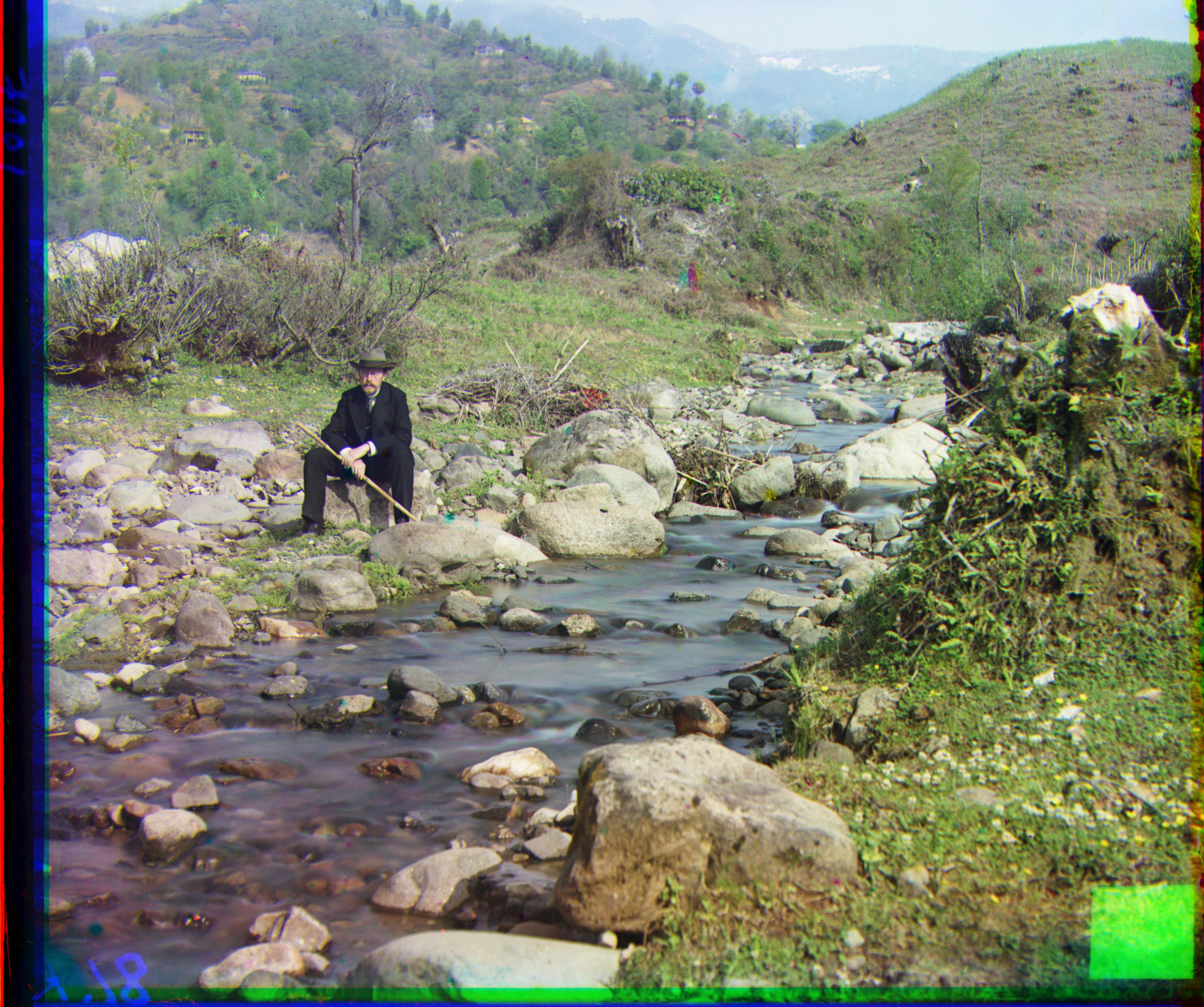
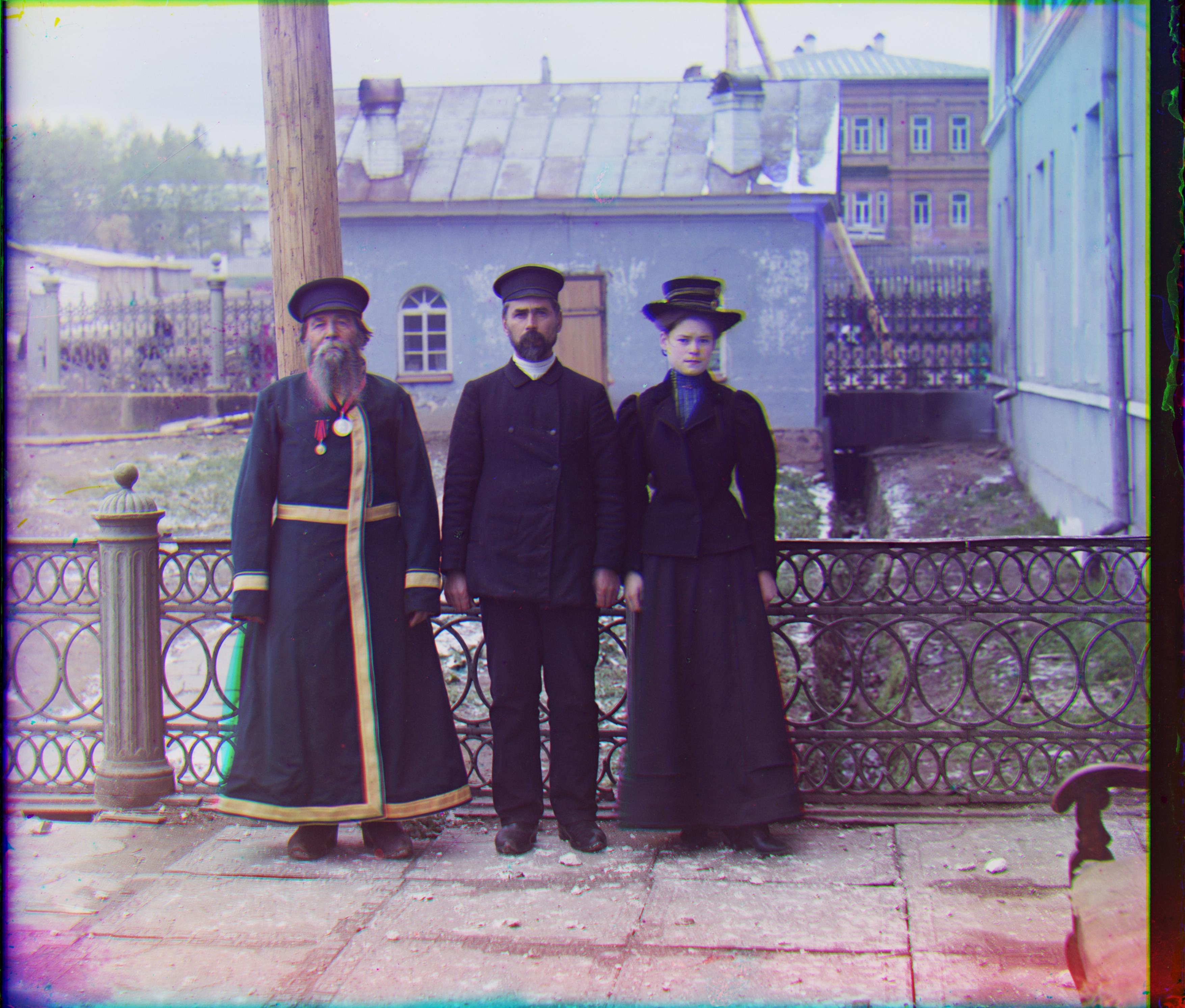
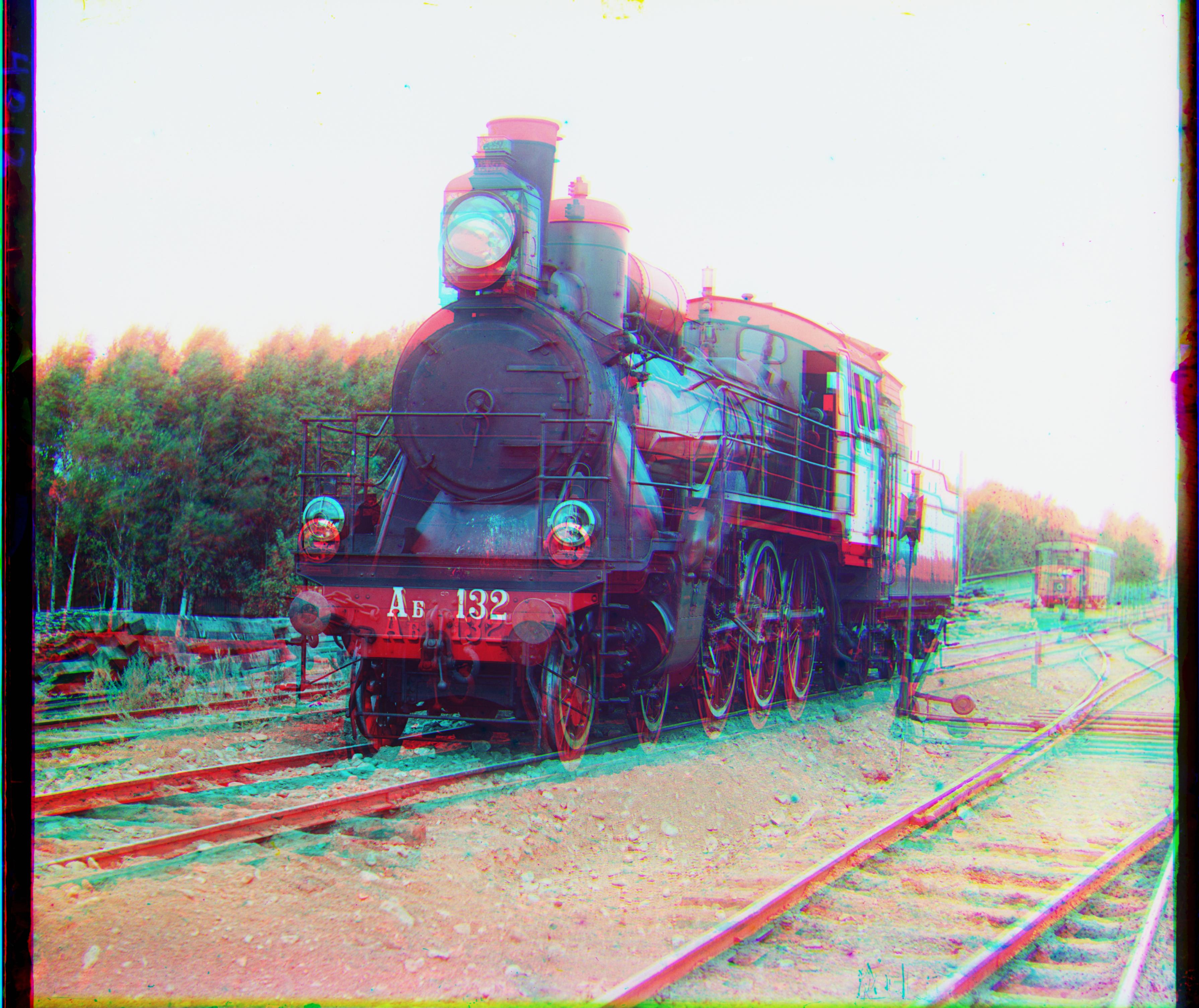
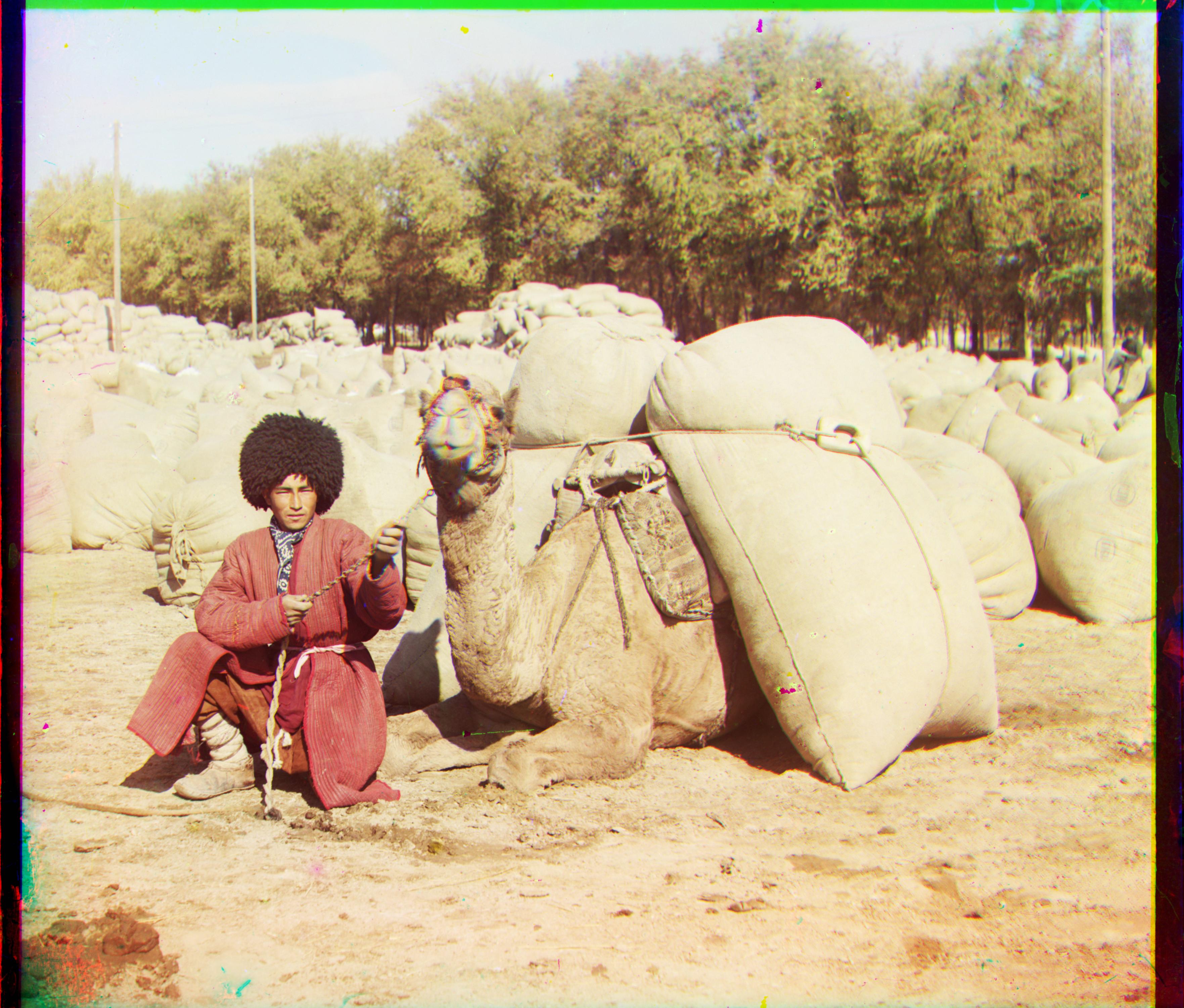
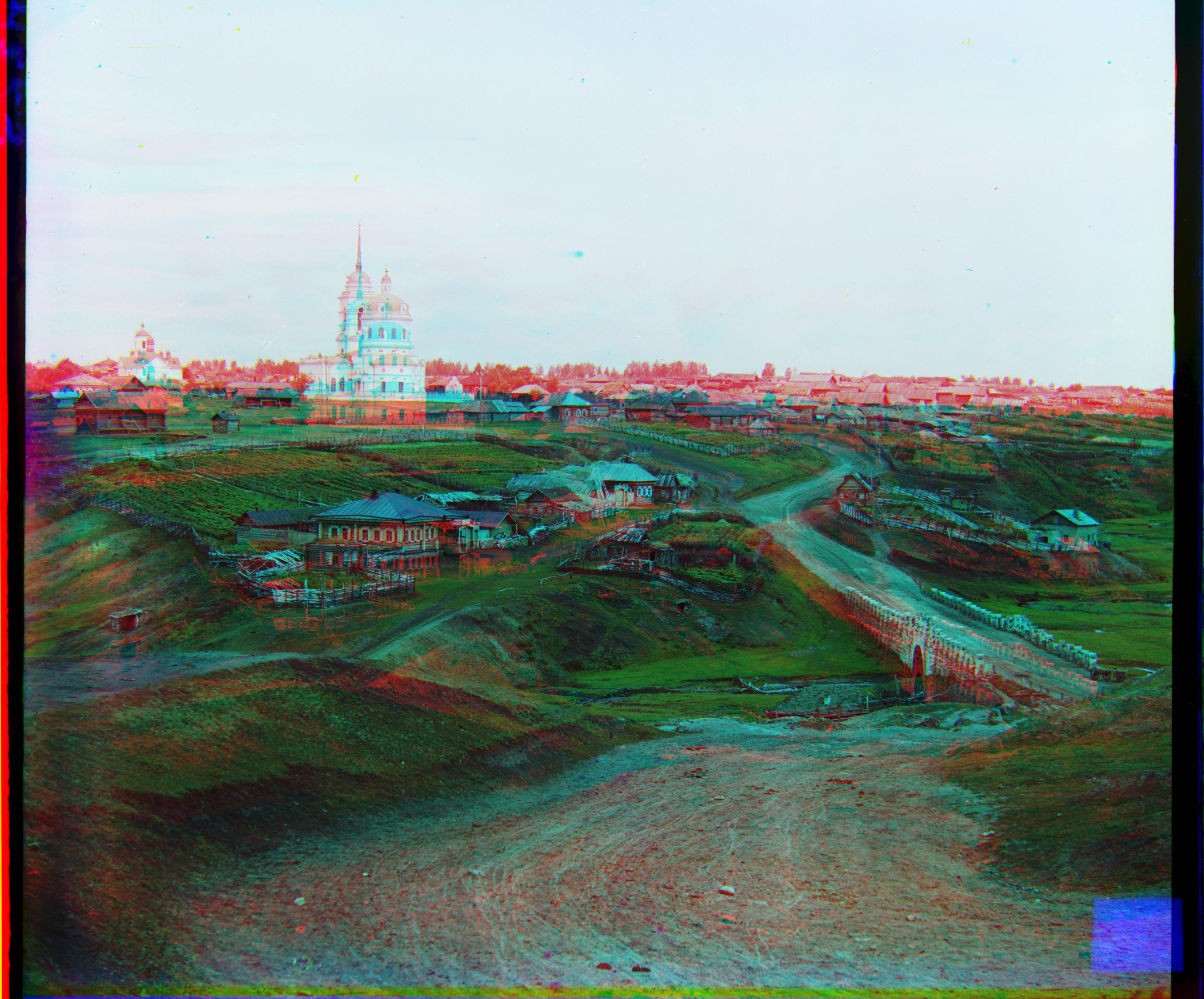
Overall, the approach I have outlined above works well for the images that I have tested. Interestingly enough, it seems that it only struggles with `train.tif` and `village.tif` but does well with the rest of the images.
I'm not sure why this is the case, but it seems that the degree of the initial cropping has a big impact on the results. I've tried playing around with different thresholds and it seems that 0.2 and 0.8 was a good balance for the images that I have tested.
Each of the captions will be formatted as $(x, y)$ for the displacements and (top, bottom, left, right) for the cropping.
(###) Brute Force on small images:
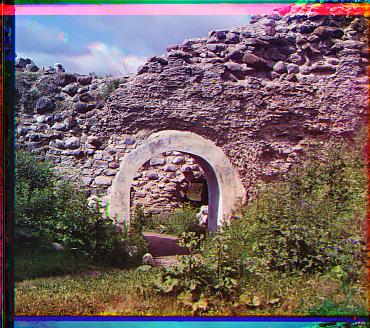
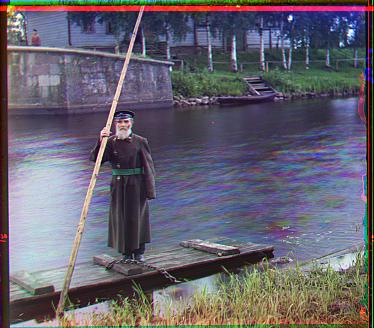
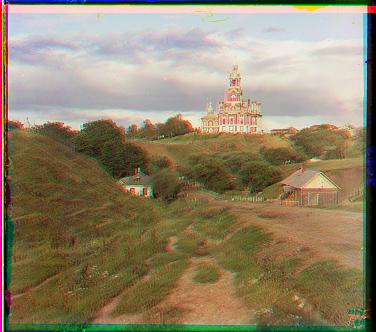
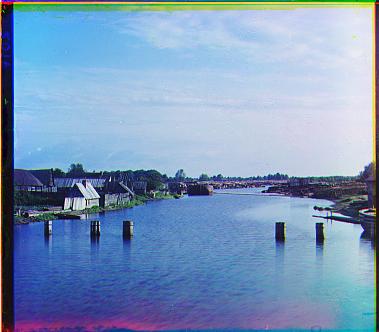
From the Prokudin-Gorskii collection, I have chosen to use `arch`, `boat` and `river`.
Arch: Green displacement: (7, 2) Red displacement: (15, 4) Crop: (12, 1, 9, 13)Boat: Green displacement: (5, -2) Red displacement: (11, -6) Crop: (9, 4, 10, 10)Cathedral: Green displacement: (5, 2) Red displacement: (13, 0) Crop: (7, 2, 6, 8)River: Green displacement: (2, 0) Red displacement: (4, 0) Crop: (6, 3, 3, 10)
(###) Image pyramid on large images:
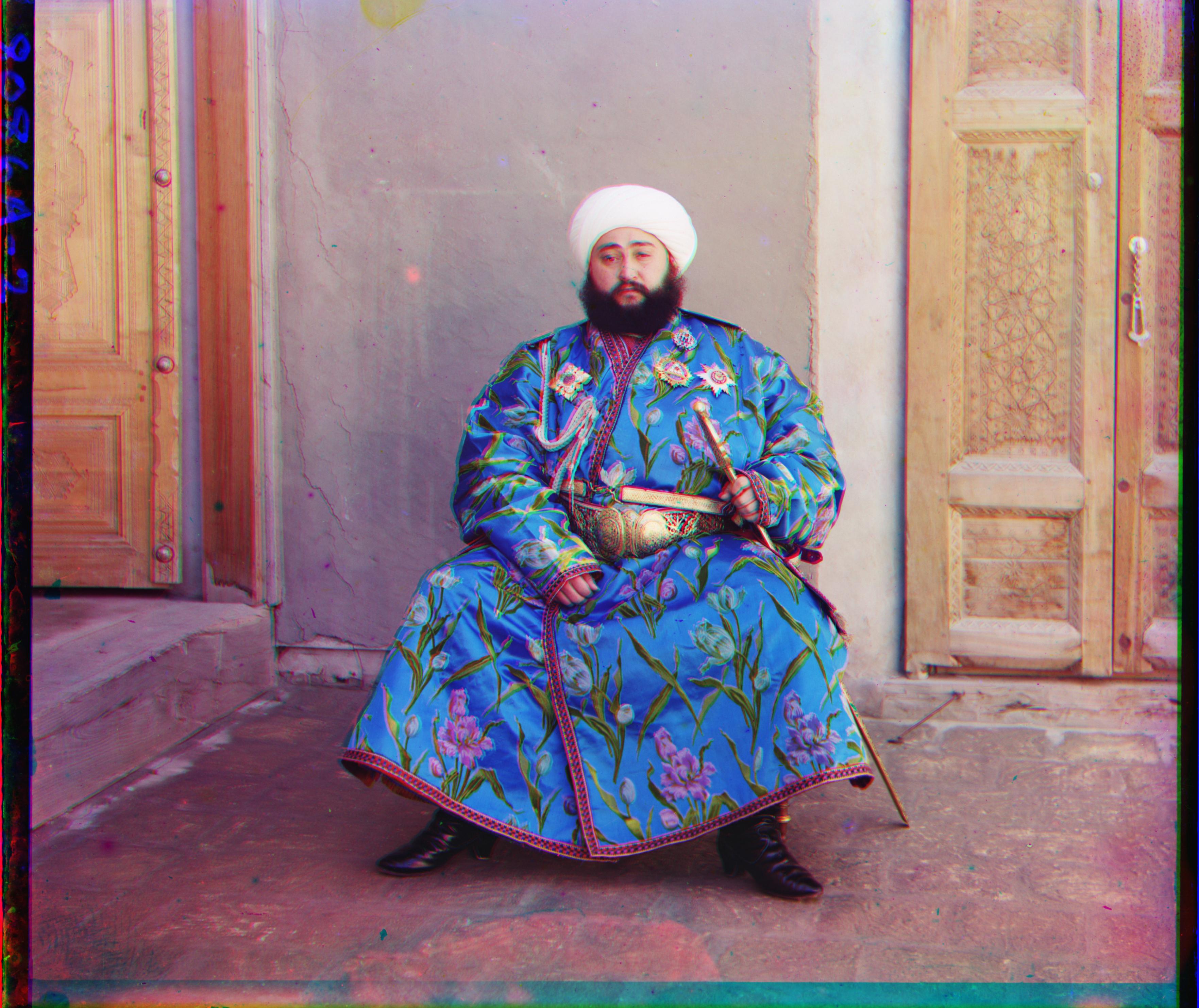
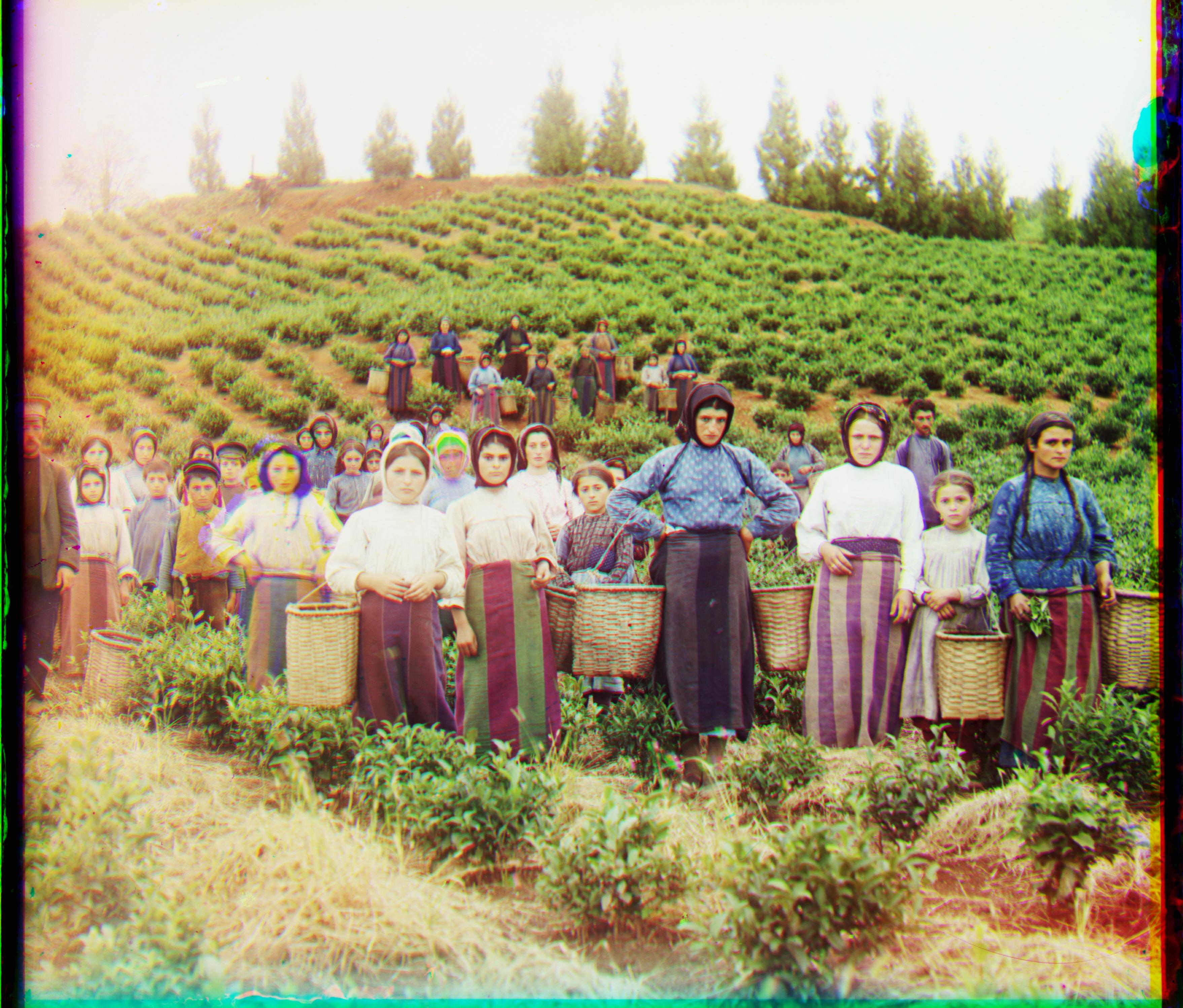
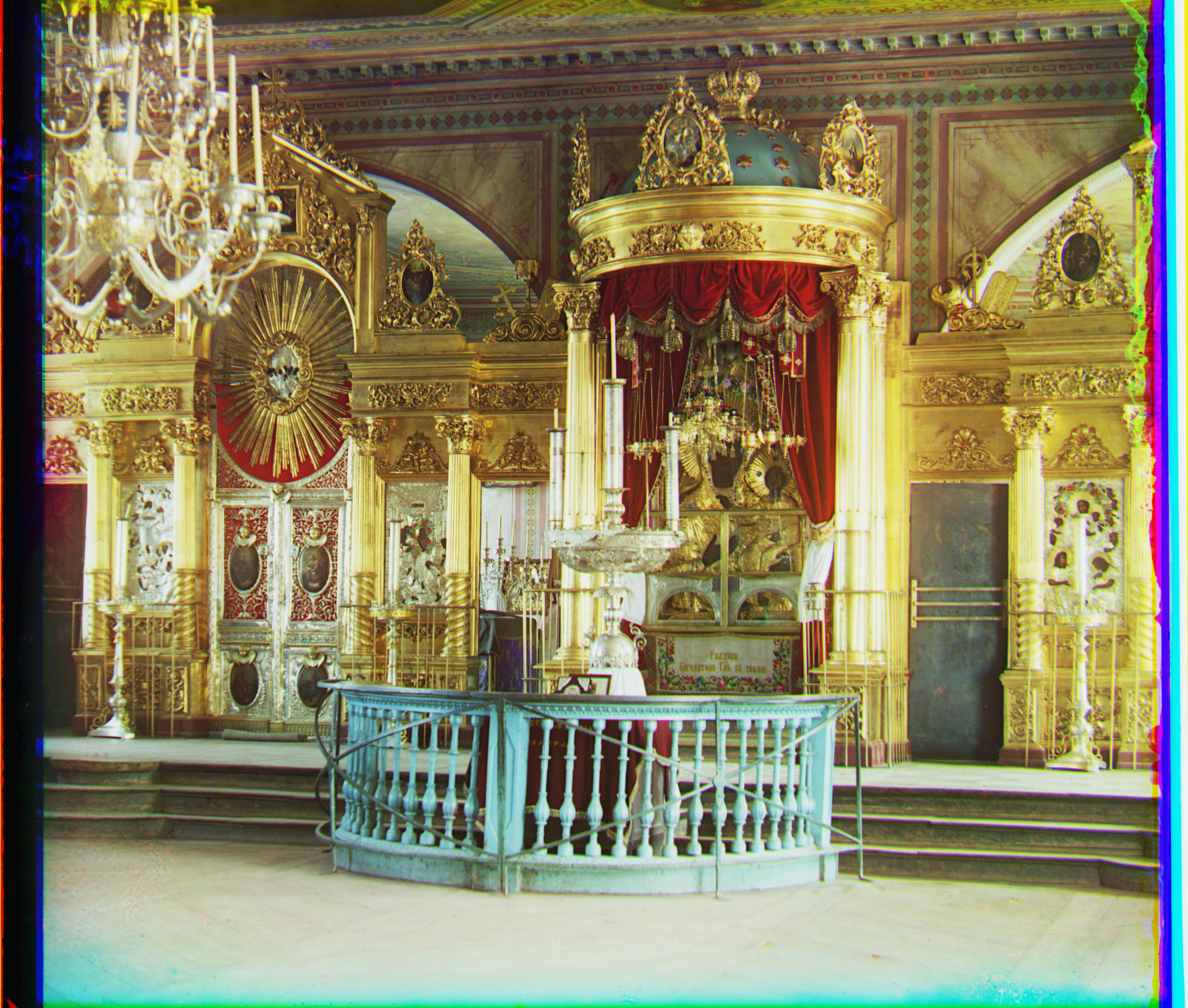
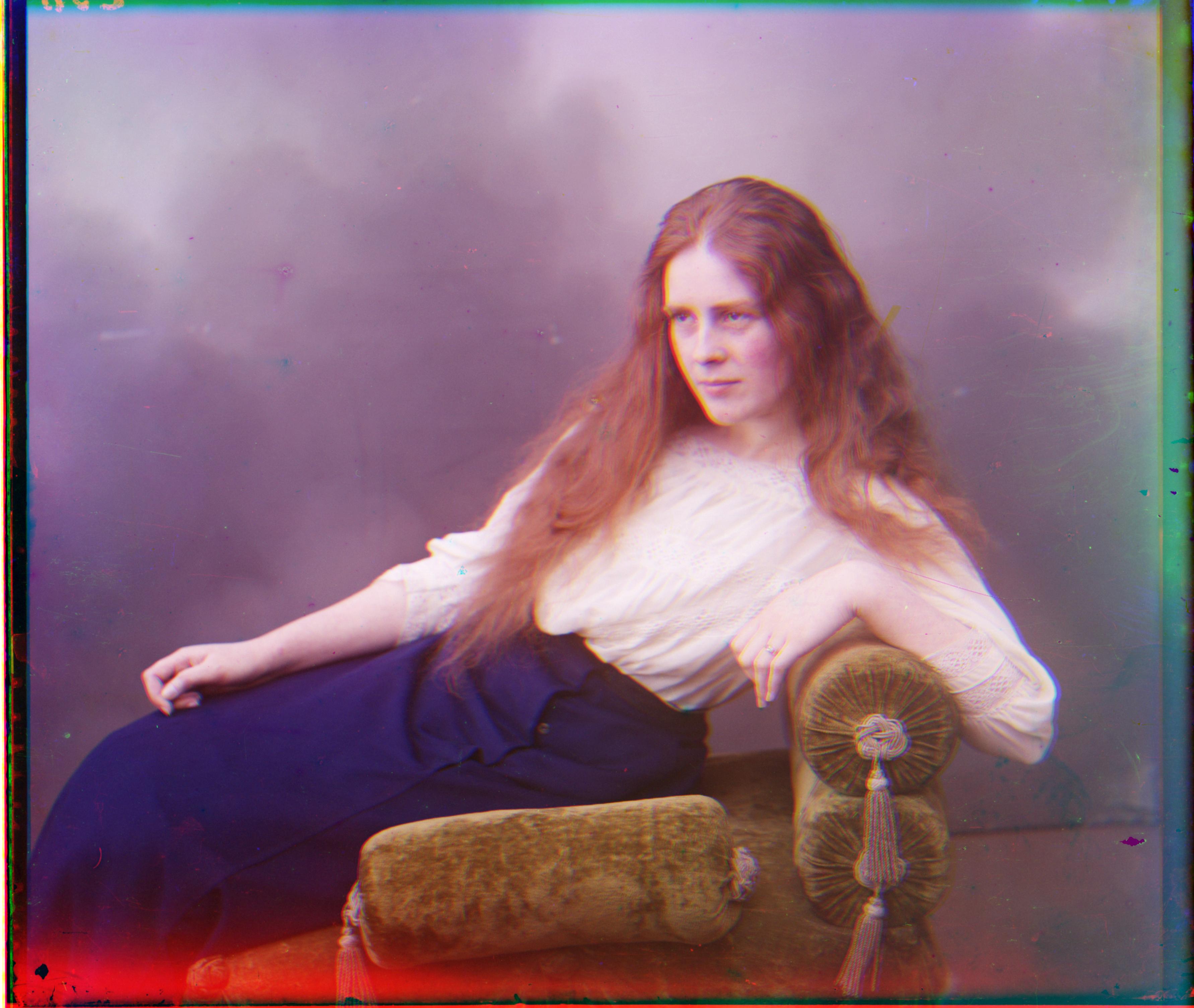
Emir: Green displacement: (48, 24) Red displacement: (100, 33) Crop: (102, 43, 80, 63)Harvesters: Green displacement: (60, 16) Red displacement: (130, 14) Crop: (91, 1, 62, 90)Icon: Green displacement: (40, 16) Red displacement: (91, 22) Crop: (52, 12, 62, 16)Lady: Green displacement: (56, -3) Red displacement: (118, -6) Crop: (83, 1, 76, 114)Self Portrait: Green displacement: (80, 28) Red displacement: (176, 36) Crop: (136, 1, 153, 109)Three Generations: Green displacement: (54, 12) Red displacement: (115, 10) Crop: (105, 1, 98, 93)Train: Green displacement: (42, 0) Red displacement: (152, 14) Crop: (74, 1, 65, 96)Turkmen: Green displacement: (56, 18) Red displacement: (114, 26) Crop: (91, 1, 87, 123)Village: Green displacement: (66, 12) Red displacement: (222, 25) Crop: (60, 1, 108, 87)
(##) Bells and Whistles
Other than some preprocessing and postprocessing for cropping, I did not do any additional bells and whistles.
(##) Credits
Credit to [15-468](http://graphics.cs.cmu.edu/courses/15-468/) for the HTML template.